
As cyber threats surge in 2026, protecting your WordPress website is crucial. WordPress Security Services defend your site from costly malware, hackers, vulnerabilities, and performance disruptions that threaten your brand and business continuity.
These services offer round-the-clock protection, monitoring, and support to keep your website safe and stable. Here’s what they include and why they matter.
WordPress Security Services include ongoing protection, monitoring, and expert support to keep your website safe from malware, hackers, spam, vulnerabilities, and downtime. A typical plan covers malware scanning and removal, firewall protection, security hardening, core, plugin and theme updates, uptime monitoring, regular backups, vulnerability checks, and spam or bot protection. These services are especially important for agencies, eCommerce stores, high-traffic sites, SaaS companies, local businesses, and any website that collects leads, stores user data, or supports business revenue.
What Are WordPress Security Services?
WordPress Security Services provide ongoing, professional protection against cyber threats. They combine automated tools, monitoring, and support to block attacks, identify vulnerabilities, and resolve issues quickly.

These services are ideal for agencies, small businesses, enterprises, and website owners seeking reliable, hands‑off security for mission-critical websites.
Why Are WordPress Security Services Important?
WordPress sites are frequent targets for bots, malware, and hackers. Without protection, sites face downtime, data loss, SEO damage, and costly repairs, which can affect business credibility.
Professional WordPress Security Services provide round-the-clock monitoring, proactive updates, and threat prevention, keeping your site stable and secure. By intercepting attacks early and addressing vulnerabilities fast, they guarantee your website remains safe, fast, and reliable—maximizing your peace of mind.
What Do WordPress Security Services Include?
WordPress security services shield your site from malware, hacks, spam, and downtime. Monitoring, backups, updates, firewall protection, and expert cleanup are typically included.
Malware Scanning & Removal
Regular scans help detect malware, suspicious code, redirects, injections, backdoors, and other hidden threats inside your WordPress site.
If anything harmful is found, security experts remove it safely and restore the website without affecting important files or data.
Firewall Protection
A Web Application Firewall helps block harmful traffic before it reaches your website. It protects against brute-force attacks, SQL injections, bot attacks, DDoS threats, and cross-site scripting.
This keeps attackers away from your site and helps maintain better stability, speed, and uptime.
WordPress Security Hardening
Security hardening strengthens your WordPress setup by closing common weak points. This includes disabling file editing, securing the wp-config file, limiting login attempts, and locking down XML-RPC.
It may also include strong password rules, two-factor authentication, and protection for sensitive system files.
Core, Plugin & Theme Updates
Outdated WordPress core files, plugins, and themes are one of the biggest reasons websites get hacked. Security services include safe and scheduled updates.
Before applying updates, teams usually test them to avoid layout issues, plugin conflicts, or website downtime.
Uptime & Performance Monitoring
Your website is regularly monitored to ensure it stays online and loads properly.
If downtime, slow speed, or unusual activity is detected, the security team can respond before it affects visitors.
Regular Backups
Backups protect your website from malware, server errors, failed updates, or accidental changes.
Most plans include daily or hourly backups, off-site storage, and quick restore options to bring your site back safely.
Vulnerability Detection
Security services scan your website for risks like outdated plugins, unsafe themes, weak passwords, PHP issues, and server misconfigurations.
Finding these problems early helps prevent attacks before they happen and keeps your WordPress site safer over time.
Spam & Bot Protection
Bots often target login pages, forms, comments, and APIs. Security tools help block fake submissions, spam comments, scraping attempts, and login abuse.
This keeps your site cleaner, reduces server stress, and helps maintain smoother performance for real visitors.
Who Needs WordPress Security Services?
WordPress security services are particularly valuable to agencies managing multiple websites, e-commerce stores, high-traffic publishers, enterprise brands, SaaS companies, local businesses, membership platforms, and LMS websites, as these groups have greater ongoing protection needs.
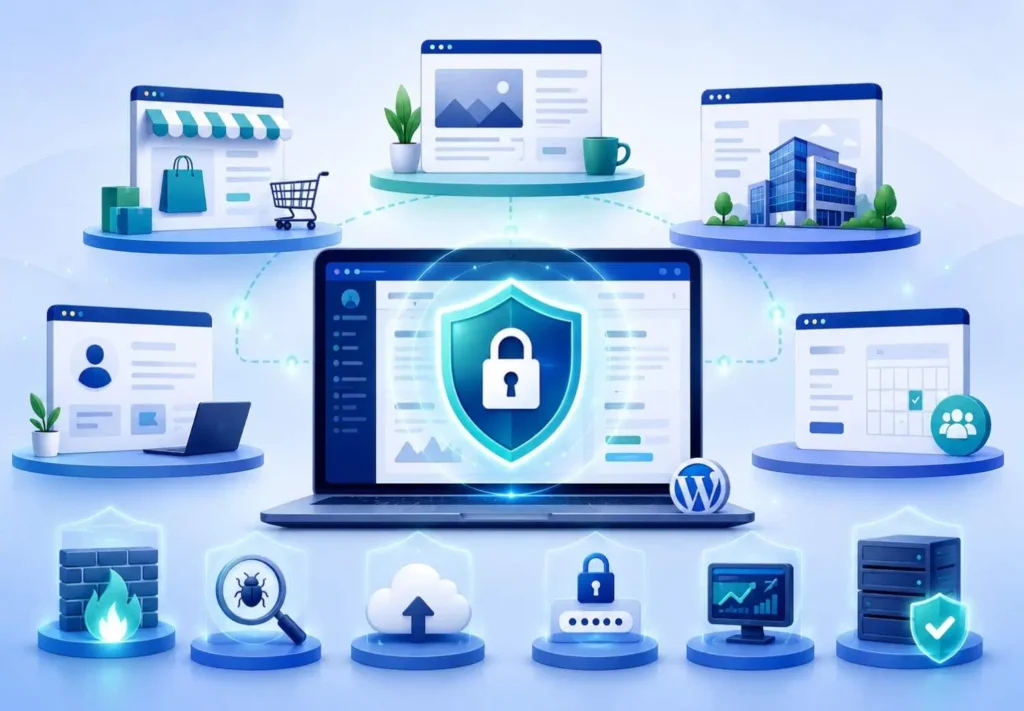
If your website generates revenue, collects leads, stores user data, or supports business operations, ongoing security is essential to protect your site, customers, and reputation.
Are WordPress Security Services Worth It?
Absolutely. The cost of a hack is far greater than the cost of ongoing protection.
- Prevent costly downtime: Security services monitor your site and stop threats early, helping your website stay online and available to visitors.
- Protect customer data: They help secure sensitive information like login details, contact forms, payment data, and customer records.
- Improve site performance and SEO: A clean, secure website loads faster, avoids malware warnings, and protects your search rankings.
- Avoid malware or ransomware: Regular scans, firewalls, and expert cleanup reduce the risk of harmful code, redirects, or locked website files.
- Maintain a trustworthy brand: A secure website builds visitors’ confidence and protects your business from reputational damage.
Common Mistakes to Avoid
Many site owners unintentionally expose their WordPress websites to security risks. Common mistakes include:
- Ignoring updates: Outdated WordPress core files, plugins, and themes can create easy entry points for hackers.
- Relying only on free security plugins: Free tools can help, but they may not provide complete protection, monitoring, or expert cleanup.
- Using weak passwords: Simple passwords make it easier for attackers to break into admin accounts.
- Not having backups: Without regular backups, recovery becomes difficult if your site is hacked or breaks.
- No firewall or monitoring: Without a firewall or active monitoring, attacks may go unnoticed until damage is done.
- Using unverified plugins or themes: Poorly coded or untrusted plugins and themes can introduce malware or vulnerabilities.
Conclusion
WordPress Security Services provide the protection, monitoring, and expert support needed to keep websites safe in 2026. From malware removal and firewalls to updates, backups, hardening, and vulnerability checks, they help your site stay secure, fast, and reliable.
For agencies and businesses, these services are critical for stopping threats, boosting customer trust, and sustaining a powerful online brand. A secure WordPress website lowers risks, fuels long-term business growth, and inspires user confidence.
FAQs About WordPress Security Services
What are WordPress Security Services?
WordPress Security Services protect your website from malware, hackers, spam, vulnerabilities, and downtime by monitoring, implementing firewalls, backing up, updating, and providing expert support.
What is included in a WordPress security plan?
A typical plan includes malware scanning and removal, firewall protection, security hardening, updates, backups, uptime monitoring, vulnerability checks, and spam protection.
Do WordPress Security Services remove malware?
Yes, professional services can detect and remove malware, suspicious code, redirects, injections, and backdoors while safely restoring your website.
Who needs WordPress Security Services?
Agencies, eCommerce stores, high-traffic sites, SaaS companies, local businesses, membership platforms, and any website that collects leads or stores user data need them
Are WordPress Security Services worth it?
Yes. They help prevent costly downtime, protect customer data, reduce hacking risks, and maintain your brand’s trust.
Can a free security plugin protect my site?
A free plugin can offer basic protection, but professional services provide stronger monitoring, expert cleanup, backups, firewall support, and ongoing threat prevention.



