
Today, we’ve evolved and are impacted by climate change and digital transformation, more people than ever rely on real-time, localized weather updates. Whether they are travelers, farmers, event planners, or everyday individuals trying to plan their week, a weather website that provides timely, accurate, and user-friendly forecasts can draw significant traffic. But creating a successful weather site isn’t as simple as displaying daily temperatures. You need the right combination of data integration, user experience, SEO, and content strategy.
This comprehensive guide will walk you through everything you need to know to start a weather website that not only functions flawlessly but also attracts and retains a growing audience.
Why Start a Weather Website?
Demand for Localized Information
People increasingly search for location-specific weather data, hourly forecasts, radar imagery, UV index, pollen levels, and storm warnings. A well-designed site tailored to these needs can quickly gain popularity.
Monetization Potential
Weather websites have ample monetization opportunities, from Google AdSense and affiliate links to premium subscriptions for detailed forecasts and integrations with travel or event apps.
Evergreen Content
Unlike trending niches, weather-related content remains relevant year-round. With proper updates and tools, your site can generate consistent traffic every single day.
Check Out: How to Start a Fashion Blog with WordPress: 8 Quick Steps
Step 1: Define Your Niche and Audience
General vs. Specialized
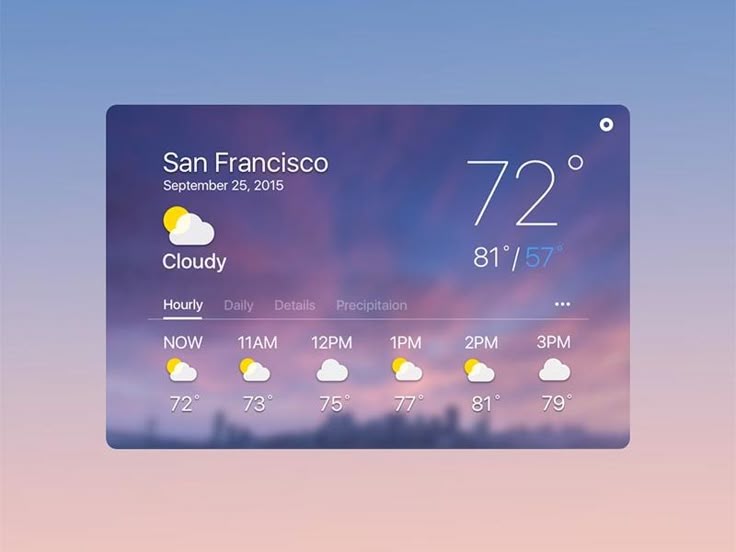
While global weather sites like Weather.com already dominate broad searches, a niche-focused site (e.g., for specific countries, cities, or interest groups like hikers or surfers) can carve out a loyal audience.
Know Your Users
Will your audience consist of casual users, professionals, or hobbyists? A farming-focused weather site, for instance, would emphasize soil moisture, frost dates, and growing-degree days.
Step 2: Source Reliable Weather Data
Use Weather APIs
To ensure your forecasts are accurate and up-to-date, connect with reputable weather APIs. Some popular ones include:
- OpenWeatherMap
- Weatherstack
- Climacell (Tomorrow.io)
- AccuWeather API (commercial)
- NOAA API (for U.S.-based data)
Real-Time vs. Forecasted Data
Decide whether you’ll display real-time updates, hourly forecasts, or extended forecasts (up to 10 days). Offering a mix is usually ideal.
Step 3: Build a Fast, Responsive Website
Choose the Right Platform
WordPress is a great starting point due to its flexibility and plugin ecosystem. With themes optimized for weather data and plugins for API integration, you can build efficiently.
Prioritize Mobile Users
A large portion of weather website traffic comes from mobile devices. Use mobile-first design principles to ensure fast load times and intuitive navigation.
Key Features to Include:
- Geolocation-based forecasting
- Radar and satellite imagery
- Search functionality by ZIP code or city
- Alerts and warnings
- Widgets and embeddable forecasts
- Multilingual support (optional but helpful)
Explore: How to Create a Multilingual WordPress Site
Own a Weather Site That Drives Traffic
Launch a weather website that does more than just report the forecast, but informs, engages, and ranks.
Step 4: Optimize for SEO
On-Page SEO
- Use keyword-rich titles like “[City] Weather Forecast Today”
- Write meta descriptions for each page
- Use H1, H2, and H3 tags correctly
- Optimize image alt texts
Local SEO
- Set up Google Business Profile if applicable
- Use structured data markup (Schema.org for weather)
- Get listed in local directories
Content Strategy
Regularly publish:
- Weather blogs (“How El Niño Affects Winter in [Region]”)
- Seasonal preparedness guides
- Weather-related news updates
Step 5: Drive Initial Traffic
Social Media Strategy
- Share daily or weekly weather forecasts on platforms like Twitter and Instagram
- Use hashtags: #WeatherUpdate #RainAlert #SunnyDays
- Create visually appealing infographics or short videos
Email Subscriptions
- Let users subscribe to daily forecasts or weather alerts
- Include links back to your site in each email
Leverage Forums and Communities
Post in relevant subreddits, Facebook groups, or forums like Weather Underground or even niche platforms like boating and hiking communities.
Step 6: Keep Users Coming Back
Create Personalization Features
Allow users to save preferred locations and alert preferences. The more tailored the experience, the more likely users will return.
Mobile App Integration
If you have the resources, build a complementary mobile app. Push notifications for alerts and sleek UI can greatly enhance user retention.
Engage with Users
Include comment sections, user-submitted reports, or even photo galleries for community-generated content.
More Insights: Portal Web Design: A Complete Guide
Step 7: Monetize Strategically
Advertising
Use Google AdSense or partner networks to monetize traffic.
Affiliate Marketing
Link to weather-related gear, such as:
- Umbrellas and rain gear
- Camping and hiking equipment
- Travel insurance
Premium Features
Offer ad-free experiences, high-resolution radar imagery, or long-term forecasts as part of a paid plan.
Step 8: Ensure Ongoing Maintenance and Updates
Data Accuracy
Regularly audit your API data for consistency and reliability.
Website Health
Keep plugins, themes, and core systems updated to avoid security issues.
Analytics and Feedback
Monitor:
- Page load times
- Bounce rates
- User retention
Use tools like Google Analytics and Hotjar to gain insight.
Final Thoughts
Starting a weather website that drives traffic is both challenging and rewarding. With the right tools, strategies, and ongoing effort, you can create a platform that not only informs users but builds a community around your data. By focusing on niche targeting, reliable data, strong SEO, and exceptional user experience, your weather website can become a daily digital habit for thousands.