
With Sitecore 8.x reaching end of life and upgrade costs mounting, more businesses are asking whether staying on the platform still makes financial sense. The Sitecore license cost alone can exceed $500,000 annually before you factor in infrastructure, developer salaries, and ongoing maintenance. For many organizations, the total three-year cost of ownership ranges from $500,000 to $2,000,000.
This complete guide to Sitecore to WordPress migration covers every stage of the process: what it actually involves, which tools to use, how much it costs, what can go wrong, and how to protect your SEO rankings through the transition.
Migrating from Sitecore to WordPress involves three phases: backend, frontend, and content, completed across nine structured steps.
For a mid sized site with 100 to 1,000 pages, the process typically takes 2 to 4 months and costs $20,000 to $50,000.
Most organizations reduce their CMS spend by 50 to 70 percent after migration by eliminating Sitecore licensing fees, which often range from $40,000 to $500,000 per year.
The main risks are SEO ranking drops from missing redirects and integration gaps, both of which are preventable with proper planning and a complete redirect map implemented before launch.
Should You Migrate from Sitecore to WordPress?
Before committing to a multi-month project, it is worth pressure-testing the decision. Not every Sitecore frustration means WordPress is the right answer. Answer these five questions honestly:
- Are you spending more than $80,000 per year on Sitecore licensing and infrastructure combined?
- Does your marketing team rely on developers for routine content updates and landing page launches?
- Are you running Sitecore 8.x or 9.x and facing end-of-life pressure to upgrade or move to XM Cloud?
- Is your team evaluating Sitecore XM Cloud but unsure whether the rebuild cost is justified?
- Do fewer than three people on your team actively use Sitecore’s personalization features?
If you answered yes to three or more, migrating to WordPress is likely the right strategic decision. If you answered yes to all five, the case is clear-cut. If you are unsure of more than two, it is worth a discovery conversation before committing.
5 Reasons Businesses Are Moving Away from Sitecore in 2026
Businesses are leaving Sitecore primarily because of unsustainable licensing costs, reliance on developers for routine tasks, a shrinking specialist talent pool, and the complexity of upgrading to XM Cloud, all of which make WordPress a more practical and cost-effective alternative for most organizations.
Licensing Costs that Don’t Scale Down
The Sitecore license alone ranges from $40,000 to over $500,000 annually, depending on your configuration. Add infrastructure, specialized developer salaries, and ongoing maintenance, and the total cost of ownership over three years can climb well past $1 million. That number is scrutinized in every budget review, especially when competitors run WordPress at a fraction of the cost.
Marketing Teams are Locked Out of Their Own CMS
On Sitecore, publishing a landing page requires filing a developer ticket. Simple content edits such as changing a headline, updating a CTA, or adding a blog post often require developer involvement. For marketing teams under pressure to move fast, this operational dependency becomes a daily friction point that compounds over time.
A Shrinking, Expensive Developer Pool
Sitecore runs on .NET, a specialized stack with a relatively small developer community. Finding, hiring, and retaining Sitecore-qualified developers is slow and expensive. WordPress draws from the largest CMS developer pool in the world, which means lower hourly rates, faster hiring, and more available talent for ongoing work.
The Upgrade Trap
Many businesses running Sitecore 8.x or 9.x are facing end-of-life deprecation, with Sitecore pushing customers toward XM Cloud. Getting to XM Cloud requires a full implementation rebuild before any improvement becomes visible. At that point, most teams start asking whether rebuilding on a new Sitecore product makes more sense than migrating to a different platform entirely.
Sitecore XM Cloud vs WordPress: the Fork in the Road
Sitecore XM Cloud is Sitecore’s SaaS headless platform, intended as the upgrade path for legacy XP and XM customers. Migrating to XM Cloud requires the same effort as moving to a new platform, incurs SaaS licensing fees starting around $40,000 per year, and demands dedicated front-end development resources for rendering. For most mid-market organizations, WordPress achieves the same editorial improvements at a significantly lower long-term cost. The exception is organizations that need to deliver content across multiple digital channels simultaneously via API, where a headless architecture has a genuine advantage.
For most businesses, the question is no longer whether to leave Sitecore, but which platform to move to. The comparison below shows exactly where WordPress and Sitecore differ across the factors that matter most to your team day to day.
Sitecore vs WordPress: Feature Comparison
Before committing to a migration, it helps to see exactly where the two platforms differ. Here is a direct breakdown across the factors that matter most to enterprise teams.
| Feature | Sitecore | WordPress |
|---|---|---|
| Licence cost | $40,000 to $500,000 per year | $0 (open source) |
| Content editor UX | Complex, developer-dependent | Simple, marketer-friendly |
| Available developers | .NET specialists (scarce) | Largest CMS talent pool globally |
| Hosting flexibility | Sitecore-specific infrastructure | Any managed WordPress host |
| Plugin ecosystem | Limited commercial extensions | 60,000+ plugins |
| Time to publish | Requires developer for most changes | Marketing team self-serve |
| SEO tools | Limited native SEO | Rank Math, Yoast SEO, AIOSEO |
For most businesses, the right column wins on every factor that affects day-to-day operations and long-term cost.
Is WordPress Really a Viable Enterprise Alternative?
This is the question every IT decision-maker asks before committing to a migration project. WordPress is the most widely adopted Sitecore CMS alternative for a reason, and the short answer is yes, it works, with some context worth knowing.
WordPress powers over 43% of all websites globally, including enterprise brands, government departments, and major publishers. It stands as the most widely used content management system in the world, and its WordPress ecosystem has matured well beyond its blogging roots. WordPress VIP, the enterprise-grade tier of WordPress.com, handles organizations with millions of monthly visitors, strict uptime requirements, and complex editorial workflows.
In terms of robust features, WordPress covers content management, ecommerce, multilingual publishing, analytics integration, marketing automation, forms, and membership through well-maintained plugins and a user-friendly interface that your marketing team can operate without developer support.
The honest trade-off is this: WordPress replaces about 80% of what Sitecore does at roughly 10% of the cost. If your organization is deeply embedded in five or more Sitecore products simultaneously and depends heavily on Sitecore’s native personalization engine, migration deserves a more careful evaluation. For everyone else, the case for moving is straightforward.
What Does a Sitecore to WordPress Migration Actually Involve?
A successful migration is not simply copying content from one CMS to another. It involves three distinct phases, each with its own technical requirements and decisions to make.
Migrating Your Backend
This phase covers everything the visitor never sees. Custom code, forms, CRM connections, marketing automation integrations, user roles, and workflow configurations all need to be recreated in WordPress. Tools like WPForms, Jetpack, and MonsterInsights handle much of this functionality natively. However, if your current Sitecore website uses custom development or legacy integrations, those require individual evaluation before the migration begins.
For example, a Sitecore component that renders personalized content based on visitor segments might map to a WordPress plugin like OptinMonster or a custom block with conditional logic. Identifying these mappings early prevents gaps at launch.
Migrating Your Frontend
Your existing design cannot be transferred directly. Developers rebuild the visual layer of your site in WordPress using either a custom theme or a flexible page builder. Elementor, Kadence WP, and Bricks are strong choices depending on your customization requirements.
Many businesses treat this phase as an opportunity to improve the design and address mobile responsiveness gaps from the old site rather than simply replicating what was there before.
Migrating Your Content
Content migration covers pages, blog posts, media files, metadata, URL structure, and any custom fields from your Sitecore content setup. Smaller sites handle this manually, while larger sites use custom scripts to automate the transfer.
Either way, your team needs to verify everything after migration. Review the WordPress media library, metadata, alt text, and URL slugs carefully before the new site goes live.
For sites with complex Sitecore content models, each content type must have a clearly defined WordPress equivalent before a single item can move. Skipping this mapping step is the single most common cause of post-migration cleanup work.
Why Work with a WordPress Migration Agency?
Before walking through the technical steps, it is worth understanding why bringing in a specialist changes the outcome of a migration project.
Platform migrations carry more SEO risk than almost any other website project. URL structure changes, missing redirects, and metadata gaps can all affect search engine rankings in ways that take months to recover from.
SEO preservation is not an afterthought in a well-run migration. It is built into the process from the start.
Generic developers can build WordPress sites. However, enterprise migrations involve legacy integrations, undocumented custom code, complex content structures, and timing requirements that generic developers rarely encounter, making them difficult to anticipate.
The gap between a demo that works and a production site that works is where migration projects fail, and budgets blow up.
Seahawk Media has completed hundreds of CMS migrations, including migrations from Sitecore, Drupal, and Joomla to WordPress. The process and cost figures in this guide are drawn directly from those projects, not vendor documentation. If you’d prefer an expert assessment of your specific setup before reading further, our migration team offers a free scoping call.
From the first audit to the final redirect checks, every step is mapped before a single file moves. Teams that bring in a migration specialist during the planning phase, rather than after problems arise, consistently get better outcomes.
Tell us about your current Sitecore setup, and we will give you an honest scope and timeline before you commit to anything.
Sitecore Felt Right Once. Does it Still?
If managing your site feels heavier than it should, it might be time for a simpler setup. We help you move to WordPress without breaking what already works.
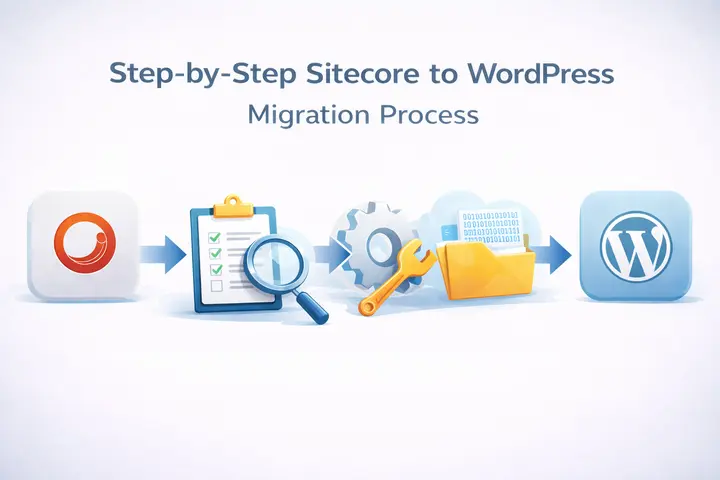
Step-by-Step Sitecore to WordPress Migration Process
Here is how a well-executed WordPress migration process works from start to finish.
Step 1: Audit Your Current Sitecore Website
Before anything moves, you need a complete picture of your existing website. Catalog all page types, templates, media files, custom integrations, URL structure, and metadata. Review your Sitecore environment to identify what gets moved, what gets improved, and what gets removed. There is no point carrying technical debt into a new platform.
This step also surfaces any undocumented custom code or legacy integrations that could create problems later in the migration process. What can go wrong: teams that skip a thorough audit routinely discover mid-migration that a third-party integration has no direct WordPress equivalent, forcing a scope change that delays the entire project. Book a WordPress migration audit with Seahawk Media before you begin.
Step 2: Map Your Content Structure
Sitecore and WordPress organize content differently. Sitecore templates become WordPress custom post types. Fields become custom fields. axonomies become categories and tags. Content structure mapping is one of the most important planning steps in any CMS migration process because getting it wrong means rework that costs time and money.
Every piece of Sitecore content needs a mapped destination in WordPress before a single item is transferred. What can go wrong: without a complete content map, fields get dropped, relationships between content items break, and editors spend weeks manually fixing entries that should have transferred cleanly.
Step 3: Set Up Your WordPress Environment
Choose a hosting provider suited to your traffic volume and performance requirements. Configure your permalink structure, install essential WordPress plugins, and set up a staging environment. Your live Sitecore site stays completely untouched throughout this phase.
The staging environment is where everything gets built and tested before it ever touches production. What can go wrong: launching from a development environment without a properly configured staging setup creates unnecessary risk. Always mirror production settings on staging first.
Step 4: Rebuild Design and Theme
Rebuild your Sitecore frontend as a new WordPress website using a custom theme or a page builder like Kadence WP, Elementor, or Bricks. It is also when you close performance gaps from the old site. Site performance, mobile responsiveness, and Core Web Vitals should all be benchmarks in the new design rather than afterthoughts addressed post-launch.
If your brand has evolved since the original site was built, this is the natural point to refresh the visual identity as well. What can go wrong: teams that try to pixel-match their Sitecore design in WordPress often spend more time than teams who rebuild with WordPress-native components. Let the platform work with you rather than against it.
Step 5: Migrate Content and Media
Transfer all pages, posts, and media files from Sitecore to WordPress. For smaller sites, manual migration gives you more control over the final structure. For larger sites, custom scripts move content efficiently and reduce the risk of human error across thousands of items.
After each transfer batch, verify that the WordPress media library is intact, that metadata is present, that URL slugs match the mapped structure, and that alt text has been preserved. Data migration errors caught early are easy to fix. Errors discovered after launch are not. What can go wrong: image paths that change during migration break media embeds throughout the site. Always run a broken media audit after every batch.
Step 6: Tools That Make Sitecore to WordPress Migration Easier
The tools you use during a Sitecore to WordPress migration directly affect how much manual cleanup you need after the transfer. Here are the six most reliable options used by experienced migration teams.
| Tool | Purpose | Cost |
|---|---|---|
| CMS2CMS | Automated content migration from Sitecore to WordPress | From $29 |
| WP All Import | Import pages and posts from XML or CSV exports | From $99/yr |
| WP-CLI | Command-line content operations at scale | Free |
| Redirection Plugin | 301 redirect management post-migration | Free |
| Rank Math | SEO metadata migration and on-page monitoring | Free / $59/yr |
| WP Migrate DB Pro | Database migration between environments | From $99/yr |
WP All Import is the go-to tool for importing structured content from XML or CSV exports. It handles large content volumes and gives you precise control over how fields map to WordPress post types and custom fields.
WP-CLI lets developers run WordPress operations directly from the server. During a large migration, WP-CLI dramatically speeds up bulk imports, database operations, and configuration changes that would otherwise take hours manually.
CMS2CMS supports direct Sitecore to WordPress transfers, including pages, posts, images, and metadata in a single automated workflow. It works well for straightforward sites, but still requires a manual review pass after transfer.
The Redirection Plugin manages 301 redirects inside WordPress without needing server-level access. After migration, every old Sitecore URL must be redirected to its new WordPress equivalent. What can go wrong: missing even a small number of high-traffic redirects can cause measurable ranking drops within days of launch.
Step 7: Rebuild Integrations and Functionality
Reconnect every tool your site depends on. Set up Google Analytics with MonsterInsights, configure Rank Math for SEO, and rebuild your forms with WPForms. Marketing automation connections, CRM integrations, and any custom features from the old site all need to be rebuilt and tested individually in the new WordPress environment.
Do not assume something works because it was configured. Test each integration end-to-end before moving on.
Step 8: Test Everything Thoroughly
Thorough testing is what separates a smooth migration from a painful one.
- Check every page, every internal link, every form, and every redirect.
- Test across browsers and devices. Verify that title tags, meta descriptions, and other SEO elements transferred correctly.
- Look for broken links and crawl errors. Confirm that visitor behavior tracking is firing correctly through Google Analytics.
This is where problems surface before they become post-launch emergencies.
Step 9: Launch and Monitor
Implement 301 redirects from all old Sitecore URLs to the equivalent new WordPress URLs. Th s step is critical for maintaining search engine rankings and ensuring that any inbound links pointing to your old site continue to point to the right destination.
After launch, monitor Google Search Console closely for the first 30 days. Watch for crawl errors, ranking shifts, and indexing issues.
Post-migration monitoring is not optional. It is the phase that protects everything the migration worked to achieve. Our post-launch WordPress support keeps your site stable and your rankings protected through the critical first 90 days.
How Long Does a Sitecore to WordPress Migration Take?
The timeline is one of the most commonly underestimated parts of any migration project. The honest answer depends on three things: content volume, integration complexity, and whether a design refresh is included.
| Site Type | Content Volume | Integrations | Estimated Timeline |
|---|---|---|---|
| Small site | Under 100 pages | 1 to 2 basic tools | 4 to 8 weeks |
| Mid-sized site | 100 to 1,000 pages | 3 to 5 integrations | 2 to 4 months |
| Large enterprise site | 1,000 to 10,000 pages | 5 to 10+ integrations | 4 to 6 months |
| Complex enterprise site | 10,000+ pages or multilingual | Custom APIs and legacy systems | 6 to 12 months |
A few things consistently push timelines beyond initial estimates. An undocumented custom code discovered during the audit phase adds weeks of evaluation work. Legacy CRM or ERP integrations that lack WordPress-compatible APIs require custom development. Design refreshes, which many businesses include during migration, add a full design and build cycle to the content work.
The most common mistake teams make is scoping the migration solely by page count. Integration complexity and content model depth drive timelines far more than raw page counts in most enterprise projects.
Sitecore to WordPress Migration Checklist
Use this checklist before, during, and after your migration to ensure nothing falls through the cracks.

Before Migration
- Complete a full content audit of your current Sitecore website
- Document all custom integrations, APIs, and third-party tools in use
- Map Sitecore content types to WordPress custom post types
- Choose and configure your WordPress hosting environment
- Set up a staging environment separate from production
- Identify all current Sitecore URLs for redirect mapping
- Establish a content freeze date so no new content is added to Sitecore after migration begins
During Migration
- Transfer all pages, posts, and media files using WP All Import or custom scripts
- Verify the WordPress media library after each content batch transfer
- Rebuild all backend integrations, including CRM, analytics, and marketing automation
- Recreate the frontend design using Elementor, Kadence WP, or Bricks
- Set up Rank Math and configure all SEO settings
- Configure the Redirection plugin and map all old Sitecore URLs to new WordPress URLs
- Run WP-CLI checks on database integrity and plugin conflicts
After Migration
- Run a full broken links audit using Google Search Console
- Verify all title tags, meta descriptions, and URL slugs transferred correctly
- Test every form, CTA, and conversion point end-to-end
- Check all pages across desktop, tablet, and mobile
- Submit the new sitemap to Google Search Console
- Monitor rankings and crawl errors daily for the first 30 days
- Address any 404 errors surfaced through the Redirection plugin immediately
Common Challenges in Sitecore to WordPress Migration
The four most common challenges in a Sitecore to WordPress migration are data structure differences, SEO risk from URL changes, integration complexity, and timeline underestimation — all of which are manageable with proper planning.
- Data structure differences: Sitecore and WordPress store content in fundamentally different ways. The CMS migration process requires careful mapping to ensure nothing is lost or misformatted during transfer. However, with a well-planned content structure in place, this is manageable.
- SEO risks: URL structure changes and missing redirects are the most common causes of ranking drops after a migration. In addition, metadata that does not transfer cleanly can create SEO rankings gaps that take time to recover from. Both are preventable with a rigorous redirect and metadata review built into the process.
- Integration complexity: Legacy CRM systems, ERP integrations, and older marketing automation platforms may not have clean WordPress equivalents. So they require custom development work to reconnect. Identifying these early in the audit phase prevents surprises mid-migration.
- Timeline underestimation: Sites with large content volumes, heavy custom integrations, or complex content models consistently take longer than initial estimates. Technical knowledge of both platforms is essential to scope a migration project accurately. Most migrations of this complexity take between three and six months from planning to launch.
Sitecore to WordPress Migration Cost: What to Budget
Sitecore to WordPress migration costs range from $10,000–$20,000 for small sites to $50,000–$100,000+ for large enterprise projects, with most organizations recovering the migration investment within one year through eliminated licensing fees.
Before looking at migration costs, it helps to understand what you are actually saving.
| Cost Category | Sitecore Annual | WordPress Annual | Saving |
|---|---|---|---|
| Platform licence | $40,000 to $500,000 | $0 (open source) | Up to $500,000/yr |
| Hosting | $20,000 to $100,000 | $200 to $5,000 | Up to $95,000/yr |
| Developer rates | $100 to $200/hr (specialist) | $50 to $120/hr (large talent pool) | 40 to 50% lower |
| Plugins and extensions | $5,000 to $20,000 | $500 to $2,000 | Up to $18,000/yr |
| Total estimated | $65,000 to $620,000+ | $750 to $7,000 | 50 to 70% reduction |
The cost of migrating from Sitecore to WordPress varies significantly depending on the project’s size and complexity.
| Project Type | Estimated Migration Cost | Sitecore Annual Cost Saved |
|---|---|---|
| Small site (under 100 pages) | $10,000 to $20,000 | $40,000 to $100,000/yr |
| Mid-sized site (100 to 1,000 pages) | $20,000 to $50,000 | $100,000 to $250,000/yr |
| Large enterprise site (1,000+ pages) | $50,000 to $100,000+ | $250,000 to $500,000+/yr |
Most organizations reduce CMS costs by 50-70% after migration by simply eliminating Sitecore licensing fees. When you factor in lower development costs from the larger WordPress talent pool and more affordable managed hosting options, the payback period is typically under one year.
Several factors drive the final cost up or down. Design changes, the number and complexity of custom integrations, total content volume, and your choice between manual migration and custom scripts all play a role. Ongoing hosting and premium plugins post-launch also add to the long-term budget.
No two projects are identical, which is why a detailed audit comes before any accurate cost estimate. Contact us to get a free migration estimate for your specific site.
Conclusion: Ready to Move Off Sitecore?
A Sitecore to WordPress migration is a significant project, but it is a manageable one with the right process and the right team behind it. Businesses that plan carefully and work with a specialist from the start emerge from this transition with better performance, lower costs, and greater editorial control.
Seahawk Media handles every stage of the WordPress migration process from the initial audit through post-launch monitoring so your team can focus on running the business. At the same time, the technical work gets done right.
FAQs About Sitecore to WordPress
Should I migrate Sitecore to a headless CMS instead of WordPress?
Headless CMS platforms like Contentful or Sanity make sense if your team needs content delivered across multiple channels, such as apps, kiosks, and digital signage via API. WordPress is the right choice if your primary goal is a marketing website with fast editorial workflows and a lower total cost of ownership. For most mid-market organizations leaving Sitecore, WordPress delivers 80% of the functionality at roughly 10% of the cost.
How long does a Sitecore to WordPress migration take?
A Sitecore to WordPress migration takes 4–8 weeks for small sites, 2–4 months for mid-sized sites, and 4–6 months or more for large enterprise projects.
Will my SEO rankings drop during migration?
Not if the migration is handled properly. SEO preservation depends on correctly implementing 301 redirects for all old Sitecore URLs, transferring title tags and meta descriptions intact, and closely monitoring Google Search Console after launch. Any drops that do occur are typically recoverable within a few weeks when redirects are in place and verified.
Can WordPress handle enterprise-level traffic after migration?
Yes. WordPress VIP and managed hosting providers are built to handle millions of monthly visitors with enterprise-grade uptime and security. Major global brands run their websites on WordPress at this scale every day.
How much does a Sitecore to WordPress migration cost?
Migration costs depend on site size and complexity. Sm ll to mid-sized sites with straightforward content typically cost between $10,000 and $20,000. Enterprise sites with large content volumes, multiple custom integrations, and complex functionality range from $50,000 to $100,000 or more. Our Sitecore to WordPress migration service starts at $499 for content-only migrations. Contact us for a free estimate based on your specific site.
Can I migrate from Sitecore to WordPress myself without an agency?
Yes, for sites with fewer than 100 pages and no custom integrations. For sites with custom Sitecore components or legacy CRM connections, the risk of SEO loss and integration gaps makes specialist involvement worthwhile. Incomplete redirect mapping is the most common DIY failure point.
What happens to my Sitecore personalization features after migration?
Sitecore’s personalization engine maps to WordPress plugins: OptinMonster for behavior-triggered content, If-So for conditional blocks, and Growmatik for audience segmentation. These cover 80–90% of the personalization use cases most mid-market teams actually use.
What is Sitecore XM Cloud, and should I migrate to it instead of WordPress?
Sitecore XM Cloud is Sitecore’s SaaS headless platform and costs $40,000+ per year. Migrating to it requires a full implementation rebuild, similar to switching platforms. For most mid-market organizations, WordPress achieves the same editorial improvements at a lower long-term cost.
Do I need to back up my Sitecore site before migrating?
Yes, always. Before any migration work begins, create a full backup of all content items, media files, templates, and the database. Store it separately from your production environment. No migration should start without a verified, restorable backup in place.
What is the difference between a manual and automated Sitecore to WordPress migration?
Manual migration gives full control over content structure and works best for sites with fewer than 200 pages. Automated tools like CMS2CMS or WP All Import are faster for large volumes but require a manual review pass to catch formatting issues and missing metadata.



