
If you chose Lovable for your MVP, you made a smart decision for the stage you were in.
When ideas are fragile and timelines are tight, speed matters more than structure. Lovable helps you move from concept to something tangible without getting buried under technical decisions. You can test demand, collect feedback, and show progress quickly. For many founders, that momentum is what keeps a product alive in the early days.
But once the MVP starts gaining traction, the pressure shifts.
You start thinking about discoverability, content, and performance, along with how the product should evolve over the next six months rather than just how quickly it launched. At that stage, the same simplicity that once helped you move fast can begin to feel limiting.
This is where WordPress often enters the conversation.
Not as a replacement for Lovable’s speed, but as a platform that supports long-term growth. This guide is written for teams who feel that shift happening and want to move a Lovable MVP to WordPress without losing what already works. We will walk through the thinking behind the move and how to prepare for it properly before touching any technical setup.
TL;DR: Move a Lovable MVP to WordPress
- Lovable is excellent for validating ideas quickly.
- WordPress becomes valuable when growth, SEO, and content matter.
- Migration works best when planned around structure, not visuals.
- Auditing content, features, and URLs prevents traffic loss.
- The goal is a stronger product, not a perfect copy.
What Lovable is Really Built for & Why It Works So Well Early On
Lovable is optimized for one thing above all else: removing decisions.
In the early stages of a product, too many options slow teams down. Lovable narrows the path so founders can focus on whether the idea resonates instead of how it is implemented. You are not thinking about content models, plugin ecosystems, or performance tuning. You are thinking about users.
Why Speed Matters More Than Structure at the MVP Stage
Early products live or die based on learning speed. Lovable allows teams to ship quickly, observe behavior, and adjust without heavy technical overhead. This is especially valuable for non technical founders or small teams who do not want to depend on developers for every iteration.
At this stage, flexibility is less important than momentum.
Common Scenarios Where Lovable Shines
Lovable is often used for early SaaS MVPs, internal tools, and proof of concept builds. In these scenarios, the product does not need to scale yet. It needs to exist, function, and tell a clear story.
The platform works exactly as intended when teams align their expectations with this phase.
Where Lovable Starts to Feel Restrictive as the Product Grows
The limitations of Lovable rarely appear on day one. They surface gradually as the product matures.
As content grows, structuring it starts to feel awkward. SEO becomes more important, yet customization options remain limited. Performance issues begin to surface, and optimization feels largely out of your control. Integrations still work, but only within narrow boundaries.
None of this means the platform is broken. It simply means the product has moved into a new phase.
At this stage, teams often find themselves hacking around limitations instead of building forward. That is usually the signal that the MVP has outgrown its original container.
Why WordPress Becomes the Natural Next Step for Many MVPs
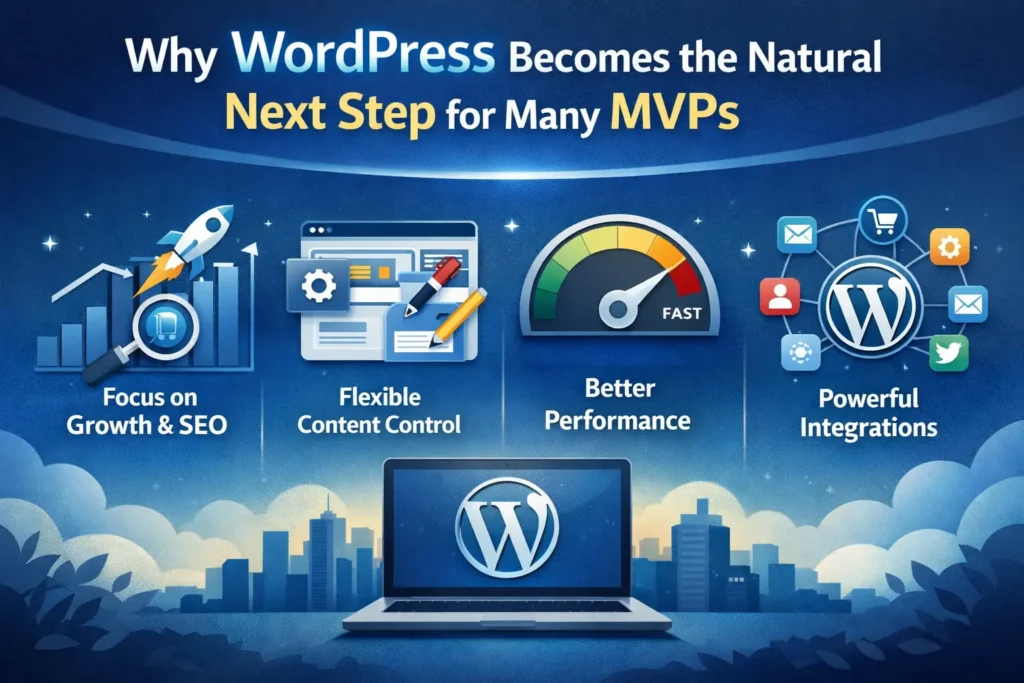
WordPress does not compete with Lovable on speed. It competes on control.
As products mature, teams need ownership over structure, content, and optimization. WordPress provides that control without forcing teams into rigid systems.
How WordPress Supports Growth Differently
With WordPress, content is no longer an afterthought. It becomes a strategic asset. Teams can structure pages intentionally, fine-tune SEO at a granular level, and optimize performance proactively instead of reacting to issues later.
This shift is important for products that rely on discoverability, thought leadership, or ongoing content publishing.
The Business Case for Moving to WordPress
Beyond technical flexibility, WordPress changes the ownership equation. You are not locked into a closed platform. Hosting choices are yours. Costs are predictable. Integrations expand as your product ecosystem grows.
For many teams, this is the moment when the MVP starts becoming a real business asset rather than just a prototype.
Clear Signs Your Lovable MVP is Ready to Move
Migration should never be rushed, but delaying it too long can also slow growth.
When Platform Friction Starts Affecting Momentum
If your team spends more time working around limitations than improving the product, that friction compounds quickly. Publishing slows down. SEO improvements stall. Performance becomes harder to influence.
These are not minor inconveniences. They are signals that the platform no longer matches the product’s needs.
Why Timing Matters More Than Perfection
The right time to move is not when everything breaks. It is when growth starts to feel constrained. Moving early enough allows teams to migrate calmly instead of under pressure.
What You Should Review Before Starting the Migration
Successful migrations begin with understanding, not tools.
Before setting up WordPress or choosing a theme, review what actually matters in your current MVP. Identify the pages that drive conversions, explain the product, or build trust. These should be prioritized.
Reviewing Features & Workflows
Look closely at how users interact with the MVP. Forms, gated content, dynamic sections, and integrations should be documented clearly. This helps decide what needs to be rebuilt and what can be simplified in WordPress.
Auditing URLs & Tracking Early
URL structure and analytics deserve early attention. Changes here can impact visibility if handled carelessly. Planning redirects and tracking continuity early prevents avoidable traffic loss later.
Choosing the Right WordPress Foundation for Your MVP
WordPress is flexible, but that flexibility requires good decisions upfront.
WordPress.com Vs WordPress.org for MVP Migrations
For most MVP migrations, WordPress.org is the better option. It offers full control over plugins, hosting, and performance, which becomes increasingly important as the product grows.
Why Hosting Choices Matter Early
Hosting affects speed, security, and scalability. Choosing a solid hosting foundation early prevents performance bottlenecks and rebuilds later.
Deciding Between Themes & Custom Builds
Some MVPs can start with a lightweight theme and evolve gradually. Others need custom development to support product specific workflows. The right choice depends on complexity, not budget alone.
Making these decisions carefully sets the stage for everything that follows.
Steps to Move A Lovable MVP to WordPress
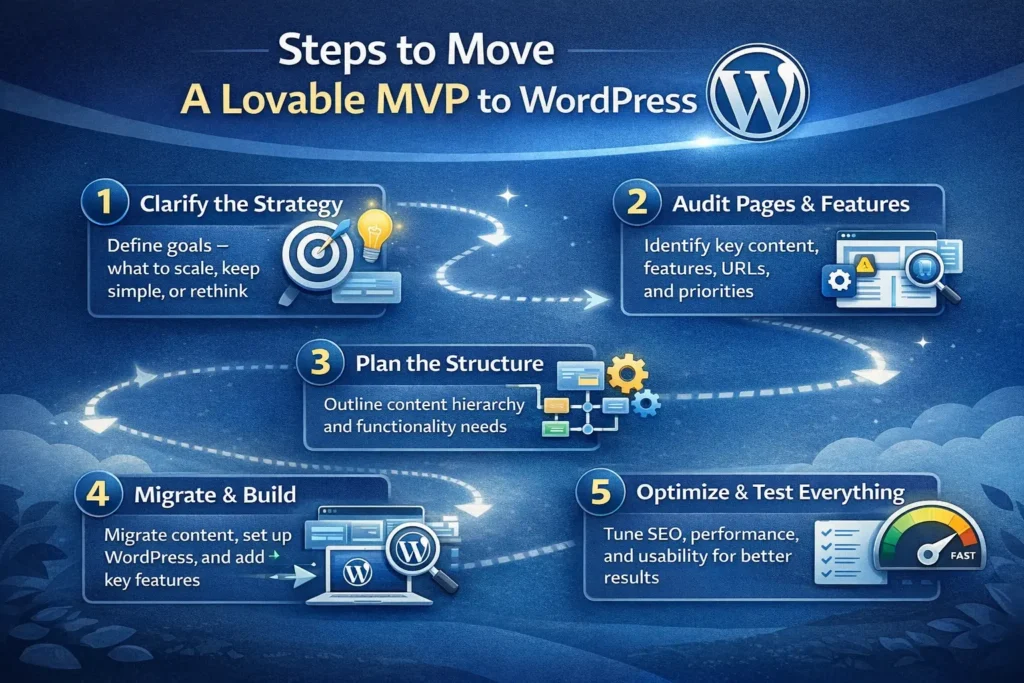
This is the phase where clarity matters more than speed. A successful migration is not about copying screens. It is about rebuilding the product on a stronger foundation while keeping the intent intact.
Step 1 Recreate Core Pages with Structure in Mind
Start with the pages that define your product. These usually include the homepage, key landing pages, feature explanations, and any pages that drive conversions or trust.
When rebuilding these in WordPress, resist the urge to chase visual perfection. WordPress gives you more flexibility than Lovable, which means this is an opportunity to simplify layouts, improve hierarchy, and clarify messaging.
Focus on how information flows rather than how it looks pixel by pixel. Clear headings, readable sections, and logical navigation matter far more than exact spacing.
This step sets the tone for the entire site.
Step 2 Rebuild MVP Functionality Thoughtfully
Once pages are in place, shift your attention to functionality.
Most MVPs rely on a small number of critical interactions. These may include forms, gated content, simple user flows, or dynamic sections. WordPress handles these well when approached intentionally.
Rather than trying to replicate every interaction exactly, ask whether the feature still serves the same purpose. Many teams discover that workflows built quickly during the MVP phase can be simplified significantly when rebuilt with clarity.
This is also the right moment to remove anything that no longer supports the product’s direction.
Step 3 Plan SEO and URL Structure Before Going Live
SEO should never be an afterthought during migration.
Before launching the WordPress site, review your existing URLs and decide which ones should remain unchanged. When changes are unavoidable, proper redirects protect search visibility and user trust.
Metadata deserves equal attention. Titles and descriptions should be rewritten intentionally rather than copied blindly. WordPress allows far more control here, which means this is an opportunity to improve clarity and relevance.
Handled properly, this step often results in better visibility than the original MVP.
Step 4 Optimize Performance from the Start
Performance issues are easier to prevent than to fix later.
WordPress performance depends heavily on how it is set up. Caching, image optimization, and script management should be addressed before launch, not after traffic grows.
This is where hosting decisions and technical setup matter. A clean, lightweight configuration ensures the site remains fast as content and features expand.
When performance is treated as part of the product experience, conversion rates and engagement benefit naturally.
Step 5 Test the Experience as a Real User
Before going live, step away from the build and experience the site like a user would.
Test forms. Navigate on mobile. Review page speed. Check analytics tracking. Confirm that user flows feel intuitive rather than familiar only to the team that built them.
This final pass catches small issues that can quietly hurt credibility after launch.
Common Challenges Teams Face During the Migration
Even well planned migrations come with friction. The key is understanding what is normal versus what needs attention.
Design Differences Between Platforms
Lovable often enforces visual consistency automatically. WordPress requires decisions. That freedom can feel uncomfortable at first.
The solution is not to replicate designs exactly, but to rebuild layouts that support clarity, readability, and conversion. Over time, this flexibility becomes an advantage rather than a burden.
Feature Parity and Expectation Gaps
Some features may not translate directly. Others may need custom development. This is not a failure of the platform. It is a reflection of how quickly MVPs are often assembled.
Clear documentation and prioritization prevent scope creep during this phase.
SEO Risks When Rushed
The biggest migration mistakes usually happen under pressure. Missing redirects, broken links, or untracked analytics can quietly impact growth.
Planning ahead avoids these issues almost entirely.
How Seahawk Supports Lovable MVP Migrations
At Seahawk, migrations are treated as product transitions, not technical tasks.
Starting with Strategy Instead of Tools
Every migration begins with understanding the product’s direction, including what needs to scale, what can remain simple, and what should be rethought entirely.
This clarity shapes every technical decision that follows.
Building WordPress Sites That Scale Cleanly
The focus is always on performance, SEO readiness, and maintainability. The goal is not to ship fast at any cost, but to build something that supports growth without constant rework.
Supporting the Product After Launch
Migration is not the end of the journey. Ongoing optimization, updates, and iteration are what turn MVPs into stable platforms.
Final Thoughts
Lovable helps you move fast when speed matters most. WordPress helps you move forward when growth starts to matter more than velocity.
If your MVP is attracting users, content is becoming part of your strategy, or SEO and performance are starting to influence results, that shift is worth paying attention to. Migrating from Lovable to WordPress is not about abandoning what worked early on. It is about giving your product the foundation it needs to grow without friction.
The key is approaching the move with intention. Focus on structure, clarity, and long term goals rather than copying every detail from the MVP. When done thoughtfully, the transition feels less like a rebuild and more like a natural evolution of your product.
If you are planning this move and want it done cleanly, the right setup and guidance make all the difference.
Frequently Asked Questions About Moving A Lovable MVP To WordPress
Is WordPress a better choice for scaling than Lovable
For most growing products, yes. WordPress offers more control over content, SEO, and performance, which becomes essential as traffic and expectations increase.
How long does a typical migration take?
Simple MVPs usually take very little time to migrate. More complex builds take longer depending on features and integrations. Planning reduces surprises.
Can everything from Lovable be rebuilt in WordPress
Most functionality can be rebuilt. Some features may require adjustment or custom development, which is often an opportunity to simplify workflows.



