
Migrating from SilverStripe to WordPress is a decision many growing businesses eventually face. SilverStripe is powerful and flexible, but as content needs expand and marketing becomes more important, teams often feel constrained by developer dependency and limited tooling.
If you are evaluating a SilverStripe to WordPress migration, this guide walks you through what changes, what stays safe, and how to make the transition without losing content, SEO visibility, or momentum.
Let us break it down step by step.
TL;DR: SilverStripe to WordPress Migration
- If your SilverStripe site is hard to update, costly to maintain, or limiting growth, WordPress is a practical upgrade.
- A successful migration prioritizes content preservation, SEO protection, and long term flexibility.
- Proper URL mapping and redirects help retain search rankings and existing traffic.
- Rebuilding structure before importing content prevents formatting and workflow issues.
- Most businesses experience faster publishing, better marketing control, and lower ongoing costs after migrating.
- This guide covers why teams migrate, what moves over, and how to handle the transition safely.
How Seahawk Media Handles SilverStripe to WordPress Migrations?
Seahawk Media approaches SilverStripe to WordPress migration as a growth opportunity, not just a rebuild.
The process starts with a full site audit to understand content, SEO performance, and technical requirements. From there, the team plans structure, migration steps, and launch timing.
We focus on preserving SEO value, rebuilding only what adds long term benefit, and improving performance and usability during the transition. Post migration support ensures the site continues to evolve after launch.
Migrate from SilverStripe to WordPress Without Risk
We help businesses migrate to WordPress safely while preserving content, SEO, and performance.
Why Businesses Outgrow SilverStripe?
SilverStripe works well for certain use cases, especially when custom development is the priority. Problems usually appear when the website becomes a day to day business tool rather than a static platform.
SilverStripe Works Well Until it Does Not
Many teams start on SilverStripe because of its clean architecture and developer control. Over time, that same control can become a bottleneck.
Simple content updates often require developer involvement. Marketing teams wait for changes to go live. Publishing new landing pages takes longer than expected. As content velocity increases, friction builds.
What once felt structured begins to feel restrictive.
Signs it is Time to Switch Platforms
You may want to migrate from SilverStripe to WordPress if any of the following sound familiar:
- Your team avoids making website updates because it feels complicated
- SEO improvements require code level changes
- Adding new features means custom development every time
- Ongoing maintenance costs keep rising
These signals usually point to a CMS mismatch rather than a technical failure.
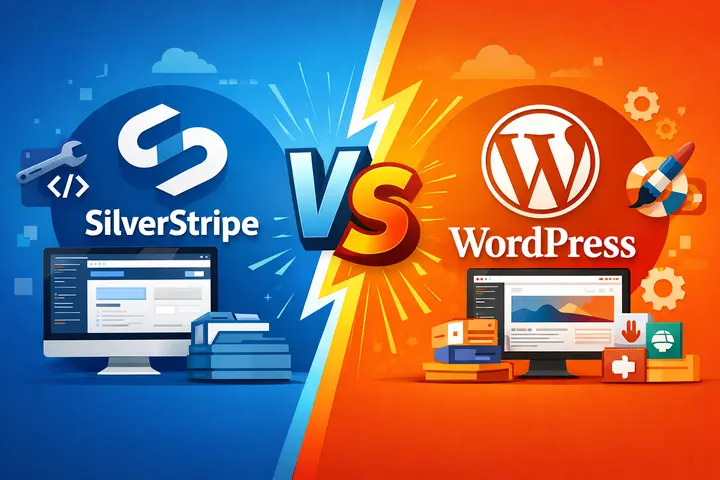
SilverStripe vs WordPress: What Actually Matters?
Comparing SilverStripe and WordPress is less about features and more about how teams work.
Content Management Experience
SilverStripe is developer friendly, but non technical users often struggle with everyday tasks. Editing layouts, managing media, or creating new content types can feel unintuitive.
WordPress was built with content teams in mind. Its dashboard is familiar, flexible, and easy to adopt. Editors, marketers, and business owners can publish and manage content without relying on developers for every update.
Flexibility and Ecosystem
SilverStripe offers customization through modules, but the ecosystem is relatively small. Custom solutions are common and that increases development time and cost.
WordPress offers thousands of plugins and themes that solve common needs immediately. From SEO and performance to ecommerce and analytics, most features can be added without rebuilding from scratch.
This flexibility becomes more valuable as business requirements change.
SEO and Growth Readiness
WordPress makes SEO more accessible. SEO tools allow teams to manage metadata, schema, and content optimization directly from the dashboard.
SilverStripe supports SEO at a technical level, but it lacks the user friendly controls that help marketing teams move quickly. For businesses focused on organic growth, this difference matters.
Why WordPress is the Safer Long Term Choice?
WordPress powers a large portion of the web for a reason. It adapts well as businesses evolve.
- Built for Ongoing Content and Marketing: WordPress supports blogs, landing pages, campaign content, and lead generation without friction. Teams can publish frequently, test ideas, and iterate without technical delays. This content freedom often becomes the biggest post migration benefit.
- Scales from Small Sites to Enterprise: WordPress is not limited to blogs or small websites. With the right hosting and architecture, it supports enterprise platforms, global brands, and high traffic sites. Its flexibility allows growth without forcing a platform change later.
What Gets Migrated from SilverStripe to WordPress?
A common concern during migration is content loss. With proper planning, most assets transfer cleanly.
- Content and Pages: Core pages, blog posts, and structured content can be migrated into WordPress using custom post types where needed. Content structure is usually preserved, though formatting may need refinement.
- Media and Files: Images, PDFs, and downloadable files can be migrated into the WordPress media library. File organization often improves during this step.
- SEO Elements: URLs, page titles, meta descriptions, and internal links can be preserved through careful mapping and redirects. This is critical for maintaining search visibility after migration.
- Design and Layout: Design does not migrate automatically. Some layouts can be recreated closely, while others benefit from a fresh rebuild using modern WordPress themes or custom design systems.
Pre Migration Checklist You Should Not Skip
A smooth SilverStripe to WordPress migration starts before any content moves. Key preparation steps include:
- Auditing existing content and removing outdated pages
- Mapping current URLs to future WordPress URLs
- Identifying required plugins and features
- Selecting hosting that supports performance and scalability
- Establishing an SEO baseline for comparison after launch
Skipping this phase often leads to lost rankings and rushed rebuilds.
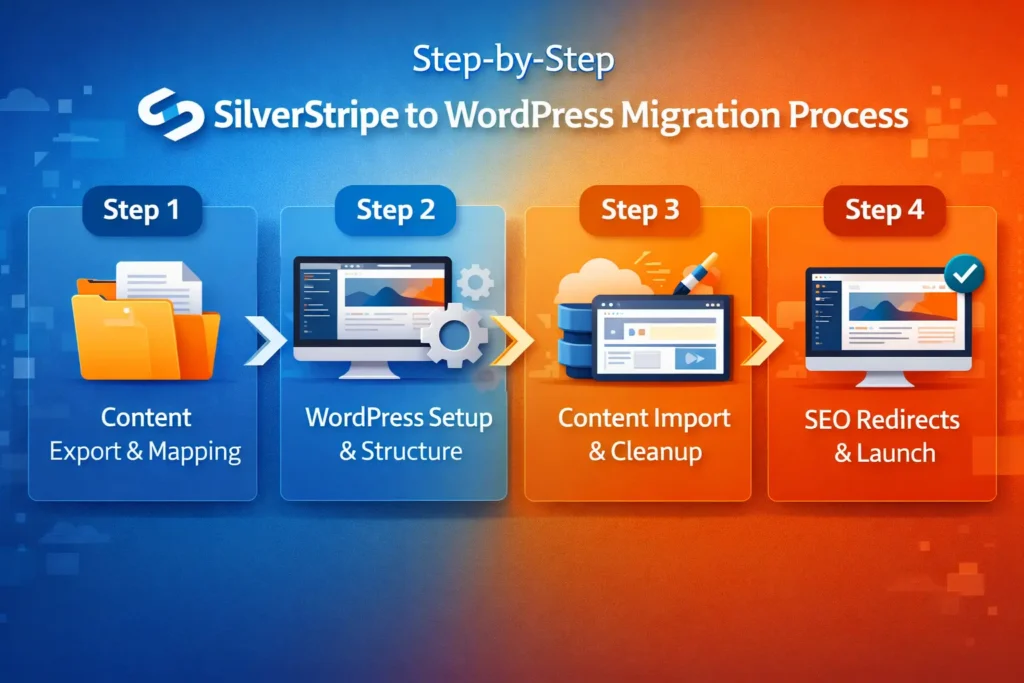
Step by Step SilverStripe to WordPress Migration Process
This is where planning turns into execution.
Step 1: Content Export and Mapping
SilverStripe content is exported and analyzed before import. Content types are mapped to WordPress equivalents, ensuring pages land in the right structure. This step prevents duplication and broken relationships.
Step 2: WordPress Setup and Structure
WordPress is configured with the appropriate theme, plugins, and content architecture. Custom post types and taxonomies are set up before importing data. Getting this right early avoids rework later.
Step 3: Content Import and Cleanup
Once the structure is ready, content is imported into WordPress. This step goes beyond moving text from one system to another.
Content is reviewed for formatting issues, broken links, and outdated references. Images are checked for proper placement and optimized for performance. Internal links are updated to match the new WordPress URL structure.
This cleanup phase is important because it directly affects user experience and SEO quality after launch.
Step 4: SEO Redirects and URL Preservation
Redirects are one of the most critical parts of a SilverStripe to WordPress migration.
Every old URL must point to its new equivalent using proper redirects. This protects search rankings, prevents broken links, and ensures visitors land on the right pages.
Metadata such as page titles and descriptions are reviewed and refined during this step. If handled correctly, many sites see improved SEO performance after migration rather than losses.
Step 5: Testing Before Launch
Before the new WordPress site goes live, everything is tested. This includes page functionality, mobile responsiveness, loading speed, forms, navigation, and tracking tools.
Testing ensures that nothing breaks when traffic shifts from the old site to the new one. A careful testing phase prevents post launch surprises.
Common Migration Mistakes and How to Prevent Them?
Most migration issues do not come from the platform itself. They happen when the process is rushed or poorly planned.
- One frequent mistake is skipping proper URL mapping. Without clear redirects, search rankings and existing traffic can drop quickly.
- Another issue is importing content before defining the right structure in WordPress, which often creates formatting problems and duplicated work later.
- Some teams also rebuild the site design without fully considering how content will be managed, leading to unnecessary revisions.
The safest way to avoid these problems is to treat migration as a strategic project rather than a quick technical switch.
Clear planning, content audits, and staged execution reduce risk and save time.
When migration is approached thoughtfully, businesses protect their SEO, avoid rework, and set the foundation for long term growth.
Should You Migrate Manually or Use a WordPress Expert?
Not every site requires expert help, but many do. Here’s how to make the right decision:
- When DIY Migration Makes Sense: If your SilverStripe site is small, has limited content, and minimal SEO history, a manual migration may be manageable. Teams with technical confidence and time can handle simpler transitions.
- When Expert Migration is the Smarter Move: Larger sites, custom functionality, ecommerce platforms, and SEO driven businesses benefit from professional support. Expert migration reduces risk, preserves rankings, and ensures the new site is built to scale.
What Changes After Migration and Why it Matters?
Most businesses notice meaningful improvements soon after moving to WordPress. Day to day content updates no longer feel like a technical task.
Pages, blogs, and landing content can be edited and published without developer involvement, which immediately speeds up workflows.
Marketing teams gain more control over campaigns, layouts, and on page SEO. Tools for optimizing titles, descriptions, and internal links are built into the platform, making search visibility easier to manage.
Analytics, CRM systems, and ecommerce platforms also integrate more smoothly, allowing teams to track performance and customer behavior without custom development.
Over time, these small improvements compound. The website becomes easier to maintain, quicker to adapt, and better aligned with business goals.
Instead of acting as a system that needs constant attention, the site evolves into a reliable growth asset that supports marketing, sales, and long term scalability.
Final Thoughts
Migrating from SilverStripe to WordPress is not just a technical change. It is a strategic move toward flexibility, scalability, and content freedom.
With the right planning and support, businesses can transition smoothly while protecting SEO and improving performance. WordPress offers the tools needed to grow without rebuilding again later.
If you are considering a SilverStripe to WordPress migration and want it done safely and efficiently, Seahawk Media can guide the process from start to finish.
FAQs About SliverStripe to WordPress Migration
Will migrating from SilverStripe to WordPress hurt SEO?
When handled correctly, SEO impact is minimal or positive. Preserving URLs through redirects, maintaining metadata, and testing before launch protects rankings and traffic.
How long does a SilverStripe to WordPress migration take?
Timelines vary by site size and complexity. Small sites may take a few weeks. Larger or custom platforms require more planning and testing.
Can custom SilverStripe features be rebuilt in WordPress?
Yes. Most custom functionality can be recreated using plugins, custom development, or modern WordPress tools without sacrificing performance.
Do I need to redesign my site during migration?
A redesign is optional. Some businesses choose a like for like rebuild, while others use migration as a chance to modernize design and user experience.



