So you have this idea. You want to build a space where people can explore amazing Discord communities. A directory that brings servers together, organizes them by interest, and makes it super easy for users to find their tribe. Sounds like something only a developer could pull off, right?
Not anymore.
With Lovable, you do not need to write code or wrestle with complex tools. You just tell the AI what you want in plain language, and it builds it for you. Whether it is a place to showcase gaming servers, study groups, or creative hangouts, you can bring it to life faster than you think.
This guide walks you through how to build your own Discord server directory using Lovable. We will skip the jargon, keep things practical, and show you how to turn your idea into a real working app without writing a single line of code.
Ready to build something people will actually use and love? Let us get started.
Why Use Lovable for Discord Directory Projects
Let us be honest. Building a web app used to be a serious undertaking. You needed to learn a programming language, figure out the backend, make sure the design looked half decent, and then somehow connect it all together. It was rewarding, sure, but also exhausting and slow.
Lovable changes the game completely.
Instead of diving into code, you just describe what you want. Type out something like “Create a homepage with trending Discord servers” or “Add a form where users can submit their own servers” and Lovable makes it happen. It feels more like collaborating with a helpful teammate than working with traditional tools.
For Discord server directories, this is perfect. You need a searchable, filterable list of servers. You might want categories, ratings, tags, or even user submissions. Normally, these features would take weeks to code. With Lovable, you can build them in an afternoon.
Another huge plus is flexibility. You can keep improving your project by simply telling Lovable what to tweak. Want to change the layout or color scheme? Just ask. Need user authentication or a dashboard? Say the word.
Whether you are a solo creator with a big idea or a team looking to build fast, Lovable makes it possible to go from zero to launch without the pain of traditional development.
Need Help Turning Your Lovable Project Into a Scalable Website?
Seahawk’s expert developers can transform your AI-built directory into a high-performance custom WordPress platform.
Planning Your Discord Server Directory Project
Before you dive into the building, it helps to pause and plan a little. A well-thought-out project saves you time later and makes the final result more useful and fun for your users.
Start by thinking about who your directory is for. Are you building it for gamers looking for new servers, niche communities like anime or tech, or maybe for professionals who use Discord for networking? Knowing your audience helps shape your design and features.
Next, map out what your directory needs. Here are a few common features you might want to include:
- A homepage that highlights trending or featured servers
- A list or grid view of all servers
- Tags and categories like gaming, education, art, or music
- A search bar to find servers by name or keyword
- Filters for sorting by popularity, date added, or activity level
- A form where users can submit their own server
Think about how users will interact with the platform. Will they need to create an account? Should they be able to vote on their favorite servers? Do you want to track clicks or server visits?
This is also the time to sketch out the user journey. What happens when someone lands on your site? How do they discover servers? What happens when they click one?
Having a clear vision before you begin makes your work inside Lovable much smoother. You do not need a design degree or a full blueprint. Just write down your ideas in simple words, and Lovable will handle the rest.
Getting Started with Lovable
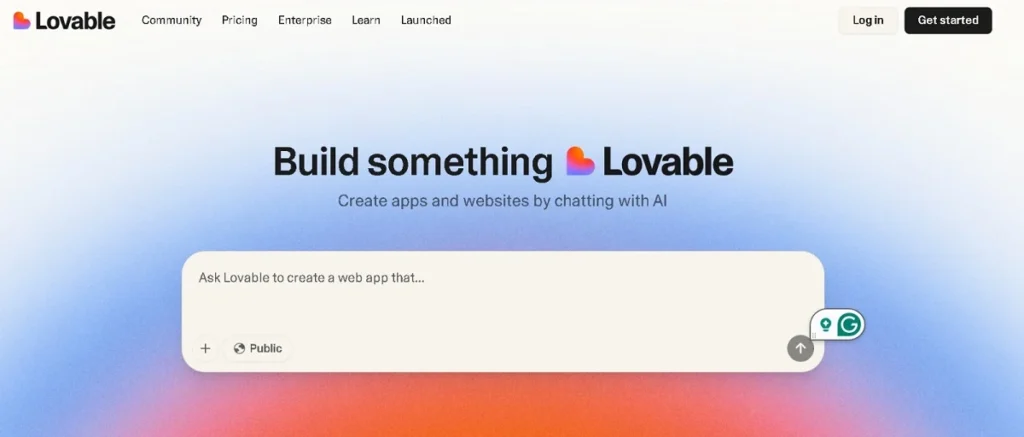
Now that your idea is mapped out, it is time to bring it to life. Getting started with Lovable is refreshingly easy. You do not need to install anything or worry about setting up a local environment. Just open the Lovable interface and start building.
Begin by creating a new project. You can give it a name like “Discord Server Directory” and choose a basic layout that fits your vision. Lovable will instantly generate a starter version of your site. This includes a homepage, basic navigation, and a layout you can build on.
Next, you can start customizing the look and feel. Want a grid-style homepage that features servers with icons and short descriptions? Just describe it. Prefer a darker theme to match Discord’s vibe? Say so, and Lovable adjusts it for you.
Set up your page structure early. Most directories will need:
- A homepage for featured or trending servers
- A browse page that shows all listings
- A submit server form
- An about or contact page
- Optional login or dashboard area for server owners
Lovable helps with routing automatically. You do not need to define links or build separate templates. When you add a page or describe what it should do, Lovable understands and generates the right elements.
This part is fun. You are not stuck in menus or dragging blocks around endlessly. You are shaping your project with natural language and watching it come together in real time.
Adding Core Directory Features
This is where your project starts to take real shape. Once your pages are set up, it is time to add the features that make your Discord server directory useful and interactive.
Start by creating a section for server listings. These can be displayed as cards or tiles, each showing the server name, a brief description, an icon or image, and a link to join or view more. You can also include tags like gaming, community, education, or language to help users quickly identify what the server is about.
Lovable makes it easy to connect your listings to a database. You can ask it to integrate Supabase, and it will handle the connection for storing and retrieving server data. This means you can store new submissions, display dynamic content, and even update your listings automatically.
To collect new server entries, add a submission form. Include fields like server name, invite link, category, tags, and a short description. Lovable will not only build the form but also connect it to your database so that each new submission appears in your listing once approved.
You can also add basic sorting and filtering options. Let users sort servers by popularity or filter by categories. This helps improve the user experience and keeps things organized.
Want a featured section on the homepage? Just ask. Lovable can highlight specific servers with larger cards or a carousel layout.
The goal here is to give users a smooth and helpful browsing experience. With just a few clear prompts, Lovable helps you create a fully functional and dynamic directory with real content and structure.
Powering Up with Advanced Features
Once your core features are in place, you can take your Discord directory project to the next level by adding smart, interactive elements. These advanced features not only improve functionality but also make your directory feel polished and professional.
Start with user authentication. This allows server owners to log in and manage their listings. Lovable can handle login systems, registration forms, and even role-based access. You just need to describe what kind of user access you want. For example, “Allow admins to approve submissions” or “Let server owners edit their own listings.”
Next, consider adding search and filtering. Users should be able to type in a keyword and instantly find matching servers. You can also let them filter by tag, category, or activity level. This improves the browsing experience and makes your directory feel much more powerful.
Another great feature is real-time updates. Want to show live stats like server member count or ping new listings instantly on the homepage? Lovable can include those dynamic updates and even display notifications when new servers are added or popular ones are trending.
You might also want to add a favorites or upvote system, so users can like the servers they enjoy the most. This encourages interaction and helps highlight top-quality communities.
Finally, if you want a dashboard or admin panel to monitor submissions, edit content, or view analytics, just say so. Lovable can create a clean interface where you can manage your entire platform in one place.
These advanced tools help turn your project from a simple directory into a real platform. And the best part is, you can build all of this just by describing what you want.
Polishing Your Platform for Launch
You are almost there. Your Discord server directory is functional, but now it is time to make it feel complete. This final phase is about refining the look, ensuring smooth performance, and getting ready to share your project with the world.
Start with the user interface. Ask Lovable to add transitions, smooth hover effects, and micro-animations to bring your pages to life. These small touches can make a big difference in how professional your platform feels.
Next, make sure your design works well on all devices. Lovable automatically optimizes layouts for mobile, but it is worth testing and making adjustments. You want users to have the same smooth experience whether they are browsing on a phone or a desktop.
You should also check cross-browser compatibility. If something looks off in Safari or Firefox, you can ask Lovable to fix it. It handles most of these issues behind the scenes, but a quick test gives you peace of mind.
For insights and growth, connect an analytics tool. Lovable supports integration with platforms like Google Analytics or Simple Analytics. This helps you track visitors, popular pages, and where users drop off.
Finally, when everything looks good, use Lovable’s one-click deployment feature. You will get a free .lovable.app domain, or you can connect your own custom domain for a more branded experience.
At this stage, your directory is live, responsive, and ready to welcome users. You have built a real product with real functionality, and you did it without writing a single line of code.
Lovable vs Traditional Development for Directory Projects
If you have ever tried to build a web app the traditional way, you know how much time and effort it takes. You need to choose a tech stack, write front-end and back-end code, connect everything to a database, handle security, test across devices, and then finally deploy.
Now compare that to building with Lovable.
With Lovable, you skip the setup, the code, and the debugging. You describe what you want and let the AI handle the technical parts. It is like having a senior developer who listens carefully and builds exactly what you ask for.
Traditional development is still powerful, especially when you need custom performance or very specific features. But it also comes with steep learning curves and long development timelines. Lovable offers a fast, accessible, and flexible alternative that helps you go from idea to working prototype in less than an hour.
You can also continue building in Lovable even after your project is live. Make design changes, add new features, or connect different tools without hiring a full dev team.
For creators, marketers, community managers, or early-stage founders, this is a huge advantage. You can test your ideas quickly, get feedback, and improve without waiting weeks for a developer to update your app.
And if you ever want to move to traditional code later, Lovable lets you export your project. This gives you a head start instead of starting from scratch.
Final Thoughts: Build Fast, Learn Fast, Launch Smart
Building a Discord server directory used to feel out of reach for anyone without technical skills. But with Lovable, that has completely changed. You no longer need to worry about complex code, design tools, or slow development cycles. You just focus on your idea, describe what you want, and let the AI do the heavy lifting.
From planning and layout to advanced features and deployment, everything can be handled inside one tool. Whether you are a community builder, a solo creator, or part of a small team, Lovable helps you build something that works and looks great in less time than you thought possible.
If your prototype grows into something bigger and you want more control, custom functionality, or a WordPress version of your app, we are here to help.
Frequently Asked Questions
How quickly can I see something working?
You can have a basic working version of your Discord directory up and running within 30 to 60 minutes. Lovable starts building the moment you describe your idea, so you get to see changes in real time.
Can I tweak the design even after the first build?
Definitely. Lovable is made for flexibility. You can refine layouts, change fonts, add new sections, or completely restructure your pages at any stage by just telling the AI what you want
What is the easiest way to store the server information?
Lovable integrates with tools like Supabase for storing and managing your server listings. You can ask it to add a database, and it will handle the setup and connection behind the scenes.
How do I put my project online for others to use?
Lovable provides an instant deploy feature. You get a live link hosted on a .lovable.app domain, and if you want something custom like yourbrand.com, you can connect your own domain too.
Is it really possible to build a full web project without coding?
Yes, and that is the magic of Lovable. You explain what you want in simple terms, and the platform brings it to life. No need to write code or understand technical frameworks.