Choosing the right migration support outsourcing partner can make or break your business transformation journey. Whether moving data to the cloud, transitioning legacy applications, or restructuring enterprise systems, selecting a capable and trustworthy outsourcing provider is critical.
This comprehensive guide will cover everything you need about migration support outsourcing, from understanding the basics to evaluating vendors, managing execution, and ensuring long-term success.
What is Migration Support Outsourcing?
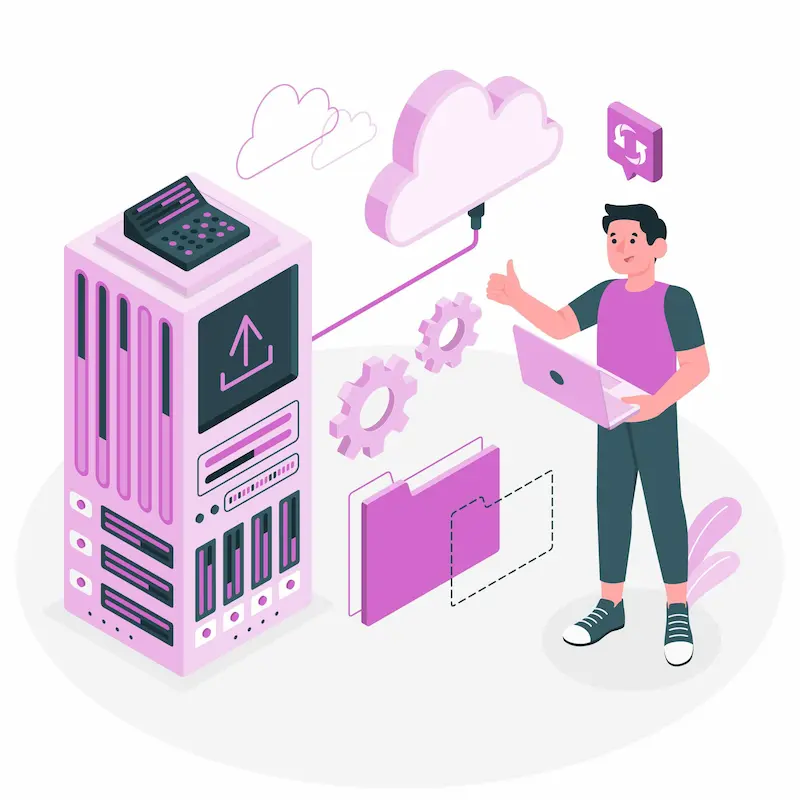
Migration support outsourcing involves hiring a third-party service provider to manage data transfer, systems, applications, or infrastructure from one environment to another. This could include moving to a cloud platform, changing data centers, upgrading systems, or transitioning to new software ecosystems like Office 365, AWS, or SAP.
Outsourcing this function helps businesses save time, reduce internal strain, minimize downtime, and avoid costly mistakes. It also provides access to skilled professionals with specialized tools and migration frameworks.
In addition to handling technical execution, a reliable outsourcing partner often assists with strategic planning, compliance considerations, and risk mitigation. This holistic support is especially valuable for organizations lacking in-house expertise or facing complex legacy environments, regulatory constraints, or tight deadlines.
Ready to Migrate Without the Headaches?
Let Seahawk handle your WordPress migration with zero downtime and complete peace of mind.
Why Businesses Outsource Migration Support
Without the right expertise, migration projects can be complex, time-sensitive, and risky. Outsourcing enables businesses to tap into specialized knowledge while focusing internal teams on core priorities. It’s a strategic move to accelerate transformation with minimal disruption.
Organizations of all sizes outsource migration support for several key reasons:
- Expertise and efficiency: Migration partners bring technical know-how, deep domain expertise, and battle-tested processes that streamline even the most complex transitions.
- Reduced risk: Professionals follow industry best practices to prevent data loss, minimize downtime, and ensure business continuity throughout the migration.
- Cost-effectiveness: Outsourcing eliminates the need to hire or train full-time internal staff, allowing companies to allocate budgets more strategically and avoid long-term overhead costs.
- Speed to market: Projects are completed faster thanks to established workflows, proprietary tools, and dedicated migration teams specializing in rapid delivery.
- Scalability: Providers offer flexible engagement models, allowing businesses to scale up or down based on evolving needs, project complexity, or future technology adoption.
- Focus on core operations: With migration responsibilities handled externally, internal teams can remain focused on core business initiatives and customer-facing priorities without disruption.
Common Types of Migration Projects
Every migration project is unique, depending on the business goals, infrastructure, and technical challenges involved. Understanding the various types of migrations helps select a partner with the right specialization for your needs.
- Data migration involves moving data between storage types, formats, or systems. It often includes cleaning, validating, and securely transferring large volumes of structured or unstructured data.
- Cloud migration: Transitioning to public, private, or hybrid cloud platforms. It may involve moving workloads from on-premises environments to cloud providers like AWS, Azure, or Google Cloud.
- Application migration involves rehosting, refactoring, or replacing applications to run in new environments, often involving modernization for better performance and scalability.
- Infrastructure migration: Shifting physical or virtual hardware environments, such as migrating servers, databases, or data centers to new platforms.
- Office 365 or Exchange migration: Moving email, calendars, contacts, and documents from legacy systems to Microsoft 365, ensuring minimal user disruption and full feature enablement.
Why Choose Seahawk for Migration Support
Seahawk is a trusted migration support outsourcing partner, especially for businesses seeking expert-led, white-glove migration services tailored to the web and hosting ecosystem. Here’s why Seahawk is a preferred choice:

Comprehensive Migration Services
From CMS and website migration to database, email, cloud, and e-commerce platforms, Seahawk covers all major types of digital migrations. Whether you’re moving a single WordPress site or thousands of accounts, Seahawk ensures a seamless, end-to-end process.
Zero Downtime and Data Integrity
Seahawk follows industry best practices to minimize downtime and ensure data consistency throughout the migration lifecycle. Each step, preparation, execution, and validation, is meticulously tested to safeguard performance and user experience.
White-Label Migration for Agencies and Hosts
Seahawk’s migration support is white-labeled, allowing hosting providers, digital agencies, and SaaS companies to offer premium migration services under their brand without investing in internal resources.
Expert Team with Deep Platform Knowledge
With a globally distributed team of WordPress professionals, server admins, and DevOps specialists, Seahawk brings platform-specific expertise that helps avoid common pitfalls and ensures efficient delivery.
Security and Compliance-Ready Processes
Security is built into every migration. Seahawk adheres to strict protocols for data privacy, encryption, and compliance, making it a reliable choice for businesses in regulated industries.
Flexible Engagement and Support
Seahawk offers flexible engagement models with 24/7 post-migration support, clear SLAs, and dedicated project coordination, whether it’s a one-time migration or an ongoing need.
Benefits and Risks of Migration Support Outsourcing
Every outsourcing decision carries both opportunity and responsibility. Understanding the advantages and potential pitfalls of migration support outsourcing will help you make informed, strategic choices that align with your business goals.
Benefits
- Access to domain expertise and pre-built frameworks: Leverage industry best practices and proven methodologies to streamline even the most complex migrations.
- Minimized downtime and disruption: Expert planning and execution help maintain business continuity and reduce operational hiccups.
- Enhanced data accuracy and integrity: Professionals use advanced validation and transformation tools to ensure clean, consistent, and reliable data migration.
- Improved compliance and documentation: Outsourcing partners often have built-in compliance protocols and audit-ready documentation standards.
Read Further: HIPAA Compliance WordPress Website
Scalability for future changes: Flexible migration frameworks allow for easier scaling, upgrades, and cloud transitions.
Risks
- Data security vulnerabilities: Inadequate security controls can expose sensitive information during transfer.
- Communication gaps: Misalignment in expectations or unclear communication can delay the project or affect quality.
- Vendor lock-in: Proprietary tools or workflows may make it difficult to switch providers later.
- Misalignment on deliverables or timelines: Projects can slip off track or underdeliver expectations without clearly defined SLAs.
Due diligence is essential to mitigate these risks and maximize the value of migration support outsourcing. You can safeguard your project’s success by thoroughly vetting providers and setting clear expectations.
Also Read: Best White Label WordPress Migration Services
11 Key Stages of Migration Support Outsourcing Success
Whether you’re migrating data, apps, or infrastructure, following a structured process is critical to avoid disruption and ensure long-term success. This step-by-step guide walks you through the journey, from defining your goals to post-migration optimization, so you can confidently choose the right outsourcing partner.

Step 1: Define Your Migration Goals
Before proceeding with the vendor selection process, clearly defining the success criteria for your migration is essential. Without well-defined goals, it’s easy to lose direction, overspend, or fall behind schedule.
Begin by outlining the primary objectives driving the migration project.
- Determine which components are involved: data, applications, or infrastructure.
- Clarify the intended business outcomes, such as reducing costs, boosting performance, or increasing scalability.
- Set firm deadlines and map out the significant milestones along the migration timeline.
- Don’t forget to account for any compliance obligations or security requirements that may apply.
Involve technical and business stakeholders during goal setting to ensure alignment across the organization. Consider operational impacts, user needs, and integration challenges that may arise post-migration. Use the SMART framework (Specific, Measurable, Achievable, Relevant, Time-bound) to define goals guiding vendor evaluation and project execution. These goals will also be benchmarks for measuring success and maintaining accountability throughout the project lifecycle.
Step 2: Audit Current Systems and Environments
A thorough internal audit is critical before engaging any migration support outsourcing partner. It helps clarify the project’s complexity and ensures alignment between your team and the vendor from day one.
Before reaching out to vendors, assess your existing environment:
- Inventory all assets, data types, systems, and dependencies
- Identify redundant or outdated components
- Understand data quality issues, compliance mandates, and technical constraints
- Evaluate integration points with third-party systems and APIs
- Assess legacy systems for modernization or replacement
- Decide between a “big bang” migration (all at once) or a phased rollout
This audit lays the foundation for more accurate project scope and helps outsourcing partners propose viable solutions tailored to your unique infrastructure. It also reduces unforeseen risks, budget overruns, and timeline slippage during the execution phase.
Step 3: Research Providers and Build a Shortlist
This step is critical to ensuring you pick the right vendor. A well-researched shortlist sets the foundation for a successful partnership and project outcome.
Look for experienced migration support outsourcing providers through:
- Online directories (Clutch, GoodFirms, Gartner)
- Peer recommendations
- Case studies and industry certifications
Dig into each vendor’s website, service portfolio, and customer success stories. Don’t hesitate to reach out for references or request discovery calls to understand how they’ve handled similar projects. Focus on vendors with specific experience in your type of migration, whether it’s AWS cloud migration, Office 365 transition, or legacy ERP modernization.
Create a shortlist based on:
- Industry specialization
- Proven track record
- Reviews and testimonials
- Technology partnerships (e.g., Microsoft, Amazon, Google)
Choosing partners with direct expertise ensures they’ll hit the ground running and anticipate issues specific to your migration scope.
Further Explore: How to Outsource WordPress Development
Step 4: Assess Technical Expertise and Tools
When outsourcing your migration, your partner’s technical depth and toolset can make all the difference. A capable vendor should bring technical skills and align their toolkit and methodologies with your needs.

Evaluate the provider’s technical capabilities:
- Are their engineers certified in AWS, Azure, or GCP?
- Do they use automated ETL tools for data migration?
- Can they provide a proof of concept or pilot phase?
- What testing frameworks do they follow?
Beyond certifications, assess whether they are familiar with your tech stack and industry-specific systems. Do they support containerization, DevOps pipelines, or legacy modernization if needed?
Ask about their experience with similar workloads and the outcomes achieved. The right partner should offer a strategic approach backed by automation, documentation, and proactive problem-solving to ensure seamless execution and fewer disruptions.
Step 5: Check Security, Compliance, and Reputation
Security and compliance are non-negotiable. When transferring sensitive data or critical infrastructure, the stakes are high, so your migration partner must operate under stringent protocols. A misstep can result in regulatory fines, reputational damage, and operational downtime.
Assess the vendor’s ability to:
- Comply with data regulations like GDPR, HIPAA, and SOC 2
- Protect intellectual property and sensitive information
- Provide confidentiality agreements (NDAs)
- Deliver audit trails and reports
Check for:
- Cybersecurity certifications (ISO 27001, NIST, etc.)
- Incident response plans
- Insurance coverage for liabilities
Also, evaluate their history of data handling by reviewing incident logs (if available) and understanding how they manage breaches or compliance audits. Review client references and public reviews and assess their financial and legal standing to ensure long-term viability and trustworthiness.
Step 6: Evaluate Communication, Cultural Fit, and SLA
Even the best-planned migrations can fail without clear communication and alignment. Your outsourcing partner must integrate seamlessly into your workflows and understand your business priorities.
Effective communication is vital. Look for:
- Language fluency and time zone overlap
- Reporting cadence (daily, weekly updates)
- Collaborative tools (Slack, Jira, Trello)
Responsiveness and proactive updates are essential during each phase of migration. Ask how the vendor handles communication breakdowns, escalation paths, and alignment with in-house project management tools.
Cultural compatibility fosters a better working relationship. Include expectations in the SLA:
- Key performance indicators (KPIs)
- Escalation procedures
- Issue resolution timelines
- Roles and responsibilities
The SLA should also specify availability during critical cut-over windows and define performance benchmarks that ensure accountability and transparency. A shared understanding of values, timelines, and deliverables leads to fewer surprises and smoother execution.
Explore Further: Best WordPress Outsourcing Companies for Agencies
Step 7: Compare Pricing and Engagement Models
Choosing the correct pricing and engagement model can significantly influence your project’s success and overall ROI. It’s essential to align your budget expectations with the migration’s complexity, duration, and desired outcomes.
Understand the pricing structures:
- Fixed-price: predictable and budget-friendly, best for well-scoped, short-term projects, but may lack flexibility for changing requirements.
- Time and materials (T&M) allow agility and scaling, making them suitable for dynamic or evolving migrations where the scope may shift.
- Value-based pricing is linked to outcomes or performance metrics, and it is ideal for strategic, high-impact projects where results matter more than hours spent.
Engagement models can be:
- Onshore: Same-country providers offering better collaboration but typically at a higher cost.
- Nearshore: Providers in nearby countries, balancing cost-efficiency with manageable communication.
- Offshore: Providers in distant locations, offering the lowest rates but requiring more oversight due to time zone and cultural differences.
Assess cost transparency, hidden fees, currency implications, and clear payment milestones to avoid unpleasant surprises. Always ensure your contract includes detailed pricing breakdowns and escalation clauses.
Step 8: Plan a Phased Migration Strategy
Migrating in phases is a strategic way to minimize disruption, manage risks, and ensure better control over the process. It allows your teams to learn and adapt quickly, reducing the chance of costly errors during full-scale implementation.
A well-structured migration strategy reduces risk. Plan:
- A pilot phase to test tools and workflows in a controlled environment, enabling you to identify potential issues early
- Phased execution by department or business unit, prioritizing non-critical areas first to build confidence and refine processes
- Defined fallback strategies in case of failure, including roll-back protocols and data backups to ensure business continuity
- A dedicated internal team to coordinate with the provider, manage communications, and align timelines with operational needs
- A detailed migration roadmap outlining tasks, responsibilities, dependencies, and milestones to maintain project momentum
Ensure documentation and stakeholder buy-in are in place to avoid delays and resistance during execution. Regularly review progress and adjust the plan based on real-time feedback from internal users and the outsourcing partner.
Step 9: Execute Migration with Continuous Testing
At this stage, precise execution and rigorous testing are essential to avoid disruptions and ensure business continuity. Continuous testing provides early detection of issues, improves confidence in the transition, and supports a seamless cut-over experience.
During migration:
- Test workloads in staging environments that mirror production systems
- Validate data transfers for accuracy, completeness, and integrity
- Benchmark application performance before, during, and after migration
- Monitor key performance indicators (KPIs) and end-user feedback in real time
- Perform regression testing to ensure existing functionalities remain intact
Regular testing ensures real-time issue resolution and smooth cut-over, significantly reducing the risk of downtime or system failure.
Step 10: Cut-Over and Post-Migration Support
When the new system officially goes live, the cut-over phase is where planning meets execution. It requires precise coordination, minimal disruption, and proactive support to ensure users can transition smoothly without losing productivity.

Prepare for go-live with:
- A freeze window to prevent last-minute changes
- A rollback plan for worst-case scenarios
- Updated system documentation
- User training sessions
After cut-over, the provider should offer:
- Post-migration support (30–90 days)
- SLA monitoring
- Continuous performance tracking
This period is crucial to resolving unexpected issues, optimizing system performance, and ensuring users fully acclimate to the new environment. Timely support and data validation during this phase can significantly impact long-term success.
Step 11: Review, Audit, and Continuous Improvement
A successful migration doesn’t end at go-live. Post-migration review is crucial to validating outcomes, capturing insights, and driving long-term improvement. This phase ensures that your investment in migration support outsourcing delivers sustained value.
Post-migration:
- Conduct a retrospective or project post-mortem with key stakeholders to evaluate what worked and what didn’t
- Audit the project against original goals and KPIs to assess success and ROI
- Document lessons learned to refine internal processes and prevent repeated issues in future migrations.
- Update internal playbooks and SOPs based on updated workflows and system behavior.s
- Plan for future optimization or follow-up projects such as performance tuning, scalability enhancements, or user training refreshers
Schedule regular check-ins with the outsourcing partner for continuous improvement opportunities.
Conclusion
Choosing the right migration support outsourcing partner is a strategic decision that impacts business continuity, data integrity, and digital transformation. Following a structured approach, from defining goals to post-migration review, you can reduce risks, ensure successful execution, and future-proof your technology landscape.
Always prioritize providers with proven experience, strong security credentials, and collaborative mindsets. Migration is not just a technical project; it’s a business-critical transformation. The right partner can help you achieve it smoothly and confidently.
FAQs About Migration Support Outsourcing
How long does a typical migration take?
It depends on the complexity. A small-scale migration might take weeks, while enterprise migrations can span several months.
What are the typical costs of migration support outsourcing?
Costs vary based on data size, complexity, and provider. Small projects may cost under $10,000, while enterprise-grade migrations can exceed six figures.
What happens if the provider fails to deliver?
Ensure SLAs include exit clauses, penalties, and fallback options. Always maintain backups and risk mitigation plans.
Can internal teams handle migration instead?
Yes, but internal migrations often lack specialized outsourcing partners’ speed, tools, and experience. For complex scenarios, outsourcing is more efficient and safer.