If you’ve been exploring WordPress page builders lately, you’ve likely come across WPBakery. It’s been around for years and continues to power millions of websites, but is it still the right tool for your next project?
In this WPBakery review, we’ll break down its key features, pricing structure, and performance insights to help you decide if it’s a good fit for your website-building needs.
Whether you’re a beginner looking for a drag-and-drop solution, a WordPress enthusiast curious about alternatives, or a designer trying to streamline client projects, this post is for you. We’ll walk you through everything you need to know, without the fluff.
Let’s dive into this WPBakery review and see how it stacks up in today’s fast-paced WordPress ecosystem.
What is WPBakery Page Builder?
WPBakery Page Builder is one of the most popular and widely used drag-and-drop page builder plugins for WordPress.
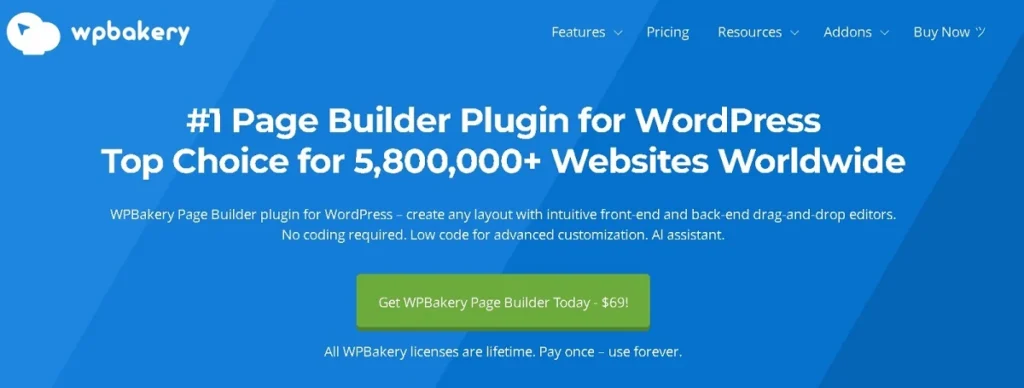
Launched in early 2011, it quickly gained popularity among non-coders and developers alike for making website creation more visual and intuitive.
WPBakery allows users to design responsive pages directly within the WordPress backend (and optionally on the frontend), without touching a single line of code.
With a user-friendly interface, a wide range of content elements, and compatibility with virtually any WordPress theme, WPBakery has become a staple in the WordPress plugin ecosystem, especially for premium themes on marketplaces like ThemeForest, where it often comes bundled for free.
WPBakery vs Visual Composer: What’s the Difference?
Many people confuse WPBakery with Visual Composer, and it’s easy to see why. Originally, WPBakery Page Builder was called Visual Composer. However, after a major product shift and rebranding, the two became separate tools:
- WPBakery Page Builder continues as a powerful plugin used specifically within WordPress.
- Visual Composer Website Builder, on the other hand, became a standalone website builder with its own ecosystem, compatible with but not limited to WordPress.
In short:
- WPBakery: WordPress-only, plugin-based, focused on backend/frontend page building.
- Visual Composer: All-in-one website builder with header/footer editor, theme builder, and more.
If you’re using a WordPress theme that mentions “Visual Composer,” it’s most likely referring to WPBakery Page Builder, especially in older themes. Always double-check the actual plugin in your dashboard to avoid confusion.
Who Should Use WPBakery Page Builder?
WPBakery is best suited for users who want more visual control over their website content without writing custom code. Ideal use cases include:
- Landing Pages: Quickly build conversion-focused landing pages using ready-made templates and design elements.
- Marketing Sites: Add testimonials, sliders, CTAs, and pricing tables with ease.
- Content–Heavy Pages: Structure long-form content with columns, toggles, and tabs to improve readability.
- Client Websites: Agencies and freelancers can use WPBakery to hand off easy-to-edit sites to non-technical clients.
- Theme–Integrated Layouts: WPBakery works especially well with premium WordPress themes that include custom elements built for it.
It’s a solid option if you’re looking for a reliable, widely-supported, and theme-friendly page builder that doesn’t require a steep learning curve.
Interesting Read: Raitis Sevelis Reveals the Journey Behind WPBakery & Visual Composer on the WP Legends Podcast.
WPBakery Features: An Inside Look
WPBakery continues to be a go-to WordPress page builder thanks to its wide compatibility, simplicity, and feature-rich interface. Let’s dive into the key features that make it stand out.
Frontend and Backend Editor
One of WPBakery’s most notable features is its dual editor mode, which gives users the freedom to choose how they build.
- Frontend Editor: Ideal for visual learners and non-technical users, the frontend editor lets you build your page exactly as your visitors would see it. It features a clean, drag-and-drop interface where you can move blocks, customize colors, and adjust padding, all with a live preview. There’s no need to hit the preview button repeatedly, which speeds up the design process.
- Backend Editor: This structured editor is better suited for content-heavy sites or when working with long-form layouts. While it lacks real-time visuals, it’s faster and more precise when managing large page structures or editing multiple content blocks. You also get a better overview of the page layout, which some developers and advanced users prefer.
The flexibility between both modes makes WPBakery suitable for diverse workflows, whether you’re building landing pages visually or structuring articles and complex grids behind the scenes.
Building with a Theme vs From Scratch
WPBakery is known for exceptional theme compatibility, making it a favorite among users who work with premium WordPress themes.
- With a Theme: Many premium themes (especially on platforms like ThemeForest) bundle WPBakery as their default builder. When used with these themes, WPBakery automatically integrates custom modules and styles unique to that theme. This gives you prebuilt design sections tailored to your site’s style and branding. Plus, it drastically reduces setup time and removes the need to install extra plugins.
- From Scratch: While WPBakery wasn’t originally designed for full-site editing (unlike newer tools like Elementor or the WordPress Site Editor), it still performs well when creating custom layouts. You can build individual pages with full control over rows, columns, content blocks, and spacing. However, users looking for complete header/footer control might find it slightly limited without developer assistance or add-ons.
Check out this quick video walkthrough and discover how easily you can build stunning pages with its drag-and-drop editor.
Templates and Library
The WPBakery Template Library is a time-saving feature that benefits users across all skill levels.
- You can choose from a variety of professionally designed page templates, such as homepage layouts, service pages, contact forms, and portfolios. These are especially helpful when you need to launch a website quickly or need inspiration.
- WPBakery also allows you to save custom templates. Let’s say you’ve designed a perfect call-to-action section or pricing table, you can save it and reuse it on any other page within your site or export it to another project. This is invaluable for agencies and freelancers managing multiple client sites with consistent branding.
Content Elements and Widgets
At the core of WPBakery’s flexibility is its comprehensive library of content elements, all accessible from within the editor.
These elements include:
- Structural components: rows, columns, dividers
- Interactive elements: accordions, tabs, sliders
- Multimedia tools: image carousels, video backgrounds
- Conversion components: buttons, forms, CTAs
You can drag and drop these elements onto your page and adjust their design via simple controls for padding, colors, alignment, and more. Many themes also add custom modules to this list, expanding your toolkit even further.
WPBakery also supports default WordPress widgets and works well with third-party plugins, allowing you to embed WooCommerce products, contact forms, social feeds, and more directly into your layout.
SEO and AI Integration
In recent versions, WPBakery has stepped up its game by integrating basic SEO tools directly into the page builder.

- You can now edit essential SEO metadata, such as page titles, meta descriptions, and slugs, without needing to switch back and forth between a separate SEO plugin and the editor. While it’s not a full replacement for plugins like AIOSEO or Rank Math, it’s a great addition for quick edits and small sites.
- WPBakery has also started integrating AI-powered content tools. This includes features for generating or refining headlines, descriptions, and paragraph content based on tone, length, or clarity. It’s especially useful for bloggers and marketers who want to enhance their writing or break through writer’s block.
Design Controls and Responsiveness
A great website must look good on all screen sizes, and WPBakery offers solid tools to help achieve that.
- You can control spacing (margins, padding), element visibility (hide/show on mobile/tablet/desktop), and preview your design across various screen sizes.
- This level of control ensures your layout remains consistent and visually appealing regardless of the device your visitors use.
WPBakery might not offer advanced flexbox/grid controls like modern tools, but for most users, its responsive settings are more than enough.
Advanced Developer Options
While WPBakery caters to beginners, it doesn’t leave out developers and power users.
- You can add custom CSS and JavaScript at both the global and element levels.
- The role manager feature is especially useful for agencies, it allows you to control what editing access different user roles have. For example, you can allow clients to edit content without breaking layouts.
Additionally, WPBakery includes auto-save and undo/redo functionalities, which help prevent accidental data loss while working on a page.
WPBakery Pricing
One of WPBakery’s biggest advantages is its one-time pricing model.
A regular license costs $69 and includes:
- Lifetime access to the plugin
- Free updates forever
- 6 months of customer support
This one-time payment model appeals to freelancers, small businesses, and anyone who wants to avoid the ongoing subscription fees that come with tools like Elementor Pro or Divi.
WPBakery is also bundled with many premium WordPress themes, especially on ThemeForest. So if you’ve already purchased a theme, there’s a good chance WPBakery is included, saving you even more upfront.
User Experience: Beginner to Pro
WPBakery’s learning curve depends on your background:

- Beginners: May initially find the shortcode-heavy backend a bit confusing. But the frontend editor simplifies the process. Start with pre-built templates, use the drag-and-drop editor, and get a feel for how rows and columns work together. Within a few hours, most users are comfortable enough to build a full landing page without touching code.
- Intermediate Users: Bloggers, entrepreneurs, and small business owners love the balance of flexibility and control. You can create conversion-focused pages, sales funnels, and content hubs using templates and reusable blocks, without hiring a WordPress developer.
- Advanced Users and Agencies: For those managing multiple sites or clients, WPBakery shines with its role management tools, custom styling options, and reliable theme integrations. It’s not as flashy as some newer builders, but it gets the job done, especially for fast prototyping or scaling multiple WordPress sites.
In short, WPBakery may not lead the pack in modern UI or animation features, but its consistency, compatibility, and cost-effectiveness keep it relevant for users at every stage of their website-building journey.
Discover: Figma to WPBakery Conversion
Performance Insights: Is WPBakery Fast?
WPBakery often surprises users with how efficiently it can perform, especially when paired with a lightweight, performance-optimized theme like Astra or GeneratePress. The front-end builder remains snappy during editing, and the resulting pages tend to load quickly if you follow performance best practices.
The core of WPBakery is not inherently bloated. The performance largely depends on how it’s used. For instance, building simple landing pages with streamlined content blocks results in fast-loading pages. However, excessive nesting of rows, overuse of animations, or loading multiple third-party add-ons can lead to longer load times.
That said, there are a few trade-offs worth noting:
- User Interface Feels Outdated: While functional, WPBakery’s UI hasn’t evolved as quickly as newer page builders. It lacks the modern polish and intuitive gestures you might find in Elementor or Bricks.
- Styling Limitations on Elements: Some built-in elements like buttons, icons, or form fields offer fewer design customization options out of the box. You may need to rely on custom CSS for more advanced styling, something less accessible for beginners.
- No Full-Site Editing: Unlike full-site editors, WPBakery doesn’t offer a native way to build headers, footers, or archive templates. You’ll still need your theme or third-party tools to manage those areas. For users looking for a complete site-building solution, this can be limiting.
Despite these constraints, WPBakery is still highly effective for content-heavy sites like blogs, business pages, and service portfolios. If you’re focused on performance and use the builder efficiently, avoiding unnecessary widgets or bloated design, it delivers reliable speed without overwhelming your hosting server.
Pros and Cons
WPBakery has built a loyal user base over the years, thanks to its mix of practical features and simplicity. While it may not be the flashiest builder out there, it still holds strong appeal, especially for those looking for a dependable page builder with a one-time payment model.

Pros
- One-Time Payment Model: Unlike Elementor Pro or Divi, WPBakery offers a straightforward pricing structure, just $69 for lifetime use. No renewals, no subscriptions. It’s a budget-friendly solution for freelancers, solopreneurs, or agencies that want to avoid recurring costs.
- AI & SEO Tools Built-In: WPBakery now includes AI-assisted writing features and an SEO panel to optimize content for search engines. You can tweak meta titles, slugs, and descriptions without relying on third-party plugins. The AI tool also helps generate and rephrase copy in different tones, useful for streamlining content creation.
- Template Saving and Reuse: Design once, reuse everywhere. WPBakery lets you save custom templates and insert them across different pages. This is a major time-saver for agencies and creators who need design consistency across large websites or client projects.
- Full Front-End Control: The drag-and-drop front-end editor gives you a live preview of your changes. No switching between backend and front-end. It’s intuitive, visual, and ideal for users who want to build without writing code.
- Custom CSS & JS Support: Advanced users can fine-tune layouts and interactions with custom CSS and JavaScript directly within the builder. This adds flexibility for developers looking to go beyond standard settings.
Cons
- Styling Flexibility on Some Elements: Certain modules like buttons or forms come with limited design options compared to newer builders. While functional, they may require a bit of custom CSS if you’re aiming for pixel-perfect styling.
- No Built-In Header/Footer Builder: WPBakery focuses on content area design and doesn’t offer a native way to design headers or footers. However, this can easily be managed using your WordPress theme or paired plugins, so it’s not a deal-breaker for most users.
- Template Library UI Could Be Smoother: While the template system works well, the interface for browsing and managing templates could benefit from some modern UX updates. It gets the job done, but navigating large libraries can feel a bit clunky.
Are You Ready to Build a Stunning WordPress Website with WPBakery?
Let Seahawk’s expert WordPress team help you design, optimize, and maintain your website for peak performance.
Who Should Use WPBakery?
WPBakery is best suited for small business owners, freelancers, agencies, and marketers who want a no-fuss, visual way to build pages inside WordPress. If you’re someone who prefers drag-and-drop simplicity without having to touch a single line of code, WPBakery can be your go-to solution.
Its one-time payment model makes it especially attractive for users who don’t want to deal with recurring costs. Whether you’re launching a business website, a landing page for a product, or managing multiple client projects, WPBakery gives you enough control to get the job done.
That said, it’s important to understand that WPBakery focuses primarily on page content design. If you’re looking for full site editing, like building custom headers, footers, or archive templates, then tools like Elementor Pro or Gutenberg with block-based themes might be better fits.
Final Verdict
WPBakery remains one of the most dependable WordPress page builders, especially for users who value simplicity, stability, and a one-time payment model. It may not offer full-site editing like Elementor or Gutenberg, but what it does, it does well, helping users create visually rich pages without touching code. Its dual editor interface, robust template system, and compatibility with most themes make it a practical tool for freelancers, small businesses, and agencies alike.
While it has some limitations in terms of design flexibility and lacks a built-in header/footer builder, it compensates with useful features like AI-assisted content tools, built-in SEO fields, and advanced developer options like custom CSS and role management. Paired with a lightweight theme and caching plugin, WPBakery can deliver a fast, responsive experience that doesn’t feel bloated.
In a world dominated by subscription-based tools, WPBakery offers excellent value for money, especially for long-term WordPress users. If you’re looking for a reliable, drag-and-drop page builder that works right out of the box, WPBakery is still very much worth considering in 2025.