Managing multiple plugins across several WordPress websites can quickly become overwhelming. From forms and popups to sliders, user roles, and backups, each tool adds weight, potential conflicts, and maintenance tasks. This is where the Greyd.Suite plugin comes in.
Greyd.Suite is an all-in-one WordPress solution that replaces up to 15 popular plugins with one powerful, centralized system.
Built to work seamlessly with the WordPress core and native block editor, it supports everything from dynamic templates and global content to site migration, backup, and advanced role management.
Whether you’re handling multiple websites, running a business, or working as a developer, Greyd.Suite helps you streamline your process, reduce compatibility issues, and improve site performance.
If you’re looking to simplify your stack and enhance efficiency across all your WordPress services, Greyd.Suite delivers a complete, flexible, and reliable solution.
What is the Greyd.Suite?
Greyd.Suite is a comprehensive website management solution built to function as a centralized operating system for WordPress.
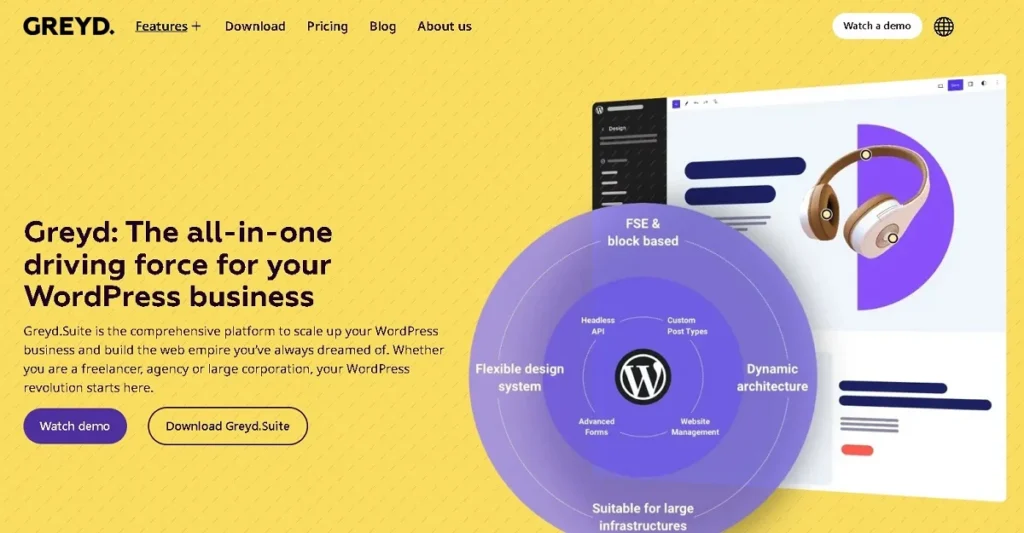
Rather than relying on multiple plugins, it offers a unified platform to handle forms, popups, templates, user roles, backups, and more, streamlining workflows and improving performance across several websites.
Designed for full WordPress compatibility, Greyd.Suite works seamlessly with your existing themes, PHP environment, and database. It supports websites of all skill levels, making it suitable for freelancers, agencies, and businesses looking to improve efficiency.
One of its core strengths is the central system it provides for managing site elements. From WP migration and staging to advanced content control and file management,
Greyd.S.uite includes a wide range of advanced features and additional features out of the box. Users can connect multiple sites, implement global styles, and even distribute shared content or templates across their WordPress network.
Overall, GreydSuite is designed to consolidate critical website management tasks into one powerful solution. This enhances productivity, reduces plugin dependency, and aligns with long-term business strategy goals.
Need Help Setting Up Greyd.Suite or Optimizing Your WordPress Workflow?
Our experts at Seahawk specialize in advanced WordPress development and performance tuning.
Smarter Forms Without Extra Plugins
Greyd.Suite comes with a built-in form builder that eliminates the need for installing third-party plugins like WPForms, Gravity Forms, or Contact Form 7.
You can create multi-step forms, add conditional logic, and track performance, all without writing a single line of code. The form builder is embedded directly into the WordPress block editor, making it easy to build high-converting forms using the tools you’re already familiar with.
With features like double opt-in, performance tracking, and native integration with email marketing tools, you can launch lead capture forms quickly and manage them effectively.
This no-code functionality supports users of all skill levels, from beginners to experienced developers. Because there’s no extra plugin or bloated script involved, your forms remain fast, secure, and fully compatible with your theme and PHP version.
Integrated Popup Builder for Better Lead Capture
Greyd includes a built-in popup builder that enables you to display modals and overlays triggered by user behavior, such as scroll depth, exit intent, or referral source.
This means you no longer need other tools like OptinMonster or ConvertBox. These native popups are lightweight and responsive, ensuring fast load times and excellent compatibility with the latest version of WordPress.
Whether you’re running a promotional campaign, collecting emails, or sharing important updates, the popup builder aligns seamlessly with your business strategy.
You have full control over styling, triggers, and content, all within the central system of your WordPress site, without any additional install or file uploads.
Performance-First Page Building
One of Greyd’s strongest features is its ability to supercharge the default WordPress block editor.

With tools like dynamic templates, reusable content blocks, advanced layout controls, and conditional display logic, you no longer need bloated page builders like Elementor, WPBakery, or Beaver Builder.
Everything is handled within the native environment of WordPress, meaning your site loads faster, requires fewer updates, and is more secure.
This results in better SEO performance and a smoother development process for both freelancers and agencies. Whether you manage a single site or several websites, you’ll appreciate how much time you save without sacrificing flexibility or creativity.
Discover: How to Setup WordPress Multisite with GreydSuite
Want to see Greyd.Suite in action? Check out this quick video tutorial where we walk you through its powerful features, show how it replaces multiple plugins, and explain how to get started. Perfect for visual learners and WordPress pros who want a smarter workflow.
Custom Post Types Made Easy
Creating and managing custom post types and taxonomies is simple with Greyd. There’s no need to rely on other plugin solutions like CPT UI or Pods.
You can define structured content types, such as portfolios, testimonials, services, or team members, directly within the interface. This supports better content organization and SEO, allowing developers to focus on design and functionality instead of repetitive setup tasks.
Combined with dynamic templates and filtering tools, this makes Greyd an efficient choice for websites that require scalable, well-structured content.
Personalized Dynamic Content
Greyd supports dynamic content personalization using built-in conditional blocks. You can display different messages, layouts, or CTAs based on user location, behavior, device type, or login status.
This eliminates the need for separate personalization plugins or complex setups and allows for smarter content delivery directly within the block editor.
These tools are essential for digital marketers and developers looking to improve user engagement, build segmented funnels, and deliver content based on individual user contexts.
This built-in functionality aligns perfectly with advanced business strategies and conversion-focused design.
Clean, Built-In Social Sharing
Instead of installing another plugin just to add social share buttons, Greyd provides a native solution.
You can embed social sharing functionality directly into posts, pages, or templates with just a few clicks. The design is fully customizable to match your site’s branding and supports tracking for click analytics.
Because there are no third-party scripts, you maintain full control over performance, compatibility, and security. This feature is especially useful for bloggers and content creators who want to increase visibility without bloating their site.
Native Sliders and Carousels
Sliders built with Greyd use the default query loop in slider mode, offering a lightweight, responsive alternative to third-party slider plugins like Smart Slider.
These carousels are created within the block editor and can display anything from testimonials and featured products to blog highlights.
This integration reduces frontend code, enhances performance, and eliminates the dependency on external libraries. It’s ideal for showcasing content in a visually engaging, mobile-friendly format without sacrificing speed or accessibility.
Advanced Search and Filtering
Greyd includes advanced search and filter tools for content discovery. Users can sort and filter through blog posts, products, or any custom post type with ease.
This functionality is directly integrated into the Gutenberg interface, so you don’t need additional plugins.
These features improve UX and reduce bounce rates by helping users find relevant content faster. It also supports complex filter combinations and live search updates, making it ideal for large or eCommerce-driven sites.
User Roles and Content Control
Greyd lets you create and manage custom user roles and restrict content visibility without code or additional tools.
This is crucial for building secure workflows in membership sites, online courses, or intranets. You can control what each user sees based on role, login status, or page-specific conditions, all from a single dashboard.
No need to link or install other plugins for this, Greyd handles it natively, offering a streamlined approach to user access management and permission-based content delivery.
Central Dashboard for Multi-Site Management
GreydHub acts as your central system for managing several websites from one unified dashboard.
Whether you need to update plugins, install new themes, connect valid domains, or check backups, everything can be done in one place. This feature is especially useful for agencies and developers who work with multiple WordPress installations.
You no longer need tools like MainWP or InfiniteWP. Everything from site maintenance to plugin distribution is handled within Greyd, saving time and reducing complexity.
Built-in Staging & Deployment Tools
Greyd offers built-in staging environments where you can test updates, design changes, or content revisions before pushing them live.
This feature simplifies WP migration workflows and enhances development best practices. You can safely migrate, copy, or restore versions of your site with one-click deployment, no need to manually export database files or install backup plugins.
This is especially beneficial for teams that want to maintain high development standards and minimize downtime or errors during website updates.
Optimized for Speed and SEO
Greyd is designed with performance in mind. Features like automatic image optimization, native lazy loading, reduced frontend scripts, and minimal PHP calls contribute to a site that loads quickly and passes Core Web Vitals benchmarks.

This helps you avoid needing separate caching or optimization plugins and provides immediate benefits to SEO.
Greyd is compatible with the latest version of WordPress and uses clean code principles, making it a reliable tool for long-term website performance.
Global Templates & Reusable Content
You can create templates or content blocks once and sync them across multiple sites using Greyd’s site connector. Whether it’s a form, a section layout, or a call-to-action block, any update is distributed across your entire domain network.
This centralized content distribution is perfect for maintaining brand consistency across several websites and reduces the time spent on manual edits.
It’s a powerful feature for enterprise-level site networks and web development teams working with large-scale multisite projects.
Site-Wide Search & Replace
Greyd includes a built-in search and replace tool that allows you to bulk update links, shortcodes, or terms across your entire site.
Whether you’re rebranding, updating product names, or changing URLs, you can do it in seconds, without writing queries or accessing the database.
This feature simplifies large-scale edits and reduces the risk of human error during manual updates, especially useful during migrations, rebranding efforts, or content audits.
Built-in Analytics and Form Insights
Track form performance, A/B test layouts, and review conversion data, all within Greyd. You don’t need to install third-party analytics tools to monitor user behavior or lead generation.
This data is displayed inside your dashboard, making it easy to refine your marketing strategy and website structure based on real insights.
Whether you’re a solo entrepreneur or part of a digital agency, having these insights in the same tool you use to build and manage your site simplifies workflows and improves decision-making.
Learn More: Core Web Vitals Optimization in WordPress
Why it Matters: Speed, Simplicity, and Scalability
Traditional WordPress websites often rely on dozens of plugins to manage forms, popups, custom post types, sliders, user roles, templates, and more.

Each additional plugin adds complexity, more code to load, more security risks, more updates, and a higher chance of compatibility issues with future WordPress or PHP versions.
This plugin bloat directly affects performance and SEO. Slower page load times lead to lower Core Web Vitals scores, poor mobile experience, and ultimately, reduced visibility in search results.
Greyd.Suite solves this by offering all essential tools under one roof. You don’t have to install, update, or troubleshoot separate plugins for forms, popups, layout control, or staging environments.
With fewer plugins and a unified codebase, your website runs faster, requires less maintenance, and performs better across devices.
For creators, freelancers, and agencies, this means less time spent on setup and troubleshooting. You can focus more on what matters, creating content, launching campaigns, serving clients, and growing your brand.
Time saved is money earned. By eliminating the need for multiple tools and reducing setup friction, Greyd allows you to move quickly from idea to execution, without compromising performance or design flexibility.
Final Thoughts: One Tool to Rule Them All
If you’re tired of juggling dozens of plugins, dealing with broken updates, and spending hours debugging bloated themes, Greyd.Suite offers a clean and modern alternative. It’s more than a plugin, it’s a fully integrated WordPress Operating System designed to simplify development, streamline workflows, and boost performance.
With just one install, you replace the need for at least 15+ common plugins:
Form builders, popup creators, custom post type managers, page builders, user role editors, search filters, sliders, analytics trackers, and more.
Whether you’re a solo freelancer, a digital agency, or managing a network of websites, Greyd adapts to your skill level and scale. It’s built for the latest version of WordPress and optimized for speed, security, and seamless content distribution across valid domains.