Starting a website can be overwhelming, from blank page syndrome to writing a proper website brief and organizing all your key pages. The Elementor AI Site Planner, part of the leading website builder platform, makes it easy.
This innovative tool acts as your AI copilot, guiding you through the planning phase with an AI-led conversation that turns your project brief into a complete sitemap, visual sitemap, and content-filled wireframes for your entire site.
In this guide, you’ll see how features like Google Meet integration and the AI notetaker capture ideas and turn them into relevant content.
You’ll also learn how to generate images, generate code, and customize layouts using Elementor’s drag and drop editor and pro elements.
Whether you’re creating online stores, portfolios, or blogs, this AI-powered site planner helps you launch your website, save time, and build high performing websites. All of this while ensuring compatibility with your Elementor account and tools like Google Analytics.
What is Elementor AI Site Planner?
Elementor AI Site Planner is a powerful new feature designed to streamline the entire website project workflow for web creators. Built into Elementor’s AI website builder, this tool helps you go from idea to a polished first draft in minutes.
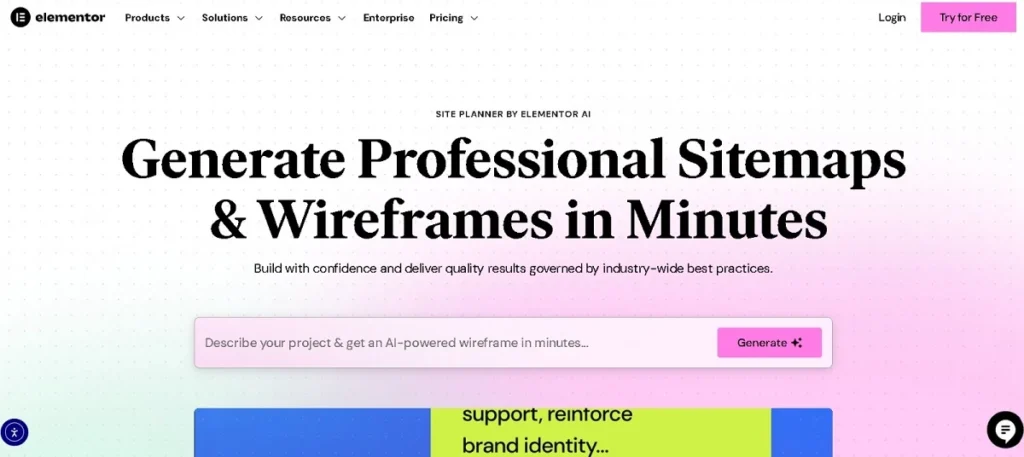
It guides you through defining your business type, services, goals, and preferred tone, then uses AI to instantly generate a sitemap and wireframe for your entire website.
From there, you can watch AI turn your ideas into a complete visual structure, ready for design and content customization.
Fully integrated with Elementor Pro for WordPress, Elementor’s Site Planner ensures that the AI-generated structure blends seamlessly into your design process.
You can easily edit pages, fine-tune layouts, and apply your same background, typography, and branding for consistency. Plus, it supports image generation directly in the builder, making it easier to add visuals without leaving your workspace.
Whether you’re a beginner creating your first website with AI, a freelancer building sites for multiple clients, or an agency managing large-scale projects, Elementor AI Site Planner simplifies and accelerates the process.
It takes care of the planning stage so you can focus on creative execution, ensuring every site starts with a strong, strategic foundation.
Discover: Best Elementor SaaS WordPress Themes
Build Your Dream Website with Seahawk Media
From concept to launch, Seahawk Media specializes in creating custom, high-performance WordPress websites tailored to your brand.
Key Features of Elementor AI Site Planner
Elementor’s AI Site Planner brings the power of automation to the design process, helping web creators go from an idea to a functional first draft in record time.
Whether you’re using Elementor’s AI website builder for a website project as a beginner, agency, or freelancer, these features make building an entire website faster, smarter, and more collaborative.
Generate Professional Site Maps in Minutes
With Elementor’s Site Planner, you can watch AI turn your answers into a structured sitemap and wireframe in just minutes. Simply chat with the AI, defining your business type, services, goals, and preferred tone.
The tool then maps out all necessary pages, like Home, About, Services, and Contact, so your website with AI starts with a solid foundation instead of a blank canvas.
This process eliminates guesswork and ensures your entire website structure is aligned with your client’s needs right from the start.
Instant Wireframes for Your Website
Once the sitemap is ready, Elementor’s Site Planner instantly generates wireframes that visualize your layout before any design work begins.
You can edit pages directly, add or remove sections, and rearrange elements until the design process feels just right.
This step helps maintain a same background understanding between you and your clients while also giving you the flexibility to experiment before locking in your first draft.
AI-Powered Content Planning
The Site Planner goes beyond layout by offering AI-powered content suggestions. You can set your preferred tone, professional, friendly, or creative, and watch AI craft section headings, calls-to-action, and page copy that fit your brand.
This feature ensures your website project has cohesive messaging across all pages, speeding up the journey from wireframe to live site.
Real-Time Collaboration Features
Agencies and freelancers can benefit from real-time collaboration inside Elementor’s Site Planner. The built-in AI note-taker records key details during client meetings, so nothing gets lost.
You can adapt your website with AI instantly based on live feedback, keeping the same background understanding between all stakeholders and speeding up approvals.
Customization & Branding Options
Once your structure and copy are set, it’s easy to inject brand personality. Elementor’s Site Planner lets you add brand colors, logos, and typography for a cohesive identity.
You can also preview the design on mobile and tablet to ensure responsiveness across devices.
This ensures the first draft already reflects your branding and is ready for image generation or further design tweaks inside Elementor Pro AI integration.
Learn More: Responsive Design Beyond Mobile
How to Use Elementor AI Site Planner: Step-by-Step Tutorial
Elementor AI Site Planner is designed to make website creation effortless by guiding you through an AI-powered process, from concept to ready-to-build layouts. Here’s how to make the most of it.
Step 1: Accessing the Tool
To start, head over to Elementor.com/ai-site-planner. You can try the tool via a free trial or use it with your existing Elementor Pro subscription.
If you’re already running Elementor on your WordPress site, the AI Site Planner will seamlessly integrate into your workflow.
For new users, the hosted Elementor trial is perfect for testing without setting up a domain right away.
Step 2: Starting an AI Chat
Once inside, you’ll begin by chatting with the AI to provide essential details about your business, such as name, services, industry, and goals.
You can also define your target audience and tone of voice (e.g., professional, friendly, or creative).
The AI uses this information to ensure your site map, content, and design match your brand identity and audience expectations.
Step 3: Generating a Site Map
After gathering your details, the AI instantly creates a professional site map tailored to your business type. For example, a service business might have:
Homepage ⟶ About ⟶ Services ⟶ Portfolio ⟶ Blog ⟶ Contact ⟶ Courses.
You can tweak the structure, rename pages, or add/remove sections before moving forward. This feature ensures your site is organized for both user experience and SEO.
Step 4: Building a Wireframe
With your site map ready, you can switch to wireframe view. This gives you a visual skeleton of your site layout, including sections like hero banners, portfolios, testimonials, and newsletter signups.
You can drag and drop, resize, or remove sections to match your brand’s flow. This step is ideal for visualizing your site before committing to full design elements.
Step 5: Branding Your Website
Next, bring your brand to life by customizing colors, typography, and spacing in real time. You can upload your logo, set your brand’s primary and secondary colors, and preview how the design looks on different devices.
Elementor AI Site Planner ensures the layout is fully responsive for mobile, tablet, and desktop views.
Step 6: Exporting & Launching
Once you’re satisfied, you can either export the plan directly to your WordPress site with Elementor Pro or use Elementor’s fully hosted trial to preview and test your design live.
From there, you’re ready to add final images, polish your copy, and launch your site with confidence.
Check out this quick video tutorial on how Elementor AI Site Planner can turn your ideas into a ready-to-build website in minutes.
Benefits of Using Elementor AI Site Planner
The benefits of Elementor AI Site Planner go beyond just convenience, it’s a game-changer for anyone looking to create a professional, well-structured website without spending days on planning.
First, it saves hours of planning and design work by automating tasks that would otherwise require multiple brainstorming sessions, manual wireframing, and feedback loops.
It’s perfect for beginners with no coding skills, as the tool guides users step-by-step through site mapping, wireframe creation, and branding without touching a single line of code.
For web design agencies, it can help deliver faster client websites, improving turnaround time and allowing for more projects in less time.
One of the most underrated AI website builder advantages is that it eliminates guesswork in structuring websites, ensuring that each page flows logically, aligns with user experience best practices, and meets business objectives right from the start.
Elementor AI Site Planner vs Traditional Website Planning
When comparing AI vs manual web design planning, the difference is striking. In traditional planning, designers manually create sitemaps, build wireframes, and tweak layouts, often requiring multiple revision cycles after client feedback.
With Elementor AI Site Planner, these steps are automated through AI, dramatically reducing time and effort.
AI-generated site structures ensure design consistency across pages, something that can be hard to achieve in manual processes where human error or style drift may occur.
Additionally, the AI approach minimizes the back-and-forth with clients, as wireframes and layouts are ready to review almost instantly, leading to reduced revision cycles and faster approvals.
This automation doesn’t just save time, it frees creative professionals to focus on custom branding, unique visuals, and advanced features rather than repetitive layout planning.
Best Use Cases for Elementor AI Site Planner
The Elementor AI Site Planner is versatile enough to fit into various web creation workflows, making it a valuable tool for different types of users.
- Small business owners launching their first site: For entrepreneurs who may not have the time or technical know-how, Elementor’s AI website builder can quickly create a first draft of their site, complete with a sitemap and wireframe. This means they can have an entire website planned in minutes, without diving into the complexities of design or coding.
- Freelance designers needing quick mockups: Freelancers often juggle multiple projects. With the Site Planner, they can watch AI turn basic project details into a polished visual layout, ready to edit pages and refine the design process.
- Agencies working on multiple client projects: Agencies can leverage the AI website builder advantages to deliver faster results. Instead of starting every website project from scratch, AI can produce a consistent same background style across client sites while leaving room for customization.
- Educational use for teaching web design basics: For training programs, web design bootcamps, or even high school classes, Elementor’s site planner provides an intuitive way to explain concepts like wireframing, layout structure, and design process without overwhelming beginners.
Tips for Getting the Best Results
Getting the most out of Elementor AI Site Planner depends on how you approach the AI-assisted website with AI creation process.
- Provide detailed inputs during AI chat: The more specific your descriptions of goals, target audience, and style preferences, the better AI can generate a tailored website project.
- Use brand assets early in the process: Upload your logos, color palettes, and imagery before AI starts building. This ensures your first draft matches your brand identity and reduces the amount of redesign later.
- Always review and refine AI-generated layouts: While AI can create a solid sitemap and wireframe, human creativity is still key. Go through each section, tweak the content, adjust visuals, and make sure the design process reflects your vision.
Learn More: How to Convert Design Prototype to WordPress
Final Thoughts
The Elementor AI Site Planner is transforming the way web creators approach new projects. By automating time-consuming planning tasks like sitemap and wireframe creation, it allows you to move directly into refining and personalizing the first draft.
Whether you’re a freelancer or part of an agency, this tool simplifies the design process and helps launch an entire website in a fraction of the usual time.
If you’ve ever wanted to watch AI turn your ideas into a functioning plan instantly, this is the perfect time to try it out. You can test it for free or pair it with Seahawk’s Elementor theme development services to take your website with AI from concept to completion faster than ever.