
ChatGPT has become one of the most practical tools available to WordPress site owners. You can use it to generate content, power a chatbot, assist with custom code, automate SEO tasks, and handle customer queries without hiring additional support.
Adding ChatGPT to WordPress requires an OpenAI account, an API key, and either a compatible plugin or direct API integration. This guide covers both methods, the best plugins available, the smartest use cases, and how to edit AI-generated content before it goes live.
To add ChatGPT to WordPress, create an account at platform.openai.com and generate an API key. Install a compatible plugin such as AI Engine or AI Power from the WordPress plugin repository, activate it, and paste your API key into the plugin settings. Configure the plugin for your use case, whether content generation, chatbot, or SEO, and test the output before going live.
What is ChatGPT?
ChatGPT is a large language model developed by OpenAI that generates human-like text responses based on user prompts. It understands context, handles follow-up questions, and produces content ranging from blog posts and product descriptions to custom code and customer support responses.
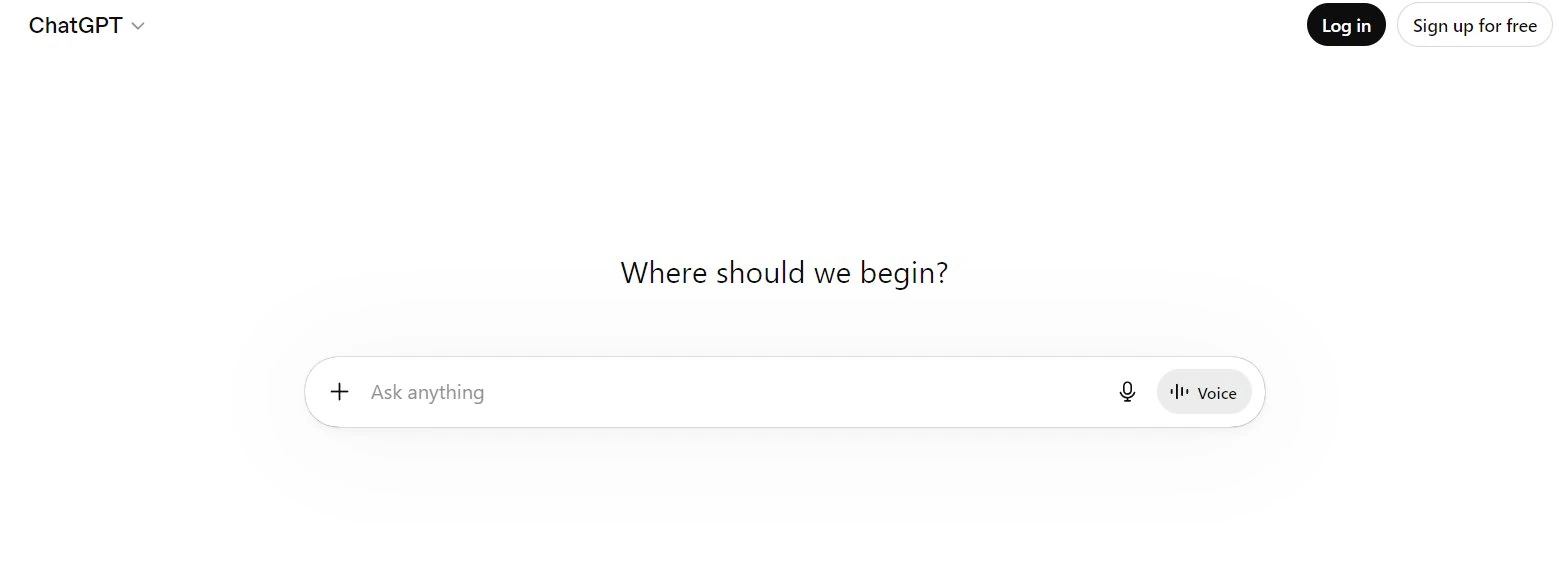
For WordPress users, ChatGPT is useful because it integrates directly into the publishing workflow. You can use it inside your WordPress editor, connect it to your forms, power a live chatbot, or automate repetitive content tasks without leaving your dashboard.
What You Need Before You Start?
Before adding ChatGPT to WordPress, confirm you have the following in place.
- An OpenAI Account: Sign up at platform.openai.com. Free accounts have usage limits. For production use on a WordPress site, a paid API plan is recommended to avoid rate limiting.
- An API Key: After creating your account, go to platform.openai.com/api-keys and generate a new secret key. Copy and store it securely. You will not be able to view it again after closing the page.
- A WordPress Site with Admin Access: You need administrator permissions to install plugins and enter API credentials in plugin settings.
- A Compatible Plugin: Unless you are building a custom integration, you will need a ChatGPT-compatible WordPress plugin. The best options are covered in the plugin section below.
ChatGPT to WordPress: 7 Smart Applications in WordPress
ChatGPT is not a single-use tool for WordPress. Once integrated, it can serve multiple functions across your site simultaneously. Here are the seven most practical applications.
Generating Blog Post Ideas Made Easy with ChatGPT
By integrating ChatGPT with WordPress, you can easily generate fresh blog post ideas, overcoming writer’s block and keeping your website or blog filled with relevant, engaging content.
With ChatGPT plugins or a WordPress chatbot, simply ask for suggestions on popular trends, niche topics, or content ideas tailored to your audience. As an AI assistant, ChatGPT’s suggestions will help you create high-quality content that resonates with your readers.
Crafting Outlines for Complete Blog Posts
A well-structured outline is the foundation of a strong blog post. ChatGPT can help create outlines by organizing main points, subheadings, and key details based on your initial idea.
This feature streamlines the writing process, especially if you’re looking to generate content quickly. With ChatGPT’s outline generator, you’ll have a ready-to-go structure to help you start writing a complete blog post.
Coding Assistance for Custom WordPress Code
If you need help with writing code for your WordPress site, ChatGPT is an invaluable resource. It can help generate CSS, HTML, and PHP snippets, allowing you to make site customizations without deep coding expertise.
You can also input error messages into ChatGPT to understand and fix issues. Whether you’re a WordPress developer or a WordPress beginner, this feature can help you tackle challenges, improve WordPress code, and refine your site’s appearance and functionality.
Plugin Creation for Extra Functions
Need extra functionality for your WordPress website? ChatGPT can help create custom WordPress plugins tailored to your specific needs.
From simple tools like link finders to complex tools like mortgage calculators, ChatGPT can provide ChatGPT-generated code to extend your site’s features.
By working with ChatGPT-generated plugins, you enhance your site’s capabilities while leveraging AI’s flexibility.
Enhancing User Engagement with a Chatbot for WordPress
Adding a ChatGPT-powered chatbot to your WordPress site is a great way to boost user engagement. These AI-driven chatbots can answer visitor questions, recommend relevant content, and even provide live chat support.
You can also customize the live chat settings and adjust responses to create a more human-like text experience. With ChatGPT for WordPress, your site becomes more interactive, encouraging visitors to explore your content, engage with your brand, and receive real-time answers.
SEO Optimization Made Easy
Want your WordPress site to rank higher on search engines? Integrating ChatGPT into an SEO plugin can make SEO optimization a breeze.
AI tools like ChatGPT help you create SEO-friendly meta descriptions, titles, and keywords that are relevant and optimized for search engines. This application is especially valuable when paired with popular plugins like AIOSEO, helping you automate content optimization, generate meta descriptions, and ultimately boost site traffic.
Content Writing and Generation
Creating high-quality content takes time, but ChatGPT makes it easier to produce engaging content for your website. Use ChatGPT as a content generator to draft headlines, paragraphs, and entire landing pages with AI-generated text.
You can specify content length and style to suit your brand, or incorporate a text box on your WordPress dashboard where ChatGPT suggestions can help you draft complete blog posts or page content.
Top ChatGPT/ AI Themes for WordPress that You Must Try
Integrate ChatGPT/AI themes to turn your WordPress into an AI website builder to unlock the power of conversational AI. Enhance user interaction, provide real-time assistance, and elevate the overall user experience with intelligent, personalized responses tailored to your audience’s needs.
ANN – Artificial Neural Network AI WordPress Theme
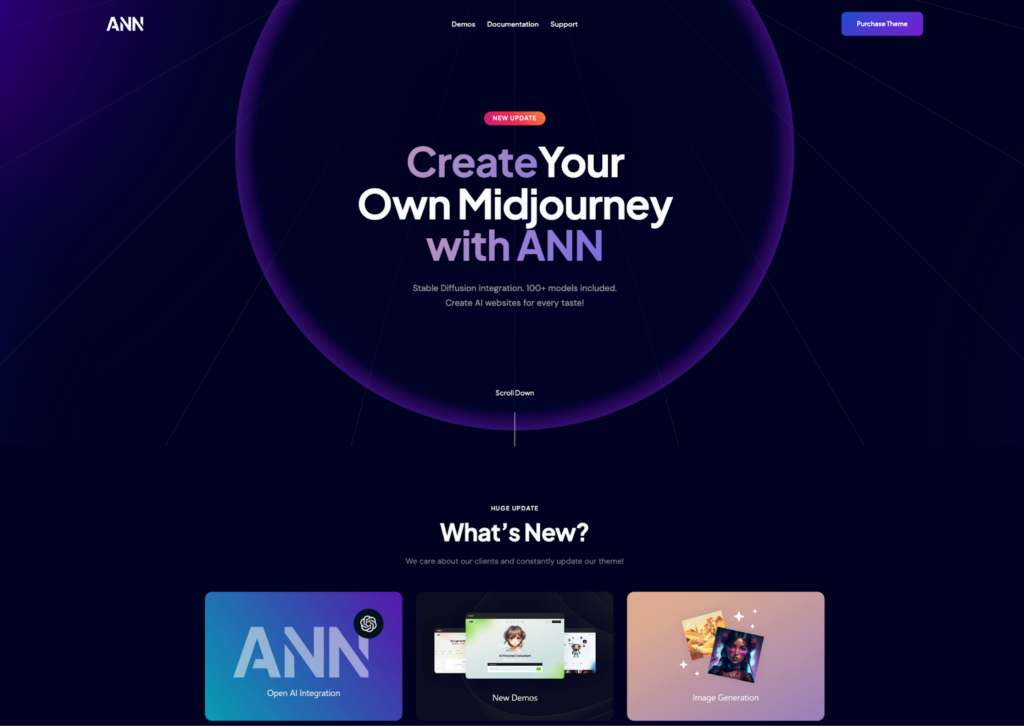
ANN is a WordPress theme that leverages advanced Artificial Intelligence for websites centered on Artificial Neural Networks.
With six unique homepage designs, blog layouts, and Elementor support, it’s tailored for gaming, AI art, ChatGPT, and OpenAI. Included premium plugins enhance customization, creating captivating, purpose-driven websites.
Benefits
- Multilingual support
- Free WooCommerce, Elementor, Mailchimp, and more
- Premium images with AI Engine or AI Helper
- Creates texts in seconds
Qwery – Multi-Purpose Business WordPress Theme

Qwery is a highly adaptable WordPress theme with over 100 homepage demos suitable for any industry. It offers various layout styles and inner pages for easy customization. Integrated with Elementor, it provides extensive customization options, along with a range of premium plugins like Contact Form 7 and Revolution Slider.
Benefits
- AI-powered texts and images
- Multilingual OpenAI prompts
- Premium engines with AI Engine or AI Harper
- Customizable on the go
Kicker – Multipurpose Blog Magazine WordPress Theme

Kicker is a top choice for online magazines and blogs, catering to a wide range of businesses with its responsive, Retina-ready design. It offers fast performance and SEO-friendliness, with niche-specific skins and compatibility with Gutenberg and Elementor page builders for easy customization.
Integration with ChatGPT, DALL-E, and Mid-Journey enhances its functionality.
Benefits
- High-quality web design for blogs and magazines
- Light-weight design
- Flexible customization with Gutenberg and Elementor page builders
- Integrates with ChatGPT, Dall-E, and Midjourney
Anesta – Intranet, Extranet, Community and BuddyPress WordPress Theme
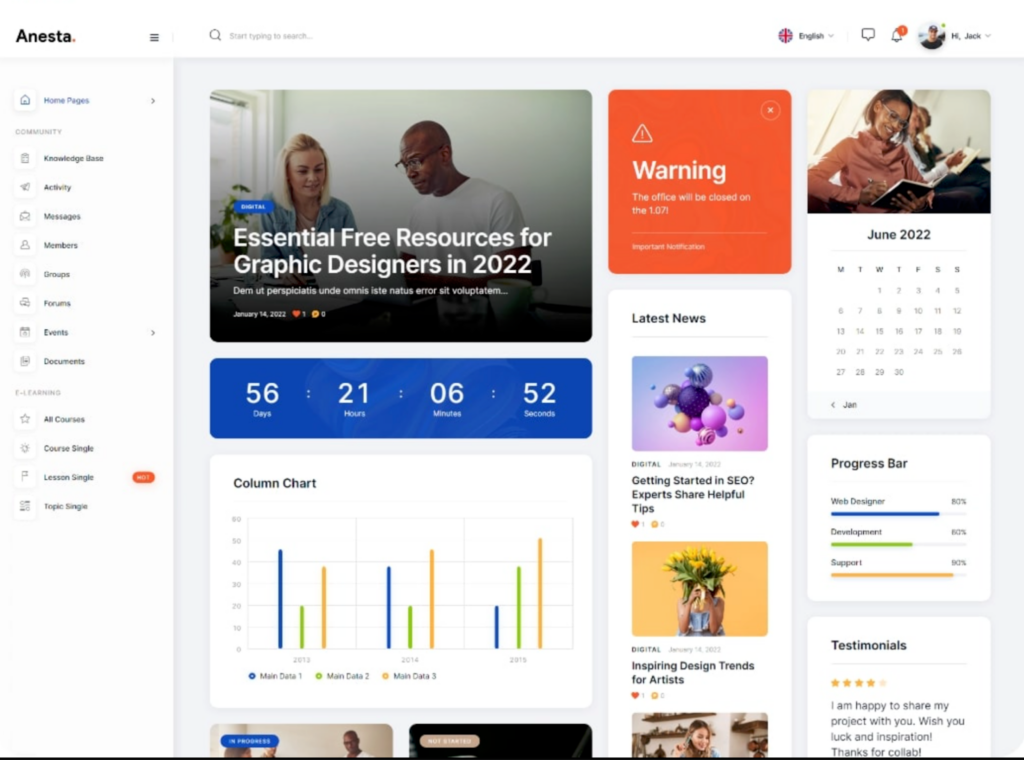
Anesta is a versatile WordPress theme ideal for intranet, extranet, and community WordPress websites. With multiple stunning homepage demos, Anesta is designed for membership sites, job boards, and online communities.
It features integrated ChatGPT, DALL-E, and Mid-Journey functionalities, and supports BuddyPress and bbPress, making community website creation simpler and more efficient.
Benefits
- AI-powered texts and images
- Images with AI Engine
- Multiple blog styles
- Slider Revolution and Swiper slider included
Alright – Full Site Editing Business WordPress Theme
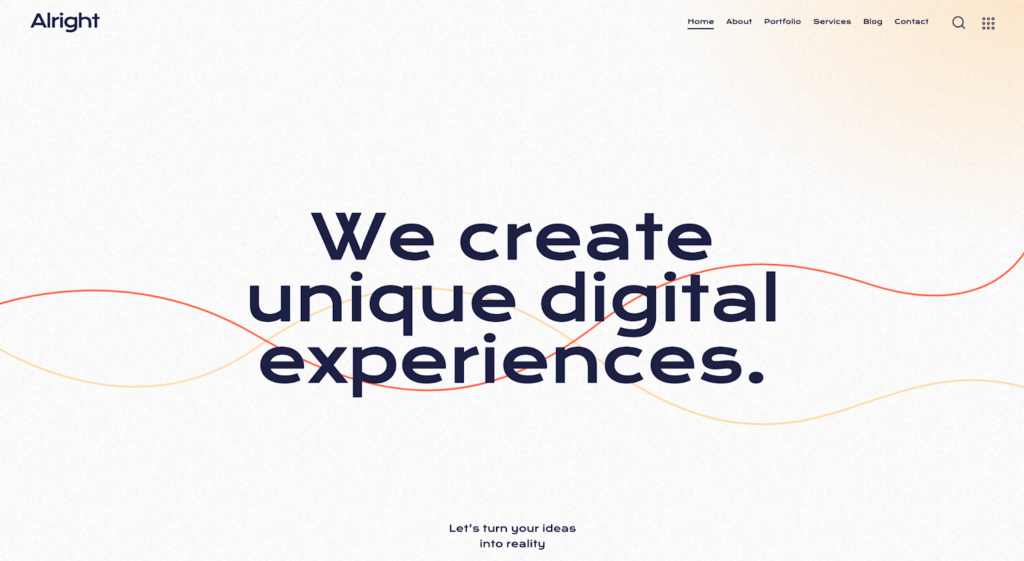
Alright is a sleek, 100% FSE Block WordPress Theme perfect for businesses and blogs. With Full Site Editing (FSE), Alright allows easy modification of the entire site. This theme is great for creating a professional online presence, combining a fresh interface with AI-powered content creation for dynamic page content.
Benefits
- On-demand AI-powered content generation for rapid blog post publishing
- Modern, flexible, and highly customizable design
- Custom widget set for expanded functionality
- Compatibility with plugins like WooCommerce, WooCommerce Wishlist, and Elegro Crypto Payment
Advantages of Adding ChatGPT to WordPress
Adding ChatGPT to your WordPress site is like having a super-fast content helper and a smart chat assistant rolled into one. It makes writing blog posts and product descriptions super easy, and it’s great for talking to customers, too.
With ChatGPT, you can save time writing and keep your visitors happy with quick answers to their questions.
It’s like having a helpful friend who is always ready to lend a hand on your website! Below are some more advantages of adding ChatGPT to WordPress
Multiple Features
ChatGPT can act as a helping hand with not one but multiple features. It can function as a content writer, Bulk Content writer, auto content writer, WooCommerce Product Writer, image generator, and many other AI training capabilities.
Customization
With ChatGPT, you can easily modify and customize content-related actions. With its interesting features, you can generate and regenerate responses and get suitable content. It is highly valuable for automating tasks and encourages creativity when working with ChatGPT in WordPress.
Increases Productivity
There is no doubt that ChatGPT has reduced manual work through its easy-to-use interface. It has simplified complex communication and delivers better solutions to the table more quickly, enhancing productivity. ChatGPT is a great tool when you are short on time and want better results!
Enhances Website
ChatGPT not only enhances your content but also your overall website performance. With its fast-paced features, increased productivity, flexibility, quick solutions, and easily generated content, it improves both the user and WordPress experience.
Time and Resource Savings
By automating tasks such as content generation and customer support, ChatGPT helps you save time and resources that would otherwise be spent on manual labor, enabling you to allocate these resources to strategic initiatives and business growth opportunities, ultimately driving efficiency and profitability.
How to Integrate ChatGPT in a WordPress Website for Writing Content?
There are two ways to integrate ChatGPT into WordPress. The first is using ChatGPT manually alongside your WordPress editor. The second is installing a GPT-based plugin that connects directly to the OpenAI API and operates inside your dashboard.
This method suits users who want to use ChatGPT for occasional content generation without installing additional plugins.
Method 1: Using OpenAI ChatGPT
- Go to chat.openai.com and sign in to your account.
- Enter a prompt describing the content you need, including the topic, word count, tone, and target keyword.
- Review the generated output and refine the prompt if the result does not match your requirements.
- Copy the final content and paste it into your WordPress block editor.
- Edit the content for accuracy, add internal links, replace generic images, and optimize it for SEO before publishing.
Method 2: Using GPT 3-Based Plugins for WordPress
WordPress blogging can be much more effective and a seamless experience with GPT 3-based plugins. These plugins allow you to witness the powerful features of OpenAI right within your WordPress editor.
If you followed the previous steps, you will now have an active OpenAI account with the necessary API keys for these plugins. Now, you’ll need to install and activate the chosen plugin from the WordPress repository.
Once activated, navigate to the plugin settings to configure it. It is important to enter the correct API keys in the plugin settings to ensure proper functionality. So, just which ChatGPT WordPress plugins do we recommend? Here are a few:
AI Engine
This AI engine plugin is the most used ChatGPT model-based plugin. It has more than 20,000 active installations and is a strong AI powerhouse.
With this plugin, you can create your chat similar to ChatGPT and customize it however you want. You can choose from the full-screen, pop-up, or window modes.
It also lets you generate textual and visual content tailored to your needs. Additionally, it quickly creates WooCommerce product fields and can perform many other tasks.
AI Power- Complete AI Pack
This is another excellent ChatGPT-inspired WordPress plugin with unique content-generation techniques. It comes with GPT-3.5, GPT-4, DaVinci, and some other great AI tools beneath the hood to build images, forms, and text that are easily customizable in multiple ways.
It also has an easy-to-use interface. Plus, it will help you speed up your work process and receive instant assistance from its ChatGPT-powered chatbot, Lisa.
AI Content Writing Assistant
When we talk about this content-writing AI Tool, we focus on a powerful plugin that effectively generates content. It is integrated with GPT-3 and DALL-E, which likewise generate text and images.
The plugin also features a reflexive GUI and offers various options for editing content to suit your requirements and preferences. You can include distinct writing styles (professional, serious, informative, etc.), content formats (faq, email, how-to, review, etc.),
AiBud WP
The next plugin on the list of best ChatGPT WordPress plugins is AiBud WP, a content generation solution for GPT-3 and GPT -4.
It allows you to multitask while creating SEO-optimized blogs, creating beautiful images, proofreading text, rephrasing text into 30+ languages, and writing product descriptions.
The plugin is built on three formats: Content Builder, Playground, and Image Generator. The last use is OpenAI’s refined Davinci model, which enables you to engage in a live conversation with the AI, asking questions and receiving answers in real-time.
Chatbot
This AI plugin makes conversations easy with users by answering their queries. It also helps send emails and search for content on your website. You can also create bot responses in the backend with several add-ons and GPT 3 add-ons.
AI Mojo
This plugin uses the GPT-3 or Jurassic-1 model to generate content. Using a template editor, AI mojo helps you choose the model, response size, and other settings.
It helps you simplify and speed up the content generation process. You can easily create post templates and set different engines, models, resulting formats, etc.
Enhanced WordPress Plugins with ChatGPT Integration
We’ve just shared some of the top WordPress plugins for content creation. However, there are numerous other ways to use ChatGPT in WordPress. Let’s explore more ways to use ChatGPT and WordPress together, along with the plugins that can help.
These plugins are designed to seamlessly integrate with OpenAI’s powerful conversational AI into your website.
From embedding ChatGPT directly to connecting with its API, they offer diverse functionalities to enhance user engagement and streamline interactions.
| Plugin | Features | Pricing |
| All In One SEO | AI-generated image, Personalized emails,Product descriptions,Answers to customer queries | $11 |
| Uncanny Automator | Plug-and-play integrated chatbot, Live chat support, Departing visitors identification and targeted offerings | $249/ year |
| WP Forms | Automated and personalized emails are sent upon form submission. It acts as an AI writing assistant after integration with ChatGPT | $159/ per year |
| ChatBot for WordPress | Plug-and-play integrated chatbot, Live chat support,Departing visitors identification and targeted offerings | $34-$324 |
All In One SEO
All In One SEO is a robust WordPress plugin that combines SEO tools with ChatGPT-powered insights. This plugin helps you optimize your WordPress website for search engines, improving visibility and enhancing content performance.
How to Integrate ChatGPT: After installation, connect the plugin to ChatGPT’s API to enable AI-driven suggestions and content optimization.
Features:
- Link assistant to improve internal linking
- XML sitemaps for better indexing
- Headline analyzer for optimized titles and improved click-through rates
- FAQ schema to help search engines understand your content structure
Pricing: Starts at $11
Using All In One SEO makes it easy to create SEO-friendly blog posts and page content, guiding your WordPress site to higher search rankings.
Uncanny Automator
Uncanny Automator automates various tasks on your WordPress site using AI-powered tools. This plugin is perfect for creating personalized experiences and handling repetitive tasks, allowing you to integrate ChatGPT for content generation and customer engagement.
How to Integrate ChatGPT: Set up the plugin, then link your OpenAI API key to allow for AI-powered content and personalized interactions.
Features:
- AI-generated images for engaging visual content
- Personalized emails to enhance user experience
- Product descriptions generated with ChatGPT are ideal for eCommerce sites
- Automated answers to customer queries
Pricing: $249 per year
With Uncanny Automator, your WordPress website can offer a more tailored user experience while streamlining content creation across blog posts and product descriptions.
WP Forms
WP Forms brings AI capabilities to form submissions, transforming it into an intelligent WordPress plugin for automation and communication. By integrating ChatGPT, this plugin can automatically generate personalized responses, making it easier to interact with site visitors.
How to Integrate ChatGPT: Install WP Forms, then connect it to ChatGPT using your API key to activate AI-generated responses.
Features
- Automated personalized emails upon form submission
- Acts as an AI writing assistant to help draft replies and follow-ups
Pricing: $159 per year
Using WP Forms helps ensure that responses are timely and well-crafted, enhancing the interaction on your WordPress website.
ChatBot for WordPress
ChatBot for WordPress is a plug-and-play WordPress plugin that lets you add an AI-powered chatbot to your WordPress site. This chatbot not only provides real-time assistance but also detects user behavior to boost engagement.
How to Integrate ChatGPT: Install the plugin and connect it to ChatGPT’s API to enable conversational AI support for visitors.
Features:
- Integrated chatbot with live chat support
- Identifies departing visitors and offers targeted messages to keep them engaged
- 24/7 support for responding to user queries in real time
Pricing: Ranges from $34 to $324, depending on features
With ChatBot for WordPress, your WordPress website becomes a more interactive platform, ideal for handling customer queries and offering assistance without manual intervention.
How to Use ChatGPT Plugins in WordPress?
You’ll need proper guidance on using this tool with WordPress integration for the best results. So, let’s get you through the process below:
- Install and activate the GPT AI Content Writer plugin on your WordPress Interface
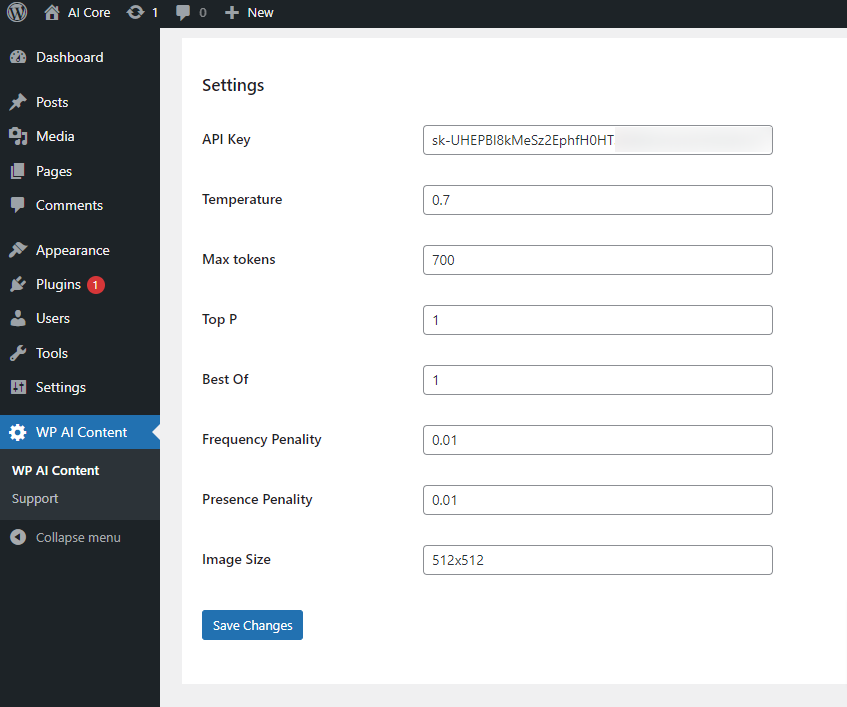
- Navigate to the GPT 3 AI Content Generator menu from the admin sidebar and provide an API key by creating a free account on the OpenAI website
- Copy the key from there and paste it
- Click on the save button and store your plugin settings
- Finally, you can start generating AI content in your WordPress
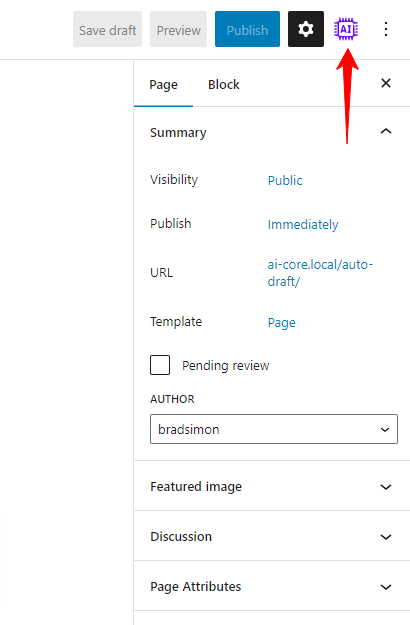
- Select the new post/page, and the GPT 3 Content generator settings will appear below in the text editor
How to Start?
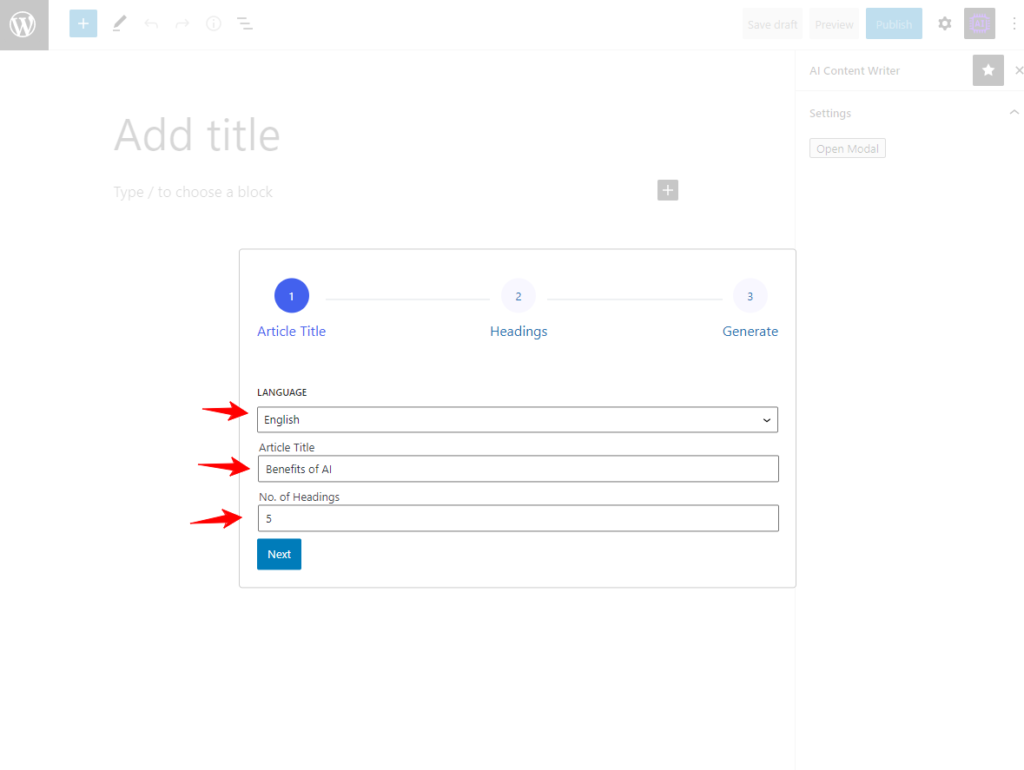
- Choose and set the language of your blog posts from the available language options
- Give a title for it (If you have a pro version, you can also add and place keywords)
- Structure your headings and provide a heading tag. You can also choose a writing style and set a tone for your blog
- Beneath, you can also add an anchor text and set a link. You can also manually enter internal links later
Lastly, click on the Generate button and wait for the AI to generate the content for you. The content will appear based on the instructions, settings, and topic of your article. So, be patient with the process.
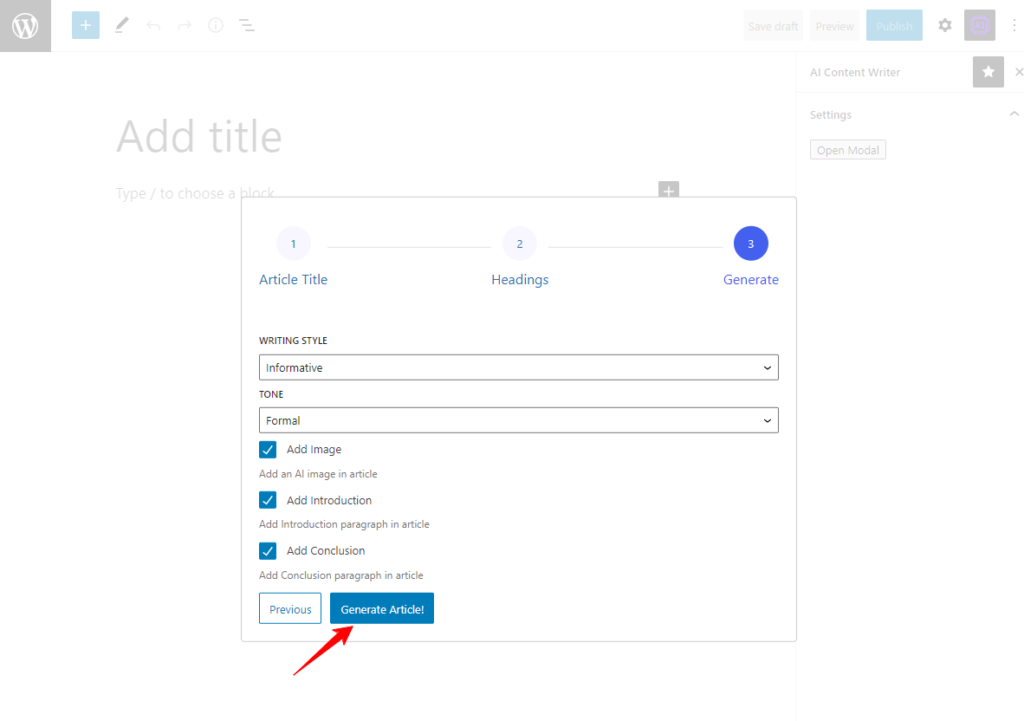
Note: Remember to click Save Draft once the content is generated. The plugin will redirect you to the WordPress editor, with your content generated by AI ready.
How to Edit the Content Generated by AI?
Since a large part of your task is already handled by AI, you just need to edit the content and add your personal touch and tone. However, there are a few more things you need to take care of while editing the content.
Cross-check the Content
ChatGPT cannot always be accurate with the information it fetches. So, you need to be careful about what it generates for you in terms of content. Before using the content on your website, review it for any factual errors or data issues.
Add Internal and External Links
ChatGPT is unaware of your related article or content on the website and cannot automatically generate internal links. Once the content is in place, you need to manually put the internal or external links required to make your content user-friendly.
Embed Your Own Image
ChatGPT, being an AI generator, uses artificial intelligence to generate images for your article. This way, you can get automated images, but they are not good enough to complement your content. So, download images that complement your content to make your article easier to read and understand.
Make it Personalized
Sure, ChatGPT can generate great content for you that’s quick, human, and interactive. But that does not mean you need to stop putting in any effort or give it your own voice for your readers. To make your content more authentic and stand out from other authors, give your article your voice and tone. Add your experience and expertise to the content to make it more personalized.
Optimize Content for SEO
By default, ChatGPT generates content that is easy to read and understand. However, it is not fully SEO-friendly or optimized. You will need to optimize your content and check for both readability and SEO-related issues within WordPress.
Conclusion
Adding ChatGPT to WordPress is straightforward once you have your OpenAI API key set up. The plugin method is the fastest route for most users and requires no custom development. Choose a plugin that matches your primary use case, whether that is content generation, chatbot support, SEO automation, or form responses.
The quality of your output depends on the quality of your prompts and your editorial process after generation. Use ChatGPT to accelerate production, not to replace the accuracy checks, internal linking, and personalization that make content worth reading.
FAQs About Integrating ChatGPT into WordPress
Can I add ChatGPT to WordPress without coding skills?
Yes. Using a plugin like AI Engine or AI Power requires no coding. You install the plugin, enter your OpenAI API key in the settings, and configure the output format. Custom API integration without a plugin requires PHP knowledge, but it is not necessary for most WordPress use cases.
How much does it cost to add ChatGPT to WordPress?
OpenAI charges based on API usage measured in tokens. For most WordPress sites, monthly API costs range from 5 USD to 50 USD, depending on volume. Plugin costs are separate and range from free tiers to around 250 USD per year for premium plans.
Is ChatGPT-generated content safe to publish on WordPress?
Not without review. ChatGPT can produce inaccurate facts, outdated information, and generic content that lacks your brand voice. Always fact-check the output, add internal links, replace placeholder images, and personalize the content before publishing.
Will adding ChatGPT slow down my WordPress site?
No. ChatGPT runs on OpenAI servers and connects to WordPress through the API. It does not add server load to your hosting environment. The only performance consideration is the chatbot interface if you add one, which loads an additional script on the front end.
Is ChatGPT content bad for WordPress SEO?
Not if edited properly. Google evaluates content on helpfulness and accuracy regardless of how it was produced. Thin, unedited, or duplicate AI content can hurt rankings. AI-generated content that is fact-checked, well-structured, and optimized for search intent performs well in practice.



