
WooCommerce Maintenance is the process of updating, optimizing, and securing your online store to keep it running smoothly, fast, and reliable. Even minor issues such as slow-loading pages, outdated plugins, or checkout failures can impact your sales and customer trust.
A structured maintenance routine helps prevent problems early, improves performance, and ensures long-term growth for your store.
TL;DR: WordPress Maintenance Checklist
- Run weekly updates for WooCommerce core, plugins, and themes to prevent compatibility issues and security vulnerabilities.
- Test your checkout flow, payment gateways, and order notifications every month without fail.
- Back up your store daily, including the database, product data, and customer order history.
- Monitor site speed and Core Web Vitals monthly, as slow stores directly lose sales and rankings.
- Run quarterly database cleanups to remove expired transients, old sessions, and abandoned cart data.
What is WooCommerce Maintenance and Why Does it Matter?
WooCommerce Maintenance is the ongoing process of keeping your store up to date, secure, and optimized for performance. It ensures your website runs without errors and delivers a smooth shopping experience.
Since your store depends on plugins, themes, hosting, and integrations, issues in any of these areas can affect performance and conversions. Regular upkeep helps avoid these disruptions.
Why do WooCommerce Stores Need Regular Maintenance?
Online stores constantly evolve with traffic, updates, and growing data. Without regular maintenance, small issues accumulate and begin affecting performance, SEO, and conversions.
Regular checks help catch problems early, keeping your store fast, secure, and reliable.
Outdated Themes or Plugins
Outdated themes and plugins can break features and create compatibility issues. This can lead to slow performance and poor user experience.
Updating them regularly improves stability and functionality. It also protects your store from security risks and vulnerabilities.
Server Overload
As your WooCommerce store grows, increased traffic and activity can put pressure on your hosting server. If your infrastructure cannot handle the demand, your store slows down or goes offline entirely during your busiest sales periods.
Regularly monitoring server resources helps you manage performance effectively. By upgrading or optimizing your hosting setup when needed, you can ensure your store handles traffic smoothly without impacting user experience or sales.
Security Vulnerabilities
WooCommerce stores are frequent targets for cyberattacks, especially when updates and security practices are ignored. Vulnerabilities in outdated software can be exploited, putting customer data and business operations at risk.
Regular security checks, updates, and monitoring help protect your store from potential threats. This not only safeguards sensitive information but also builds trust with your customers, ensuring they feel safe while making purchases.
Broken Links or Missing Pages
Broken links or missing pages can disrupt the user journey and frustrate visitors. When customers land on error pages, it erodes trust and increases the likelihood they’ll leave your site.
Routine audits catch these problems early before they affect your customers or revenue. Maintaining functional links improves navigation, enhances user experience, and supports better SEO performance by ensuring search engines can properly index your site.
Incorrect Redirects
Incorrect redirects can send users to the wrong pages or create loops that prevent them from accessing content. This confusion negatively affects both user experience and your website’s structure.
Fixing redirect issues ensures that users are guided to the correct pages without interruption. Proper redirects also help maintain SEO value by preserving link equity and improving overall site flow.
Slow Database
Over time, your WooCommerce database accumulates unnecessary data such as revisions, logs, and expired sessions. This buildup can slow down both the backend and frontend performance of your store.
Regular database optimization removes unwanted data and improves efficiency. A clean and optimized database ensures faster loading times and smoother operations, enhancing both user experience and store management.
Plugin Conflicts
Plugin conflicts are one of the most common causes of broken checkout flows and failed payments. When too many plugins run together, they compete for resources and interfere with each other’s functionality. Testing your store regularly catches these conflicts early, before a customer hits a broken checkout and leaves for good.
Need Expert WooCommerce Support?
Keep your WooCommerce store fast, secure, and optimized with Seahawk’s professional WooCommerce development services.
How Do You Update WordPress, Themes, and Plugins?
Updating WordPress core, themes, and plugins helps maintain website security, performance, and compatibility. Regular updates reduce vulnerabilities, improve stability, and ensure your website continues running smoothly with the latest features and improvements.
Before updating, create a complete backup and remove unused plugins or themes to reduce conflicts. After updates are complete, review update logs, test important website functions, and clear the cache to maintain optimal performance and functionality.
How do you Monitor Store Speed and Performance?
Store speed directly affects SEO, engagement, and conversions. Monitoring helps detect issues early and maintain performance.
- Optimize Images and Media: Compressing images reduces load time and improves performance.
- Remove Unused Plugins and Scripts: Unused elements increase load and risk conflicts. Removing them improves stability.
- Enable Caching and Compression: These reduce file sizes and improve page load speed.
- Use a Content Delivery Network: A CDN delivers content faster by using servers closer to users.
How Do You Scan Your WooCommerce Store for Security Issues?
Security scanning detects malware, unauthorized access, and suspicious activity before they cause damage.
Regular malware scans identify harmful code early, while firewalls block malicious traffic. Monitoring login activity helps detect unusual behavior, such as brute-force attacks.
SSL verification ensures secure data transfer, and file integrity checks detect unauthorized changes. Tools like Wordfence and Sucuri simplify this process.
How Do You Optimize Your WooCommerce Database?
Database optimization improves store speed and backend performance. A bloated database slows down every page load, increases server response time, and makes your admin panel sluggish. The larger your store grows, the more aggressively this clutter accumulates.
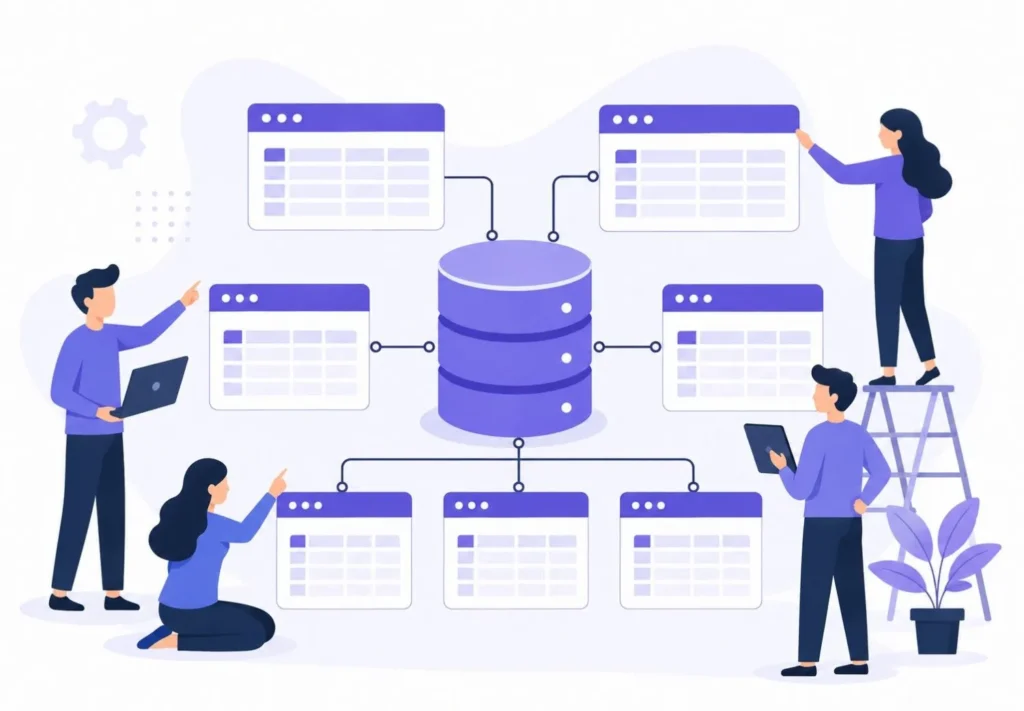
Remove old revisions, clear spam comments, and delete expired transient data regularly. Cleaning up failed orders, abandoned cart records, and orphaned order metadata keeps your database lean. Optimizing and defragmenting tables improves query performance and ensures your store runs smoothly even under heavy traffic.
Why Should You Review Product Pages and Internal Links?
Product pages and internal links impact both user experience and search performance. Outdated product descriptions, incorrect pricing, and broken images erode customer trust and hurt conversion rates. Keeping every product page accurate and visually complete is as important as any technical maintenance task.
Update product details regularly, fix broken links, and maintain clear, logical category structures. Strong internal linking improves navigation for shoppers and helps search engines understand the relationship between your products, categories, and content pages. A well-linked store ranks better, converts more visitors, and keeps customers browsing longer.
Why is it Important to Check Inventory, Orders, and User Accounts?
Checking inventory, orders, and user accounts is essential to maintain accuracy and deliver a smooth customer experience. Keeping stock levels up to date helps prevent overselling or missed sales opportunities, while regularly reviewing order statuses ensures pending or failed transactions are resolved quickly, reducing confusion and delays.
Monitoring user accounts is equally important, as login or access issues can directly impact customer trust and satisfaction. For subscription-based stores, verifying that renewals are processed successfully is critical to maintaining uninterrupted service. Regularly reviewing these areas helps prevent customer complaints, improves operational efficiency, and keeps your store running reliably.
How do You Audit Hosting, SSL, and Server Health?
Auditing your hosting, SSL, and server health ensures your store remains fast, secure, and consistently available. A strong hosting setup directly impacts speed, uptime, and overall performance.
Regular checks help detect issues early, prevent downtime, and keep your store stable as traffic grows.
- Check PHP Version: Using the latest PHP version improves speed, security, and compatibility with plugins and themes.
- Monitor Resource Usage: High CPU or memory usage signals performance issues or the need to scale your hosting resources.
- Analyze Error Logs: Error logs help uncover hidden issues that may affect speed, functionality, or user experience.
- Verify SSL Certificate: A valid SSL certificate ensures secure data transfer and builds trust with your customers.
- Track Uptime: Consistent uptime ensures your store is always accessible and prevents revenue loss.
WooCommerce Maintenance Checklist
Keeping your WooCommerce store running smoothly requires consistent and structured maintenance. Regular checks help prevent performance issues, improve security, and ensure a seamless shopping experience.
By following a clear checklist, you can stay proactive instead of reactive. This helps your store remain fast, stable, and ready to handle growth without unexpected disruptions.
Update Themes, Plugins, and Core
Regular updates keep your store up to date with the latest features and improvements. Outdated components can cause errors, slow performance, and broken functionality.
Staying up to date also fixes known vulnerabilities, improving security and ensuring your store remains stable and scalable.
Optimize Database Tables
Over time, your database accumulates unnecessary data, such as revisions, logs, and expired sessions. This buildup can slow down both frontend and backend operations.
Cleaning and optimizing database tables improves query speed and overall performance, keeping your store efficient as it grows.
Run Backups and Monitor Performance
Daily and weekly backups ensure quick recovery in case of crashes, errors, or attacks. A reliable backup system reduces downtime and protects critical data.
Monitoring speed and uptime helps detect issues early, allowing you to fix problems before they affect users or revenue.
Test Checkout and Security
Your checkout and payment systems must work flawlessly to avoid losing customers. Regular testing ensures a smooth and error-free purchase experience.
Security checks like malware scans, SSL verification, and vulnerability monitoring protect your store and customer data.
Review Links, Inventory, and Hosting
Broken links, incorrect redirects, or outdated product information can hurt user experience and trust. Regular reviews keep your store accurate and easy to navigate.
Auditing your hosting setup and tracking performance metrics ensures your store stays fast, stable, and ready for long-term growth.
What Mistakes Should You Avoid During WooCommerce Maintenance?
Common mistakes during WooCommerce Maintenance can lead to serious performance and security issues. Skipping regular updates for plugins, themes, and core files can expose your store to vulnerabilities. Ignoring backups is another critical mistake, as it leaves you unprepared for data loss or site crashes.
Keeping unused or outdated plugins installed can slow down your store and create conflicts. Additionally, failing to test checkout functionality or review error logs can result in lost sales and poor user experience. Staying proactive and consistent with maintenance helps avoid these issues and ensures long-term stability.
Conclusion
Store maintenance is essential for keeping your website fast, secure, and reliable for customers. Regular updates, performance checks, backups, and security monitoring help prevent downtime, errors, and compatibility issues. It also ensures your WooCommerce store continues running smoothly across all devices and browsers.
A well-maintained store improves user experience with faster loading speeds, secure checkout processes, and stable functionality. Regular optimization helps identify technical issues before they affect sales or customer trust. Consistent maintenance also supports long term growth by improving SEO, scalability, and overall website performance.
FAQs About WooCommerce Maintenance Checklist
What is WooCommerce Maintenance?
WooCommerce Maintenance is the process of updating, optimizing, and securing your online store to ensure stable performance. It includes backups, plugin updates, security checks, and speed optimization to keep the store running smoothly.
How often should WooCommerce Maintenance be done?
WooCommerce maintenance should be done regularly to keep your store secure and functional. Daily monitoring and weekly updates help prevent downtime, security risks, and performance issues.
Can you maintain a WooCommerce store yourself?
Yes, basic WooCommerce maintenance can be managed independently for smaller stores. However, advanced optimization, security, and troubleshooting are often easier with expert support.
Does WooCommerce need regular optimization?
Yes, regular optimization improves website speed, SEO performance, and overall customer experience. It also helps reduce errors, improve stability, and support better conversions.
Why is WooCommerce Maintenance important?
WooCommerce maintenance helps prevent downtime, security issues, and technical problems that can impact sales and customer trust. Regular maintenance keeps your store secure, fast, and reliable at all times.



