Website project management is how you turn an idea into a live site without chaos. It brings structure to website projects through a clear project plan, well defined project scope, and a shared view of success. With the right project manager, the right project management software or project management platform, and a motivated development team, you can align stakeholders, set key milestones, and track progress from kickoff to website launch.
This guide shows how effective website project management works in the real world. You will see how to pick project management methodologies, when an agile methodology fits, and where a waterfall methodology still helps. You will learn how to use a preferred project management tool for task management, time tracking, and resource allocation, so your project team can assign tasks, monitor task progress, and manage project timelines and project budget with confidence.
We cover discovery, content, UX, technical setup, and the website project management process that ties it all together, including staging site use, a testing checklist, and client feedback loops. Expect practical tips on project deliverables, project milestones, and the critical path that keeps complex projects moving. By the end, you will have a simple way to build an effective project management plan that helps web development teams run successful projects with calm, clarity, and measurable outcomes.
What Website Project Management Covers for a Modern Build
Website project management goes far beyond assigning tasks and ticking off a checklist. It is the structured process that allows agencies, internal teams, and web development partners to move from an idea to a working website. At its core, website project management coordinates the project plan, project scope, project deliverables, and project milestones while ensuring that client feedback is considered at every stage.
A strong website project management team includes a project manager who oversees timelines. The development team handles coding and integrations. Web designers shape the visual layout. Content specialists prepare the information architecture and copy. By working together, team members can track progress, manage resources, and avoid last-minute surprises during website development.
This process typically touches every layer of web builds: discovery, design, technical architecture, testing, deployment, and ongoing support. When guided by a clear project management plan and the right project management tool, agencies can ensure that website projects are delivered on time, within the project budget, and aligned with success criteria that matter most to the client.
Phase Zero Checklist before Kickoff
Before any design or code begins, a website project needs a structured preparation phase. This is where the foundation for successful project management is laid. A clear checklist ensures that nothing important is missed before the official start of the project plan.
The first step is identifying project stakeholders. Every website project has internal team members, external stakeholders, and a project manager who acts as the main point of contact. Clarifying roles and responsibilities early prevents confusion later.
Next, define the success criteria and project scope. What will the finished website achieve, and what are the essential tasks required to get there? Documenting the original project scope helps align the entire team and provides a benchmark for tracking progress throughout the website project management process.
Budget and resources also need to be finalized at this stage. Resource allocation is critical because the project manager must assign tasks effectively and ensure that timelines are realistic. Using project management software or a project management platform allows agencies to map capacity and identify gaps before they become blockers.
Finally, confirm the preferred project management tool and methods of communication. Whether you are using agile project management or a structured plan based on waterfall methodology, everyone should know how updates, approvals, and task progress will be handled. This clarity keeps the project team on the same page from the very beginning.
Discovery & Scoping that Reduce Rework
The discovery and scoping phase is where website project management starts to shape a clear vision. It is the planning phase that aligns business goals, user needs, and technical requirements into a single structured plan. Getting this stage right reduces costly rework later in the project.
The project manager leads workshops or interviews with stakeholders to gather insights. These sessions uncover the purpose of the website, the target audience, and the essential tasks the site must perform. From here, the project team can create a website project plan that outlines project deliverables, project milestones, and key elements needed for success.
User journeys, sitemaps, and wireframes are often produced in this stage to define the visual layout and navigation. By involving web designers and the development team early, the project scope becomes more realistic, and potential blockers are identified. This step also sets expectations for client feedback, ensuring that revisions are built into the project management process.
Another critical part of scoping is risk assessment. Complex projects often encounter changes, so documenting risks and planning mitigation strategies gives the website project management team the flexibility to adapt. A project management tool can help track progress, assign tasks, and log risks so the entire team remains informed.
By the end of discovery, you should have a structured plan, a list of project deliverables, and clarity on how project timelines and budgets will be managed. This stage is where effective website project management transforms ideas into a solid roadmap for execution.
Need Expert Help With Your Website Project?
Seahawk’s project management team specializes in planning, designing, and delivering high performing websites. From strategy to launch, we make sure your project stays on track, meets deadlines, and exceeds expectations.
Governance & Decision Making Model
Governance is the framework that keeps a website project on track. Without it, even the best project management plan can fall apart. A strong governance and decision making model defines who is responsible, who approves, and how changes are handled during the entire project.
The first step is to set clear roles and responsibilities. The project manager oversees the project plan and project scope, while team members in design, development, and content are assigned tasks with defined ownership. Task owners need to understand their deliverables and how their work fits into the larger website project management process.
Decision making rules are just as important. For effective project management, establish who has final approval on project milestones, project budget changes, or scope adjustments. This prevents delays caused by unclear authority and ensures that the project team can move forward with confidence.
Change control is another key element. Complex projects often face shifting requirements, so documenting every change against the original project scope helps track progress and avoid confusion. A project management tool or project management platform can record these decisions and provide transparency to both internal team members and external stakeholders.
Finally, agree on the meeting rhythm and documentation standards. Regular status updates, structured reports, and shared documentation create alignment across the entire team. This governance model ensures that communication, accountability, and approvals are streamlined, making it easier to effectively manage project timelines and deliver successful projects.
Content Strategy & Migration Plan
A website project cannot succeed without a strong content strategy. While design and development create the structure, it is the content that engages users and drives conversions. Effective website project management integrates content planning early in the project management process to avoid last minute delays.
The first step is a content inventory and audit. Review the existing site if there is one, and note which pages, media, and documents will move to the new website. This helps define the project scope and ensures that essential tasks are accounted for in the project plan.
Next, create a content strategy that aligns with business goals and user needs. Define the voice and tone, identify gaps in existing material, and plan for new pages or media. Team members responsible for copywriting and visual assets should be assigned tasks in the project management tool so progress can be tracked easily.
A migration plan is equally important. This involves preparing redirects, handling SEO critical elements, and ensuring that the staging site reflects the final content structure. Testing checklists should cover both old and new URLs to maintain search visibility and user experience.
The project manager plays a key role here by coordinating between web designers, the development team, and content creators. By tracking project milestones such as content freeze dates and migration rehearsals, the website project management team reduces risk and ensures a smooth transition.
When managed properly, content strategy and migration become seamless parts of the website project plan, leading to a successful website launch with minimal disruption.
Experience Design Foundations
Design is where the website begins to take shape visually and functionally. In effective website project management, this phase is not just about how the site looks but also how users will experience it. A clear design process helps the project team avoid missteps and keeps the project plan on track.
Wireframes and prototypes are the starting point. These low fidelity layouts map out the visual structure, navigation, and user flows before the development team writes a single line of code. This early step makes it easier to collect client feedback and refine the project scope without heavy rework.
Consistency is another key factor. Using design systems, style guides, and component libraries ensures that web designers and developers work from the same set of rules. This reduces errors, speeds up delivery, and improves overall resource allocation.
Accessibility must also be built into the experience design foundations. Following best practices ensures that the website works for all users, including those with disabilities. Testing checklists for accessibility should be part of the project management process from day one, not an afterthought.
The project manager keeps design aligned with project milestones by monitoring task progress, assigning tasks clearly, and making sure approvals are documented. This governance ensures the website project management team delivers a user friendly, visually consistent, and accessible design that supports the project’s success criteria.
Technical Architecture & Environments
Once discovery and design are complete, the focus shifts to building a solid technical foundation. Website project management in this stage ensures that the infrastructure supports performance, security, and scalability goals. Without a clear technical plan, even the best design can fail during execution.
The first step is defining the hosting environment and performance targets. The project manager works with the development team to select reliable hosting, configure servers, and set up caching or content delivery networks. These decisions directly impact site speed, uptime, and the overall success criteria of the project.
Next comes environment setup. Most web development teams work with three key environments: development, staging site, and production. The development environment is where features are created, staging is used for testing and client feedback, and production is the live site. Clear rules for code deployment between these environments help manage tasks and track progress without confusion.
Security is another critical factor. SSL certificates, firewalls, and vulnerability monitoring need to be part of the project plan. Documenting these steps in project management software keeps the entire team aligned and ensures no task is overlooked.
Version control and branching strategies are also essential tasks. Using systems like Git allows multiple team members to work in parallel, manage changes, and protect the integrity of the original project plan.
By managing technical architecture carefully, the website project management team creates a stable foundation for development, testing, and launch. This stage sets the stage for effective project management that avoids costly downtime and ensures a smooth website launch.
SEO and Analytics Plan Baked in from Day One
A successful website project is not only about design and code but also about visibility and measurement. Effective website project management includes SEO and analytics planning right from the start, not after the website launch. This ensures that the site is optimized for search engines and that performance can be tracked against project deliverables.
The project manager should work with SEO specialists during the planning phase to align on keywords, information architecture, and internal linking. Clear project milestones such as sitemap approval and metadata integration help the project team stay on track. Including structured data, semantic markup, and mobile friendly design in the website project plan ensures the site meets modern SEO requirements.
Analytics setup is equally important. Defining goals, events, and conversions early allows the development team to embed tracking code properly. A project management tool can be used to assign tasks for configuring dashboards, testing event tracking, and verifying data accuracy on the staging site before launch.
Resource allocation should also cover privacy compliance, including cookie consent and data handling. This protects both the business and the user experience.
By making SEO and analytics part of the website project management process from day one, the entire team ensures that the site not only looks great but also performs well in search engines and provides actionable insights for growth.
Accessibility And Compliance as a Non Negotiable
Accessibility and compliance are no longer optional in website project management. Every website project must consider how all users will interact with the site, including those with disabilities. Building accessibility into the project management process ensures legal compliance, better user experience, and long term success.
The project manager should define accessibility standards during the planning phase. This includes following WCAG guidelines, ensuring proper color contrast, adding alt text for images, and designing forms that are easy to use with assistive technologies. These requirements should be part of the original project scope and documented as essential tasks.
Compliance goes beyond accessibility. Depending on the industry and region, websites may need to meet privacy regulations such as GDPR or HIPAA. Adding these requirements to the project plan helps the entire team understand what must be delivered to avoid risks.
Testing checklists should include accessibility tools and real user testing. Assigning tasks for accessibility validation ensures that team members take ownership and that task progress is monitored throughout the project. Using project management software helps track these project milestones and keeps accessibility aligned with other project deliverables.
By treating accessibility and compliance as non negotiable, the website project management team creates inclusive, legally sound websites that meet success criteria while building trust with users and external stakeholders.
Risk Management for Real World Web Builds
Every website project faces risks, no matter how carefully it is planned. Effective website project management does not eliminate risks but prepares the project team to handle them. A strong risk management process can prevent small issues from becoming critical blockers.
The first step is identifying potential risks during the planning phase. These may include delays in content delivery, budget overruns, scope creep, or technical integration challenges. Documenting them in the project management plan provides visibility for the entire team and external stakeholders.
Next, risks should be scored by likelihood and impact. This helps the project manager prioritize which issues to monitor closely. For example, late content from the client may be highly likely and have a major impact on the project timeline, making it a top priority to address.
Assigning task owners for mitigation is also essential. Each risk should have a person responsible for monitoring it and a defined plan of action. A project management tool makes it easier to assign tasks, track progress, and update the status of risks throughout the project.
Complex projects often require flexibility, so reviewing risks at key milestones ensures that the website project management team can adapt quickly. This structured plan for risk management keeps project deliverables on track and supports successful projects even in challenging conditions.
Communication Plan that Keeps Everyone Aligned
Clear communication is one of the key factors behind successful website project management. Even the best project plan can fail if the project team and external stakeholders are not on the same page. A structured communication plan ensures that information flows smoothly and that project progress is transparent.
The project manager should establish how updates will be shared and how often. This might include weekly status reports, daily standups, or biweekly review meetings depending on the size of the website project. Each update should cover project milestones, task progress, risks, and upcoming deliverables so that all team members and stakeholders understand where the project stands.
Choosing the right project management tool or project management platform makes this process easier. Features like task comments, notifications, and shared dashboards allow the entire team to collaborate in real time. Clients can also be invited to track progress, reducing long email threads and improving client feedback loops.
Documentation is another essential part of the communication plan. Key decisions, approvals, and changes to the original project scope should be logged in one place for future reference. This helps avoid misunderstandings and supports effective project management throughout the entire project.
With a strong communication plan, the website project management team fosters trust, ensures alignment, and keeps both internal team members and external stakeholders engaged in building successful projects.
Choosing A Delivery Approach: Website Project Management Methodologies
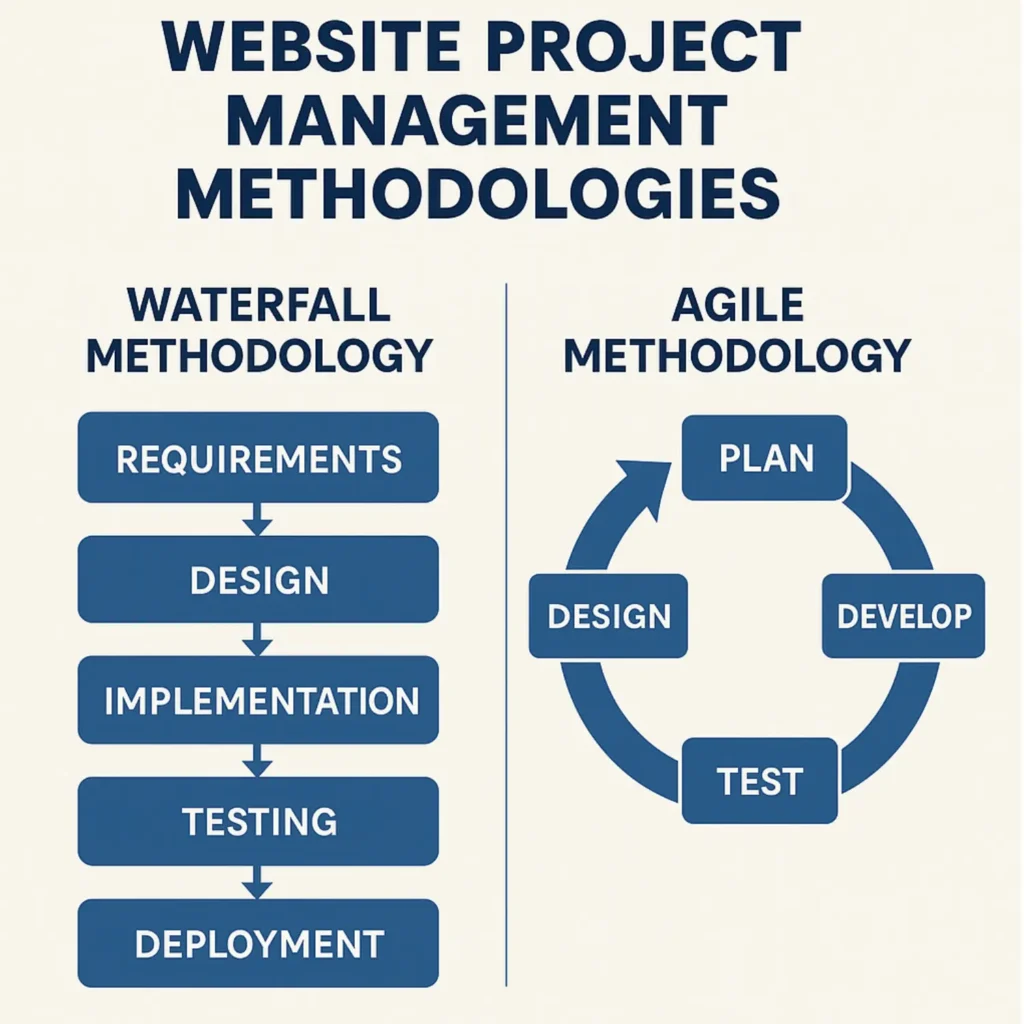
Selecting the right delivery approach is a critical step in website project management. Different projects call for different project management methodologies, and the choice impacts how the project team assigns tasks, manages timelines, and responds to client feedback.
The Waterfall Methodology is a structured plan where tasks flow in a linear sequence. It works well for projects with a fixed project scope and clearly defined project deliverables. Web development teams use this approach when the requirements are stable, and clients prefer fewer changes during the project management process.
The Agile Methodology focuses on flexibility. Work is divided into smaller sprints, allowing the project team to track progress, collect client feedback, and make adjustments as the project evolves. Agile project management is especially useful for complex projects where the original project scope may need to change.
Scrum builds on agile by adding roles such as a scrum master and product owner, daily standups, and sprint reviews. It is a practical way to keep team members aligned and maintain momentum on website projects.
Many agencies and internal teams use a hybrid model, combining structured planning from Waterfall with the flexibility of Agile. The preferred project management tool can support any of these methods by providing templates, workflows, and reporting to fit the chosen approach.
By aligning the delivery method with the project’s complexity, budget, and client needs, the website project management team ensures effective project management and higher chances of delivering successful projects.
Building in Sprints with Visible Progress
Breaking a website project into smaller, manageable pieces makes it easier to track progress and deliver value consistently. This is where sprints become central to effective website project management. Instead of waiting until the end of the project to review everything, the project team works in focused cycles with clear goals and deliverables.
Each sprint begins with creating a backlog of essential tasks. These tasks are prioritized by the project manager and assigned to team members in the project management tool. The backlog should align with the project scope and project plan, ensuring that each sprint moves the entire project closer to its milestones.
Defining a sprint goal is critical. It helps the development team, web designers, and content specialists stay on the same page and understand what success looks like for that cycle. At the end of each sprint, the project manager organizes a demo where progress is reviewed and client feedback is collected. This practice ensures transparency with external stakeholders and builds trust in the website project management process.
A retrospective follows the demo, giving the entire team a chance to reflect on what worked and what can be improved. This loop of planning, building, reviewing, and improving helps effectively manage even complex projects and ensures that successful project management principles are consistently applied.
By building in sprints, website projects become more adaptable, timelines stay realistic, and the entire team remains motivated by visible progress toward key milestones.
Quality Assurance that Protects User Trust
Quality assurance is one of the key elements of effective website project management. A website that looks polished but fails under real use can damage trust with clients and users. That is why testing and validation must be built into the project management process, not left until the final days before a website launch.
The project manager should create a testing checklist during the planning phase. This checklist should include device and browser compatibility, page speed, form submissions, payment flows if relevant, and accessibility compliance. Each of these essential tasks should be assigned in the project management tool so team members know what they own and project progress can be tracked.
Critical and non critical issues need to be separated. Critical bugs, such as broken links, errors that block checkout, or site crashes, must be fixed before launch. Non critical issues, such as spacing inconsistencies or minor visual layout bugs, can be logged and resolved after deployment. Having this distinction documented keeps the project team focused on key milestones and prevents delays.
Time tracking tools and resource allocation also play a role here. Testing requires planning, and web development teams should know exactly when their code will be reviewed and validated by QA. By managing tasks effectively, the project manager ensures the entire team contributes to quality assurance without bottlenecks.
When a project team invests in thorough testing, it not only protects user trust but also reduces support costs after launch. Strong QA practices are a hallmark of successful website project management and lead to more reliable, scalable, and trusted client projects.
Pre Launch Hardening Checklist
Before a website goes live, the project team must complete a pre launch hardening checklist. This stage of website project management ensures that nothing is overlooked and that the website is stable, secure, and ready for real users. Skipping this step can lead to costly downtime, poor user experience, or failed client projects.
The project manager should begin with a content freeze. This means no new content changes are made while the final testing checklist is completed. It prevents last minute edits from breaking layouts or creating errors on the staging site.
Next, verify all redirects and SEO settings. This includes checking metadata, structured data, and ensuring old URLs are properly redirected. A missed redirect can harm search visibility and traffic.
Technical checks come next. Forms should be tested for submissions and email deliverability, analytics tracking should be verified, and cache and CDN configurations should be optimized. Backups must be taken so that the original project plan can be restored if issues appear.
The project manager should also confirm security measures such as SSL certificates and admin access settings. Assigning tasks in the project management tool ensures that team members know their responsibilities and that task progress is visible to the entire project team.
Finally, prepare a rollback plan. Even with strong project management methodologies, issues may still occur at launch. A documented rollback procedure ensures that the development team can quickly restore stability.
Completing this pre launch hardening checklist is one of the most important project milestones. It reflects effective website project management by protecting both the client and the success of the entire project.
Launch Day Plan And Go Live Runbook
Launch day is the moment where all the planning, design, and development come together. In website project management, this stage must be carefully orchestrated to reduce risks and deliver a smooth transition from staging site to production. A clear go live runbook ensures the project team knows exactly what to do and when to do it.
The project manager coordinates the launch timeline in advance. Key milestones such as DNS updates, final backups, and cache clearing should be scheduled with precision. Each task is assigned to specific team members in the project management tool so the entire team stays on the same page.
Smoke tests are carried out immediately after launch. These include loading the homepage, navigating to key pages, submitting forms, and checking integrations like payment gateways or analytics. Recording task progress in real time helps the project manager track progress and respond quickly if issues arise.
Monitoring tools are also activated to watch server performance, uptime, and traffic spikes. Having a clear escalation path ensures that both internal team members and external stakeholders know who to contact in case of problems.
Finally, the launch plan should include a communication checklist. Clients, stakeholders, and users must be informed when the site is live. Celebrating this milestone also boosts morale for the development team and reinforces the value of effective website project management.
Post Launch Care Plan
A website project does not end on launch day. Effective website project management extends into post launch support to ensure stability, security, and ongoing improvements. This stage is critical for building long term trust with clients and users while protecting the investment in web development.
The first step is a stabilization window. During this period, the project team closely monitors site performance, resolves critical bugs, and ensures all integrations work as expected. A testing checklist should remain active, and task owners must track progress until the site is stable.
Next comes maintenance and updates. The project manager should create a structured plan for regular security patches, plugin updates, and backups. Assigning tasks in the project management tool ensures team members handle these essential tasks consistently. Resource allocation here is important, since skipping updates can lead to vulnerabilities and downtime.
Performance optimization also falls under the care plan. Monitoring speed, analyzing analytics, and refining SEO are continuous tasks that keep the website competitive. Tracking these project milestones helps measure success criteria beyond the initial launch.
Finally, include client support. Clear communication channels, periodic reporting, and documented procedures for handling change requests keep external stakeholders engaged and confident.
By treating post launch care as part of the website project management process, the entire team ensures that successful projects continue to deliver value long after the website goes live.
Reporting And Continuous Improvement
Once a website is live and stable, the focus shifts to measurement and improvement. In website project management, reporting is not just about tracking numbers but about turning data into actionable insights. Continuous improvement ensures that the project team builds on success and learns from challenges.
The project manager should set up a scorecard to monitor key factors such as traffic, conversions, core web vitals, and uptime. These metrics confirm whether the project scope is being met. They also show if project deliverables align with the original success criteria. Regular reports help external stakeholders track progress and see the value of the project.
Project management software or a project management platform can simplify reporting. By pulling data directly into dashboards, the project manager and team members can track progress in real time. This also reduces the burden of manual reporting and ensures transparency with the entire team.
Continuous improvement comes through retrospectives and reviews. At key milestones, the project team should evaluate what worked well, what caused delays, and how processes can be refined. Assigning tasks for process improvements ensures that lessons learned are implemented in future website projects.
When reporting and improvement are built into the website project management process, the project team evolves with every project. This approach leads to more efficient workflows, better client feedback, and a reputation for delivering successful projects consistently.
Common Pitfalls And How To Avoid Them
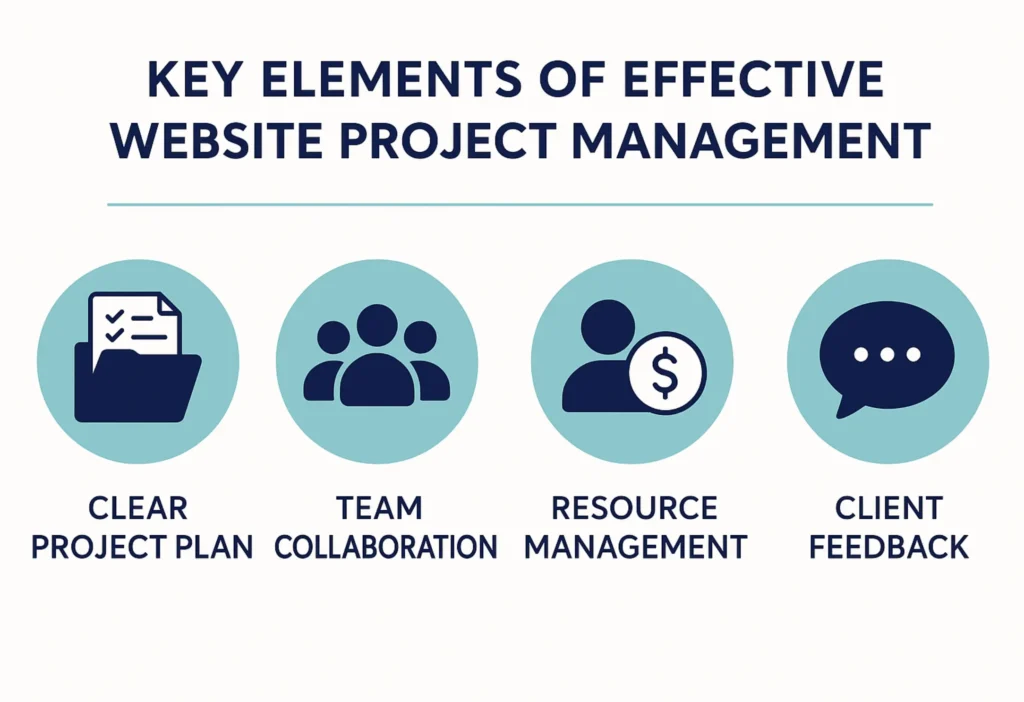
Even with a solid project management plan, website projects can face challenges that derail timelines and budgets. Recognizing common pitfalls early allows the project manager and project team to prevent them and keep the entire project on track.
One of the most frequent issues is late content delivery. Without a clear content strategy and strict deadlines, content often arrives too late, delaying the staging site and testing checklist. To avoid this, assign tasks early and track progress with a project management tool.
Another pitfall is unclear approvals. When decision makers are not defined in the project scope, approvals can drag on. Setting up a governance model with documented task owners ensures faster progress.
Scope creep is also a major risk. Adding new features outside the original project plan without adjusting timelines or budget can overwhelm the development team. Effective project management requires documenting change requests and revising the project management plan when needed.
Other pitfalls include hidden dependencies between essential tasks, over customisation that increases complexity, and under testing that leaves critical bugs unresolved. The project manager can reduce these risks by setting realistic project milestones, managing resources carefully, and keeping external stakeholders aligned.
By learning to anticipate and avoid these pitfalls, the website project management team can effectively manage complex projects and deliver successful projects that meet both client expectations and business goals.
How Seahawk Runs Website Projects

At Seahawk, website project management is more than just a process. It is a framework designed to deliver consistent results for client projects of all sizes. By combining proven project management methodologies with practical experience, the Seahawk project team ensures that every website project runs smoothly from planning to launch and beyond.
The journey begins with discovery workshops, where the project manager works with stakeholders to define project scope, success criteria, and project deliverables. This planning phase sets the foundation for effective project management by aligning the entire team and external stakeholders before design or development starts.
Seahawk uses a modular design system to streamline visual layout and brand consistency. This reduces rework, keeps web designers and the development team on the same page, and allows client feedback to be integrated quickly.
Delivery is managed through sprints, supported by a preferred project management tool that allows the project manager to assign tasks, track progress, and monitor project milestones. Time tracking tools and resource allocation ensure that budgets and project timelines are respected without sacrificing quality.
Quality assurance is treated as a core part of the website project management process. Testing checklists, staging site reviews, and continuous client collaboration ensure that the final product is reliable, accessible, and ready for launch.
Post launch, Seahawk offers structured care plans that cover maintenance, updates, and performance monitoring. This approach extends successful project management into long term website growth and client satisfaction.
By following this structured plan, Seahawk consistently delivers successful projects that balance creativity, technical expertise, and effective project management.
Closing Section
Website project management is the bridge between an idea and a successful website launch. With the right project plan, clear project scope, and a dedicated project team, even complex projects can be delivered on time and within budget. Each phase, from discovery and design to testing and post launch care, depends on effective project management practices that keep everyone on the same page.
For agencies and businesses, investing in structured website project management means fewer risks, stronger collaboration, and more successful projects. By applying the principles outlined in this guide, your internal team or external partners can track progress more effectively, manage tasks with clarity, and deliver websites that truly achieve business goals.
Seahawk continues to help clients around the world implement project management methodologies that work in real life, ensuring smooth web builds and long term results. If you are ready to experience a streamlined approach to web development, our team is here to guide you every step of the way.
Frequently Asked Questions
What is website project management?
Website project management is the process of planning, organizing, and overseeing all tasks needed to build and launch a website. It includes managing project scope, timelines, resources, and communication between the project team and stakeholders to deliver a successful project.
Which project management methodology is best for website development?
The choice depends on the project scope and complexity. Waterfall works well for projects with fixed requirements, while Agile is better for projects that need flexibility and frequent client feedback. Many teams use a hybrid model to combine the strengths of both.
Why is a communication plan important in website projects?
A communication plan ensures that the project manager, team members, and external stakeholders stay on the same page. Clear updates on project milestones, risks, and task progress reduce misunderstandings and keep the entire team aligned throughout the project.