
Your website is your most important digital asset. Yet most business websites lose traffic, leads, and sales simply because they age poorly. A smart website redesign strategy can reverse that, but only when it’s built around SEO, user experience, and conversion goals from day one.
This guide covers everything you need to know. From planning a redesign without losing rankings, to optimizing for AI-powered search, to measuring results after launch.
A website redesign strategy is a structured plan for overhauling a site’s architecture, design, content, and technical infrastructure to improve search rankings, user experience, and lead generation.
In 2026, effective redesigns address mobile-first indexing, Core Web Vitals, and AI search visibility alongside traditional SEO. Key steps include auditing existing traffic, mapping 301 redirects, rebuilding site architecture around search intent, and optimizing page speed.
Without a documented strategy, redesigns frequently cause organic traffic losses of 20 to 40 percent in the months following launch.
What is Website Redesign and Why Does It Matter in 2026?
A website redesign is a structured process of rebuilding or significantly overhauling a website’s visual design, code, content, and architecture. It goes well beyond changing a color palette or swapping a logo.

In 2026, websites compete in a far more demanding environment. Google’s ranking signals now heavily weigh page experience. AI assistants like ChatGPT, Gemini, and Perplexity pull answers directly from the web. Users expect fast, intuitive, mobile-first experiences.
A poorly structured or outdated website not only underperforms; it actively costs you leads and revenue.
Website Redesign vs Website Refresh: Key Differences
A website refresh is minor. It updates visuals, adds new pages, or refreshes copy. It leaves the core architecture and technology stack intact.
A website redesign is comprehensive. It replaces or rebuilds the underlying structure, often involving a new CMS, new page templates, a new information architecture, and a rethought content strategy.
The decision between the two comes down to whether your existing site can achieve your 2026 goals with small changes or whether it needs a ground-up rethink.
How Website Redesign Impacts SEO, UX, and Conversions
A redesign done right improves all three. A poorly executed redesign destroys all three.
When you change URLs, remove pages, or alter site structure without proper redirects, you lose backlinks and ranking signals.
When you rebuild your navigation and content hierarchy around user intent, search engines reward you with better crawlability. When you speed up your pages and simplify your conversion paths, users buy or contact you more often.
The impact is direct and measurable.
The Shift From Traditional SEO to AI Search Visibility and GEO
Search in 2026 is not just about ranking in the top 10 blue links. AI-generated answers now appear before organic results on Google, Bing, and other platforms. Getting cited in those answers requires a new approach called Generative Engine Optimization (GEO).
GEO means structuring content so AI models can extract and cite it accurately. It requires clear factual statements, FAQ-style formatting, and strong topical authority.
Understanding how to build AI citations is now a core part of any redesign content strategy. It also means seeding your brand across trusted sources, a practice known as LLM seeding, so AI models include you in their training data and citations.
Ready for a Smarter Website Redesign?
Boost SEO, improve user experience, and increase conversions with Seahawk’s expert website redesign services.
Signs Your Business Website Needs a Redesign
Not every website needs a full redesign. But these signs make the case clear.

- Your bounce rate is high. Visitors leave quickly without engaging. That signals misaligned content, poor design, or slow load times.
- Your site is not mobile-optimized. More than 60% of web traffic comes from mobile devices. If your layout breaks or shrinks on a phone, you are losing visitors before they read a word.
- Your Core Web Vitals scores are failing. Google uses Largest Contentful Paint, Interaction to Next Paint, and Cumulative Layout Shift as ranking factors. Poor scores hurt your position in search results.
- Your conversion rate has dropped. If fewer visitors contact you, buy, or sign up, the site is no longer doing its job.
- Your brand has evolved. A mismatch between your current brand positioning and your website creates confusion and erodes trust.
- You cannot update your own content. If making a simple text change requires a developer, your CMS is holding you back.
- Your competitors look significantly more professional. First impressions happen in milliseconds. Design credibility affects purchase decisions.
Benefits of a Strategic Website Redesign
A strategic website redesign is not just an aesthetic upgrade. It delivers concrete, measurable business outcomes.
- Improved search rankings through better technical SEO and content structure
- Lower bounce rates driven by faster pages and clearer navigation
- Higher conversion rates through optimized user journeys and CTAs
- Stronger lead generation via dedicated landing pages and forms
- Better mobile experience through responsive, mobile-first design
- Greater AI search visibility through structured, authoritative content
- Reduced maintenance costs through a modern, scalable CMS and clean code
Companies that treat redesign as a strategic investment, not a cosmetic project, see ROI within months.
How to Plan a Website Redesign Without Losing SEO Rankings?
Losing organic traffic during a redesign is the single most common and costly mistake. Here is how you avoid it.
- Step 1: Audit your current site. Identify every URL that receives organic traffic. Use tools like Google Search Console, Ahrefs, or Semrush. Understanding which content drives traffic helps you decide what to preserve, merge, or remove.
- Step 2: Document your existing URL structure. Every URL that ranks must be mapped. If you change a slug, a 301 redirect must point from the old URL to the new one. Knowing how to redirect WordPress URLs correctly is critical at this stage.
- Step 3: Preserve high-performing content. Never delete a page that ranks without redirecting it or consolidating its value into a new page.
- Step 4: Carry over all structured data, canonical tags, and meta information. These are invisible to users but critical for search engines.
- Step 5: Launch on a staging site first. Test everything before going live. Crawl the staging site for broken links. After launch, fix any broken links immediately to prevent ranking drops.
- Step 6: Monitor closely post-launch. Set up alerts for crawl errors, ranking changes, and traffic drops. Act fast if you see anomalies.
Website Redesign Strategies to Improve SEO, UX, and Lead Generation
A strategic website redesign helps improve search visibility, enhance user experience, and turn more visitors into qualified leads.
Build a User-Friendly Website Architecture
Information architecture is the backbone of your site. Users and search engines both need to find content quickly and logically.
Organize pages into clear topic clusters. Keep your most important pages within two to three clicks from the homepage. Use a logical, flat hierarchy; the fewer levels deep a page sits, the better it crawls and ranks.
One structural decision that affects SEO is whether to use subdomains or subdirectories for content sections. Understanding the difference between subdomains and subdirectories helps you choose the right approach for blogs, location pages, or product categories.
Optimize Website Design for Mobile-First Experiences
Google indexes your site using its mobile version first. If your mobile experience is poor, your rankings suffer, even on desktop searches.
Mobile-first design means designing for the smallest screen first, then scaling up. It means tap targets that are large enough, fonts that are readable without zooming, and forms that work on a touchscreen.
A common mistake is confusing a mobile-optimized site with a responsive site. The difference between a mobile site and a responsive site matters for both SEO and user experience. Responsive design is almost always the better long-term choice.
If your existing site has mobile display issues during the redesign, you can fix them before the new version launches to maintain your current traffic.
Improve Core Web Vitals and Website Speed
Speed is a ranking factor and a conversion factor. A one-second delay in page load time can reduce conversions by up to 7%.
Your redesign should target passing all three Core Web Vitals: LCP under 2.5 seconds, INP under 200 milliseconds, and CLS below 0.1. These are measured in real-user conditions, not just lab tests.
Improving Core Web Vitals for enterprise websites involves image optimization, lazy loading, eliminating render-blocking resources, and using a fast hosting stack.
Choosing the right WordPress theme also matters enormously. Fast WordPress themes ship with minimal bloat and clean code, giving your redesign a strong performance baseline from the start. If your site is currently slow, understanding why your WordPress site is slow helps you fix root causes rather than symptoms.
Implement Technical SEO Best Practices
Technical SEO sets the foundation for everything else. Without it, great content and beautiful design still fail to rank.
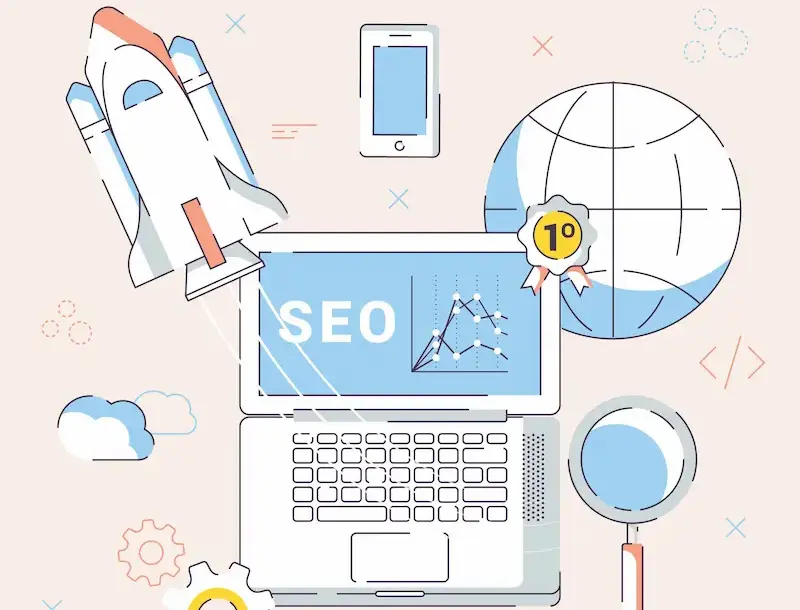
Your redesign technical SEO checklist should include: clean URL structures, XML sitemaps, canonical tags, structured data (Schema.org), proper robots.txt configuration, HTTPS across all pages, and correct hreflang implementation for multilingual sites.
Common technical SEO traps during redesign include duplicate content from staging environments, missing 301 redirects, orphaned pages with no internal links pointing to them, and accidentally blocking crawlers in robots.txt.
Use proven SEO tools to audit your site before and after the redesign. Post-launch crawls reveal errors you cannot spot manually.
Redesign Website Content Around Search Intent
Search intent is the reason a user is searching. A user searching “website redesign cost” wants information. A user searching “hire website redesign agency” wants to take action. Your content must match that intent precisely.
During a redesign, audit every page and ask: Does this page directly answer what the user was looking for when they searched this topic? If not, rewrite it or restructure it.
Content relevance is the connective tissue between SEO and user engagement. Pages that match intent keep users on-site longer, reduce bounce rate, and signal quality to Google.
For multilingual businesses, be aware of common multilingual SEO myths that can damage your international rankings if acted on incorrectly.
Improve UX Design and Conversion Funnels
UX design is not about aesthetics. It is about removing friction along the path from a user’s first visit to their desired action.
During your redesign, map every conversion funnel. Where do users enter? Where do they drop off? What action do you want them to take? Eliminate every unnecessary step.
Apply visual hierarchy principles. Guide the user’s eye with size, contrast, and white space. Use sticky CTAs on long-form pages. Add trust signals, client logos, testimonials, case studies, certifications, and near decision points.
Your redesign should also meet accessibility compliance and WCAG standards. Accessible design improves usability for everyone, expands your audience, and reduces legal risk.
Create Lead Generation-Focused Landing Pages
Landing pages are purpose-built to convert. They remove distractions, focus on a single offer, and guide users toward one action.
During your redesign, build dedicated landing pages for each core service, campaign, or audience segment. Each landing page should have a single, clear CTA, not five different options.
Dynamic landing pages take this further by personalizing content based on the user’s source, location, or behavior. A visitor from a paid ad sees a different message than someone who arrived through organic search.
Integrate AI and Personalization Into Website Redesign
AI is changing how websites work, not just how they are found. AI-powered tools now enable personalized content recommendations, chatbot-led conversion flows, behavioral triggers, and predictive CTAs.
As part of your 2026 redesign, consider how AI web design templates and AI-driven frameworks can accelerate your build while maintaining quality. Tools that use machine learning to test headlines, layouts, and CTAs can improve conversion rates without manual A/B testing cycles.
How to Build an SEO-Friendly Website Structure?
An SEO-friendly site structure helps both users and search engines navigate your content efficiently.
- Use a flat hierarchy. Important pages should sit close to the root domain. Deep nesting dilutes link equity.
- Build topic clusters. Organize content into pillar pages and supporting blog posts. Each cluster signals topical authority to Google. Understanding the future of WordPress and its full-site editing capabilities can help you implement cluster-based layouts cleanly.
- Use descriptive, keyword-rich slugs. Your URL slug should clearly describe the page content. Avoid generic slugs like
/page-1or/post-29482.
- Internal linking matters. Every important page should receive internal links from relevant content. Anchor text should describe the destination page accurately.
- Submit your sitemap. After a redesign, resubmit your XML sitemap in Google Search Console. This prompts faster recrawling of your new structure.
How to Optimize Website Content for SEO and AI Search?
Content optimization in 2026 requires serving two audiences simultaneously: human readers and AI systems.

For human readers: write clearly, use short sentences, break information into scannable sections, and answer questions directly.
For AI systems: use structured formatting, include factual statements with clear attribution, answer questions in the first sentence, and use FAQ sections with direct answers.
Structured data markup (Schema.org) helps both. It tells AI models what type of content a page contains, who authored it, and what questions it answers.
Topical authority also matters. Covering a subject comprehensively, across a cluster of interconnected pages, signals to both Google and AI models that your site is a credible source. This is central to how you get cited in AI-generated answers.
UX and Conversion Optimization Strategies for Website Redesign
Good UX directly drives revenue. These strategies work specifically in the context of a redesign.
- Simplify navigation. Reduce menu items to only what users actually need. More choices create decision paralysis.
- Use heat maps and session recordings. Tools like Hotjar or Microsoft Clarity show exactly where users click, scroll, and abandon. Use this data before and after your redesign.
- Reduce form fields. Every additional field in a contact or lead form reduces completion rates. Ask only for what you truly need.
- Place CTAs where users are most engaged. This varies by page type. On service pages, users convert after reading your case studies. On blog posts, they convert after finding a solution to their problem.
- Use motion intentionally. Understanding the balance between static UI and motion UI in web development helps you decide where animation adds value and where it distracts.
- Integrate CRM from the start. Your redesign should connect seamlessly to your CRM so every lead is captured and tracked. WordPress CRM plugins allow tight integration between your site’s forms and your sales pipeline.
Website Redesign Trends for 2026
These design directions define high-performing websites in 2026.
- AI-personalized content. Sites now dynamically display different content, offers, and CTAs based on user behavior and intent signals.
- Minimalist, high-contrast design. Less clutter, stronger visual hierarchy. Minimalist branding dominates in industries where trust is the primary driver of conversion.
- 3D and immersive elements. Interactive 3D website design is no longer reserved for gaming companies. B2B and SaaS brands use it to demonstrate product value.
- Voice and conversational UI. More users search by voice. Content and navigation must support natural language queries.
- Dark mode and adaptive themes. Users expect websites to respect their system display preferences.
- Performance-first architecture. Headless CMS, edge delivery, and static site generation are increasingly mainstream for performance-critical sites.
Common Website Redesign Mistakes That Hurt SEO and Conversions
Avoid these frequent, costly mistakes.

- Forgetting to map 301 redirects. This is the number one cause of post-redesign traffic loss.
- Deleting thin content without redirecting. Even low-traffic pages may hold backlinks. Removing them without redirects destroys that link equity.
- Ignoring page speed during design. Heavy animations, unoptimized images, and excessive scripts can turn a beautiful design into an unusable mess.
- Launching without testing on mobile. Always QA your new site on multiple real devices, not just browser emulators.
- Not setting up 301 redirects for deleted pages. Soft 404 errors and broken links signal poor site quality to search engines.
- Skipping the post-launch crawl. Use a tool like Screaming Frog immediately after launch to detect crawl errors, missing meta tags, and broken internal links.
- Choosing a domain without research. Even something as seemingly simple as choosing between a free or paid domain name affects trust signals and long-term SEO.
Website Redesign Checklist Before Launch
Use this checklist before going live.
Technical:
- All 301 redirects are in place and tested
- XML sitemap is updated and submitted
- Robots.txt allows crawling of all important pages
- Structured data is implemented and validated
- HTTPS is active on every page
- Google Analytics (or alternative) tracking is live
SEO:
- All meta titles and descriptions are unique and optimized
- Image alt text is present on all images
- Internal linking structure is verified
- Canonical tags are correct
UX & Performance:
- Core Web Vitals pass in Google PageSpeed Insights
- Site renders correctly on iOS and Android
- All forms are submitted and send notifications correctly
- CTAs are visible and functional
- Accessibility compliance is verified
Content:
- No placeholder text (Lorem Ipsum) remains
- All pages have unique, optimized content
- Contact details are accurate
Consider tracking post-redesign metrics using Google Analytics alternatives that offer more granular behavior analytics.
How to Measure Website Redesign Success?
A redesign without measurement is a guess. Define your KPIs before launch, then track them consistently.
- Organic traffic. Compare session counts and keyword rankings week over week using Google Search Console and your preferred analytics platform.
- Conversion rate. Track form submissions, calls, demo requests, and purchases. A higher conversion rate on the same traffic level means the redesign is working.
- Core Web Vitals scores. Monitor LCP, INP, and CLS in the Google Search Console Core Web Vitals report.
- Bounce rate and engagement rate. A lower bounce rate and a higher average session duration indicate better alignment between content and users.
- Lead volume and lead quality. Track how many leads come through the site and whether sales teams report higher-quality conversations with them.
- AI search citations. Monitor whether your brand appears in AI-generated answers in ChatGPT, Gemini, or Perplexity for your target queries.
Set a 90-day post-launch review. By then, you will have enough data to identify what is working and where to optimize further. Review IT company website design examples in your sector to benchmark your redesign against top performers.
Conclusion: Build a Future-Ready Website Redesign Strategy
A successful website redesign strategy in 2026 is not about chasing design trends or copying competitors. It is about building a digital foundation that serves your users, ranks in both traditional and AI-powered search, and converts traffic into revenue.
Plan before you build. Protect your SEO. Design for mobile first. Optimize for performance. Create content that answers real questions with real authority. Measure everything.
The businesses that treat website redesign as a strategic, data-driven investment, not a one-time creative project, are the ones that win in search, user experience, and lead generation.
Start with an honest audit of where your current site falls short. Then build a roadmap that addresses every gap. The result will be a website that works as hard as the rest of your business.
FAQs About Website Redesign Strategy
What is a website redesign?
A website redesign updates your site’s design, structure, content, and functionality to improve SEO, user experience, and lead generation. It helps businesses stay competitive and meet modern search and user expectations.
How often should you redesign a website?
Most businesses should redesign their website every 2 to 3 years. Regular updates help improve performance, security, mobile usability, and search engine rankings.
Can a website redesign improve SEO rankings?
Yes. A strategic website redesign can improve SEO by optimizing site speed, mobile responsiveness, content structure, internal linking, and technical SEO elements.
How do you redesign a website without losing SEO traffic?
Start with an SEO audit and keep high-performing URLs intact. Use proper 301 redirects, preserve valuable content, and monitor rankings throughout and after the redesign.
What are the most important website redesign trends for 2026?
AI-driven personalization, mobile-first design, voice search optimization, accessibility focused layouts, and fast-loading experiences are key website redesign trends for 2026.
How long does a website redesign take?
A website redesign can take anywhere from a few weeks to several months. The timeline depends on the website size, features, content updates, and SEO requirements.



