
In a world where users expect lightning-fast page loads and seamless browsing, optimizing your website performance is no longer optional. Whether it’s improving Google PageSpeed Insights scores or delivering optimized HTML files and adaptive images, speed matters. That’s where FastPixel comes in.
FastPixel handles the technical aspects automatically: from critical CSS and font subsetting to lazy loading, background image scaling, and global CDN integration. This isn’t just another cache plugin. It’s a complete speed optimization tool that streamlines everything.
With FastPixel, you can stop worrying about the tech and focus on growing your site, with peak performance guaranteed. So, let’s explore everything you need to know about this plugin in this article!
Why Website Speed Matters in 2025?
Website speed is no longer just a nice-to-have, it’s a make-or-break factor in how users interact with your WordPress site. In 2025, the demand for optimized webpages, instant load times, and a seamless experience across devices is higher than ever.

Search engines now use Core Web Vitals as a key ranking signal, meaning that poor speed can tank your visibility. Slow, bloated sites often suffer from high bounce rates, lower conversions, and reduced engagement, especially on mobile. That’s where speed-focused strategies like font loading optimization, DNS prefetching, and HTML optimization become critical.
Modern users browse with high expectations, and your site needs to deliver. Whether you’re running a personal blog or managing a complex WordPress installation, a faster site equals a better experience.
So if you’re aiming for a website performance boost with minimal effort, speed isn’t something you can afford to overlook.
What is FastPixel?
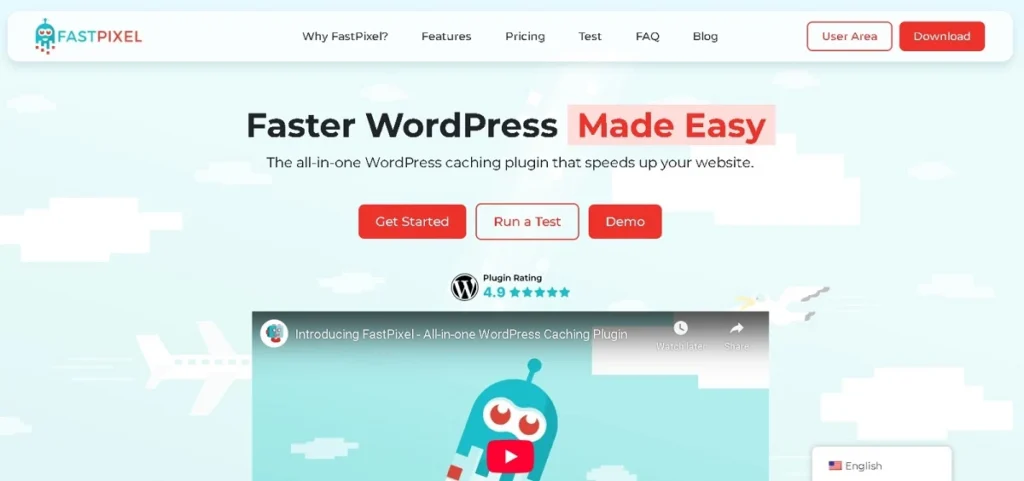
FastPixel is more than just a caching plugin; it’s a full-fledged speed improvement plugin that simplifies the technical grind of site optimization.
Designed to work right out of the box, this plugin’s fast and easy setup means you barely have to configure anything. Just install, activate, and watch your page speed improve.
Unlike traditional tools that only cache pages or compress images, FastPixel caching plugin goes further.
It creates highly optimized HTML files, automatically resized images in next-gen formats, and static, fastpixel cache versions of your pages based on each visitor’s viewport and browser capabilities. This ensures that your users always get the fastest possible experience, wherever they are.
It also handles font compression, font processing, font embedding, and even gif images, all without touching a line of code.
With automatic next-gen image support, external resources optimization, and cache warmup, FastPixel truly uses all the techniques needed for ultimate caching and html optimization.
While traditional optimization plugins require navigating through advanced technical stuff and constant tweaking, FastPixel handles it all, like accelerates resource fetching, optimizes CSS/JS, and ensures clean database performance.
You get the latest technical enhancements with none of the headaches.
If you want to optimize page speed without the guesswork, it’s time to choose FastPixel caching plugin.
Whether you’re testing performance using test FastPixel live or evaluating through performance analysis tools, the results are undeniable: a leaner, faster, better WordPress site.
Check Out: Best WordPress Image Optimization Plugins
Don’t Let a Slow Site Hold You Back!
Unlock blazing-fast load times with expert site speed optimization, caching, compression, and all the behind-the-scenes magic done for you.
How FastPixel Supercharged Our Test Site
To put FastPixel to the test, we used a temporary website hosted on Hostinger, a popular shared hosting provider.
We intentionally avoided premium or managed WordPress hosting to see how the plugin performs in a real-world, budget-friendly environment.
This setup represents the kind of site many beginners or small businesses run, where performance optimization is often needed the most.
Before installing the plugin, we ran the site through Google PageSpeed Insights and Pingdom to establish a performance baseline. The results weren’t terrible, but they weren’t great either:
- Page size: 2.6 MB
- Load time: 1.65 seconds
- Requests: 62
- Performance grade: C
- Mobile performance score: 89
- Desktop performance score: 97
While the desktop results were somewhat acceptable, there was obvious room for improvement, especially on mobile, where page speed plays a critical role in Core Web Vitals and SEO performance.
After installing and configuring the FastPixel caching plugin, the improvements were nothing short of amazing:
- New page size: 83 KB
- New load time: 37 ms
- Total requests: 2
- New performance grade: A
- Mobile score: 98
- Desktop score: 99
FastPixel’s smart handling of image resizing, automatic next-gen formats, html optimization, and adaptive caching based on the visitor’s viewport resulted in a massive website performance boost.
We didn’t just see a drop in file size, we saw a complete transformation in the speed and efficiency of the site.
All this happened with minimal effort and no advanced technical setup. It’s safe to say FastPixel delivered substantial speed improvements, even on low-tier hosting.
How to Install FastPixel Plugin
Getting started with FastPixel is straightforward, even for WordPress beginners. One of the best things about this speed improvement plugin is that it’s available directly in the WordPress repository. You don’t need to download any external files or fiddle with complicated settings.
Here’s how to install it:
- Log in to your WordPress installation dashboard.
- Go to Plugins ⟶ Add New.
- In the search bar, type “FastPixel”.
- Look for the plugin named FastPixel: Web Accelerator.
- Click Install Now, then Activate.
At the time of writing, FastPixel has over 4,000 active installs and maintains a solid 5-star rating, a strong sign of trust and effectiveness in the WordPress community.
As soon as the plugin is activated, it starts working its magic. The fastpixel cache is immediately generated for your homepage, and the plugin begins queuing other pages automatically.
You’ll see your cache warmup status right from the dashboard, and you can even manually trigger caching if needed.
There’s barely any configuration required, just set it and go.
And for those who want to dive deeper, FastPixel provides additional settings for font loading optimization, lazy loading, dns prefetching, css/js minification, and cache exclusions, making it highly FastPixel compatible with various site types.
From the moment you install it, you’ll see why users continue to choose FastPixel caching plugin as their go-to performance optimization tool.
Check out this in-depth video tutorial to see FastPixel in action
FastPixel Features That Make a Difference
Here’s how it makes a real impact on your WordPress site:
Advanced Caching System
FastPixel’s caching system is the core of its power. It doesn’t just cache your homepage, it creates static versions of every page on your site, ensuring that each one loads faster based on the visitor’s viewport and location.
These automatically generated cached pages reduce CPU intensive processing by taking the load off your server.
The plugin offers a manual cache option as well, so you can cache specific pages instantly, useful when you make updates and want them reflected right away.
It also features cache queueing, which prioritizes high-traffic or homepage content to ensure quick access and lightning-fast load times.
CDN Integration
FastPixel integrates seamlessly with a global content delivery network (CDN). This means your site’s assets are served from servers closest to your visitor, dramatically reducing latency and improving page speed.

This also lowers the number of queries sent directly to your hosting server, freeing up resources and making your WordPress site more stable under traffic spikes. The result? Improved SEO rankings, a better user experience, and faster international access.
Image Optimization Options
FastPixel comes with three levels of image optimization:
- Lossy: Perfect for most sites; gives optimized images with smaller sizes and no noticeable visual loss.
- Glossy: Ideal for photographers or design-heavy sites needing top-tier quality.
- Lossless: Best for technical drawings, diagrams, or vector-based content.
It also supports auto-cropping and ensures that images are responsive and correctly sized for all screen sizes. Whether it’s background images or logos, everything is automatically resized and delivered in a format that’s both lightweight and crisp.
JavaScript Optimization
JavaScript can slow down websites significantly if not handled properly. FastPixel offers minification and options to defer or delay non-critical JavaScript, which helps reduce CPU intensive processing during page load.
You can also exclude critical scripts, like those required for GDPR compliance or checkout functionality. The plugin provides full control over which JS files get optimized, making it ideal for both static sites and complex, dynamic WordPress builds.
Preset Modes
To make things simple, FastPixel offers three optimization presets:
- Safe Mode: Prioritizes stability over aggressive optimization.
- Balanced Mode: A great middle-ground for most WordPress sites.
- Fast Mode: Delivers the best performance by pushing aggressive optimizations.
These modes are ideal for users who want to speed up their sites but don’t want to dig into advanced technical settings. You can simply choose the mode that fits your needs, and you’re done, set up I barely had to touch!
Exclusions & Advanced Settings
Sometimes, not everything should be cached. FastPixel understands this and gives you granular control. You can exclude specific pages, post types, or query parameters from caching. This is especially useful for WooCommerce sites where dynamic content like carts or checkout pages should remain uncached.
It also includes features like parameter exclusions, post type exclusions, and custom URL rules for better control over how your content is delivered.
Free vs Paid: FastPixel Pricing Breakdown
FastPixel’s free plan is surprisingly generous. It supports one website and allows up to 1,000 page views per month, making it perfect for new bloggers, small businesses, or hobby projects.
But for high-traffic sites, the paid plans, Plan A, B, and C, offer a host of advanced features:
- Plan A: Up to 300,000 monthly page views, 3 websites, priority caching, and full CDN access.
- Plan B: 2 million page views, 50 websites, and priority support.
- The last, Plan C: 5 million+ page views, unlimited sites, and dedicated migration assistance.
If you’re running a growing business or manage multiple client sites, upgrading gives you peace of mind with priority performance, better support, and access to all the tools needed to maintain optimized images, html optimization, and more.
So, who should upgrade? If your site exceeds 1,000 monthly visitors or if you’re constantly making updates that require rapid cache refresh, upgrading ensures that the plugin works optimally under load.
Also Know: Brandy Review
Who Should Use FastPixel?
FastPixel is designed to meet the needs of a wide range of WordPress users, thanks to its smart defaults and powerful features that require virtually no manual setup.
- Beginners looking for a hands-free performance boost: If you’re new to WordPress and intimidated by technical settings, FastPixel is a dream. With its plugin’s fast and easy setup, automatically generated settings, and minimal configuration, you can get blazing-fast results right after installation. You’ll barely need to touch anything, yet still enjoy major improvements in page speed, core web vitals, and overall website performance.
- Agencies managing multiple client sites: For web agencies juggling dozens of client sites, consistency and efficiency are key. FastPixel makes it easy to deploy a speed improvement plugin across multiple sites, with options for manual cache control, CDN integration, and global settings that help you deliver optimized webpages at scale. The higher-tier plans even support priority caching and unlimited domains.
- Bloggers, eCommerce owners, and portfolio sites: From photography portfolios to online stores, FastPixel supports optimized images, font compression, and critical JavaScript handling, ensuring fast load times for dynamic content. If you’re a WooCommerce user, the ability to exclude pages like carts or checkouts from caching ensures functionality without sacrificing performance.
FastPixel Pros and Cons
FastPixel stands out for its ease of use and powerful performance benefits. The plugin is ideal for beginners, set up is quick, and most settings are automatically generated, so you barely need to configure anything.
Even on shared hosting, FastPixel delivers impressive speed gains by generating static versions of pages and reducing CPU-intensive processing.
With built-in CDN support, WebP image delivery, font compression, and DNS prefetching, it improves everything from resource fetching to core web vitals.
It also handles JavaScript and CSS smartly, giving your WordPress site a strong SEO performance boost with minimal effort.
However, the free plan is limited to 1,000 page views/month, which may not suit high-traffic sites. And while perfect for most users, advanced developers might find the customization options somewhat limited.
Final Thoughts
FastPixel proves that speed optimization doesn’t have to be complicated. Whether you’re a beginner, blogger, or agency pro, this plugin takes care of the technical aspects automatically, helping you deliver lightning-fast page loads with minimal effort.
From optimized images and smart caching to font compression, html optimization, and global CDN delivery, FastPixel combines all the essentials into one streamlined, beginner-friendly tool.
What makes it truly stand out is how effective it is, even on shared hosting environments. Our own test site went from sluggish to blazing fast, and we barely had to tweak a thing. If you’re looking to improve page speed, core web vitals, and overall WordPress site performance, FastPixel is a no-brainer.
Start with the free plan, you’ll likely see instant results. And as your site grows, upgrading is easy and worthwhile. With FastPixel, optimizing your website feels less like work and more like magic.



